
Brother MFC-L2700DW MFC-L2703DW Toner Cartridges
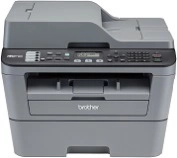
Your Brother MFC-L2700DW and MFC-L2703DW uses the TN-2330 / TN-2350 toner cartridge series. We have been supplying high-performance consumables for this monochrome laser printer since Sep 2014. Designed for demanding daily office workloads, this separate toner and drum system requires high-yield TN-2350 cartridges to keep per-page costs down during heavy document runs. Our 4.8 Google Star rating shows that our customers consistently receive high-quality cartridges backed by reliable performance.



Expected Page Output and Replacement Cycles
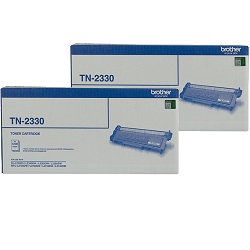
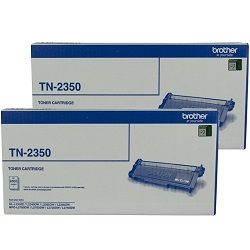
Standard TN-2330 cartridges yield approximately 1,200 pages, whereas high-yield TN-2350 cartridges produce around 2,600 pages based on ISO/IEC 19752 testing standards for monochrome laser printing. High-volume document environments benefit significantly from the higher yield cartridge to minimise frequent replacements.
| Cartridge Number | Type | Colour | Page Yield | Cost Per Page |
|---|---|---|---|---|
| TN-2330 | Standard | Black | 1,200 | $0.082 |
| TN-2350 | High Yield | Black | 2,600 | $0.064 |
Cost Per Page = Total Cartridge Price ÷ Page Yield (at 5% coverage). Prices based on Genuine cartridges.
Drum Unit Maintenance
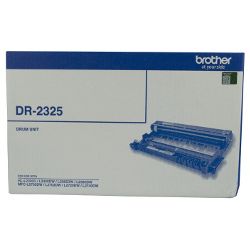
This printer uses a two-piece consumable design where the TN-2350 toner cartridge clips directly into the DR-2325 drum unit. While toner cartridges need replacing at regular intervals, the DR-2325 drum unit typically lasts through roughly three to four high-yield toner cycles (up to 12,000 pages).
Experience Tip: If your printer continues to display a "Replace Drum" message after installing a fresh DR-2325 unit, perform a manual drum counter reset via the printer control panel with the front cover open to clear the prompt.
Choosing Between Genuine and Compatible Options
Choosing high-quality compatible cartridges significantly lowers printing overheads for routine office paperwork without sacrificing clear text output. Under Australian Consumer Law, using compatible cartridges does not void your printer warranty. Learn more about performance comparisons in our guide on genuine vs compatible cartridges.
Ordering and Express Delivery
For high-volume text printing, selecting TN-2350 high-yield cartridges or multi-packs offers the best overall savings, with compatible options backed by our risk-free money-back guarantee. View our complete Returns policy for added peace of mind. Free delivery applies on all orders over $99, dispatched quickly from our national warehouse network in Perth, Brisbane, Sydney, Melbourne, and Adelaide. Browse our complete selection of Brother toner cartridges to stock up today.
Pro Tip
Always replace the toner cartridge while leaving the DR-2325 drum unit installed in the printer frame; separating them outside the printer prevents light exposure damage to the photosensitive drum surface.
Frequently Asked Questions
Why does my printer state "Replace Toner" when I just installed a new cartridge?
This occurs if the reset gear on the TN-2330 or TN-2350 cartridge did not properly trigger the internal sensor during insertion. Removing the toner assembly, ensuring the cartridge is fully snapped into the DR-2325 drum frame, and re-inserting the assembly firmly usually resolves the detection issue.
Do I need to replace the DR-2325 drum unit every time I change the toner cartridge?
No, the drum unit and toner cartridge operate independently. The DR-2325 drum unit lasts up to 12,000 pages, meaning you will generally only need to replace the drum unit after consuming approximately four standard TN-2330 or high-yield TN-2350 toner cartridges.
Can I install a high-yield TN-2350 cartridge if my printer came with a standard TN-2330?
Yes, the TN-2330 and TN-2350 cartridges share identical external dimensions and fit into the exact same DR-2325 drum unit. The TN-2350 simply contains more toner powder, delivering more than double the page capacity.


