
Brother MFC-J6510DW Ink Cartridges
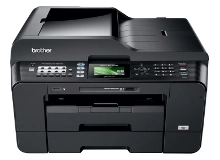
Shop ink cartridges for your Brother MFC-J6510DW, which uses the Brother LC73 and LC77XL ink cartridge series. Ink Depot has supplied reliable consumables for this printer since Jul 2011. Small business document workflows often deplete black ink rapidly, making high-yield LC77XL-BK cartridges far more economical than standard LC73BK units during heavy office printing runs. Our 4.8 Google rating reflects a long-standing track record of premium cartridge performance.












Expected page output and replacement cycles
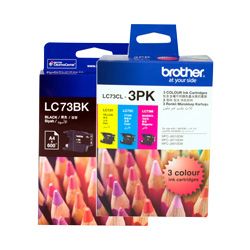
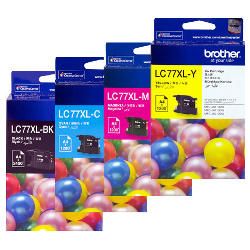
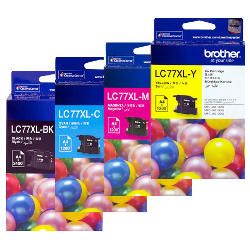
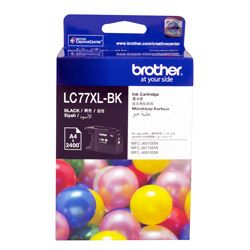
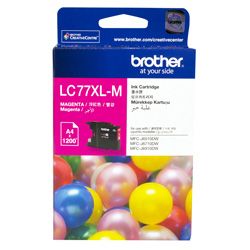
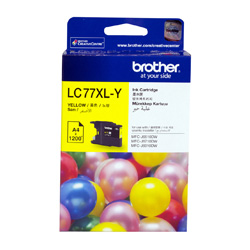
Standard ISO/IEC 24711 testing governs these page yield specifications. Standard LC73 cartridges deliver approximately 600 pages, while high-yield LC77XL options output up to 2,400 black pages and 1,200 colour pages, making high-yield cartridges ideal for higher monthly print volumes.
| Cartridge Number | Type | Colour | Page Yield | Cost Per Page |
|---|---|---|---|---|
| LC73BK | High Yield | Black | 600 | $0.10 |
| LC73C | High Yield | Cyan | 600 | $0.061 |
| LC73M | High Yield | Magenta | 600 | $0.061 |
| LC73Y | High Yield | Yellow | 600 | $0.061 |
| LC77XL-BK | Extra High Yield | Black | 2,400 | $0.033 |
| LC77XL-C | Extra High Yield | Cyan | 1,200 | $0.042 |
| LC77XL-M | Extra High Yield | Magenta | 1,200 | $0.042 |
| LC77XL-Y | Extra High Yield | Yellow | 1,200 | $0.042 |
Cost Per Page = Total Cartridge Price ÷ Page Yield (at 5% coverage). Prices based on Genuine cartridges.
Choosing the right cartridge setup
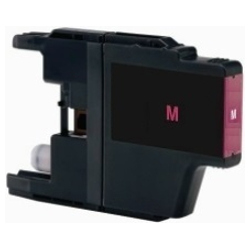
Text-heavy office printing relies heavily on black ink. Choosing high-yield LC77XL-BK cartridges lowers replacement intervals, while multi-packs offer greater convenience across all four colours. Replacing single cartridges as they run empty avoids unnecessary ink waste. Compatible cartridges provide substantial cost savings and come backed by our money back guarantee if they do not perform. Free delivery applies on all orders over $99, dispatched quickly from our warehouses in Perth, Brisbane, Sydney, Melbourne and Adelaide. Explore our full range of Brother ink cartridges or check our returns policy for details.
Understanding compatible LC73 and LC77XL cartridges
Third-party cartridges offer an economical alternative to original Brother supplies without compromising operational reliability. Under Australian Consumer Law, using compatible cartridges does not void your printer warranty. To understand how third-party cartridges perform against original supplies, read our genuine vs compatible cartridges guide.
Pro Tip
When installing a fresh LC73 or LC77XL cartridge, ensure the printer is powered on before opening the cartridge cover. This allows the internal sensor to reset the ink monitor correctly for accurate level tracking.
Frequently Asked Questions
Can I mix standard LC73 and high-yield LC77XL cartridges in the same printer?
Yes, LC73 and LC77XL cartridges share the exact physical outer dimensions and fit into the same slots. You can use an LC77XL black cartridge alongside standard LC73 colour cartridges without issue.
Why does my black ink run out faster even when printing in colour?
The Brother MFC-J6510DW uses black ink to enhance contrast and sharpen text outlines in colour documents. For heavy mixed-media printing, opting for LC77XL-BK cartridges helps maintain continuous workflow.
What happens if a cartridge is not recognised after replacement?
Remove the unrecognised cartridge, clean the electrical contacts gently with a dry lint-free cloth, reinsert it firmly until it clicks into place, and restart the printer to re-initialise the ink sensor.


