
Brother MFC-J5910DW Ink Cartridges
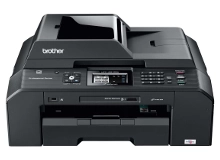
Shop ink cartridges for your Brother MFC-J5910DW, which uses the Brother LC73 ink cartridge series. Ink Depot has been supplying reliable consumables for this A3 multifunction printer since Nov 2011. Upgrading to high-yield LC77XL black cartridges reduces per-page expenses during heavy document runs, while standard LC73 options suit lighter routine printing. Our 4.8 Google rating reflects a long-standing track record of premium cartridge performance.









Expected page output and replacement cycles
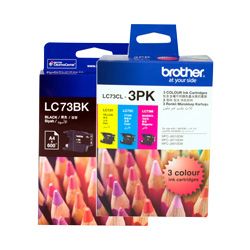
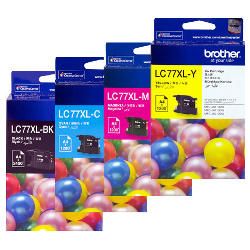
Expected page output is measured under the ISO/IEC 24711 standard using continuous printing of standard test documents. For small business workflows, high-yield LC77XL cartridges deliver significantly higher yield than standard LC73 options, extending replacement cycles during heavy document printing.
| Cartridge Number | Type | Colour | Page Yield | Cost Per Page |
|---|---|---|---|---|
| LC73BK | High Yield | Black | 600 | $0.10 |
| LC73C | High Yield | Cyan | 600 | $0.061 |
| LC73M | High Yield | Magenta | 600 | $0.061 |
| LC73Y | High Yield | Yellow | 600 | $0.061 |
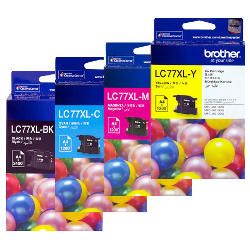
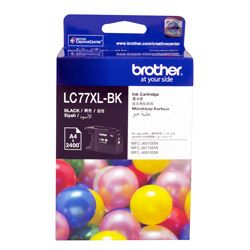
| LC77XL-BK | Extra High Yield | Black | 2,400 | $0.033 |
| LC77XL-C | Extra High Yield | Cyan | 1,200 | $0.042 |
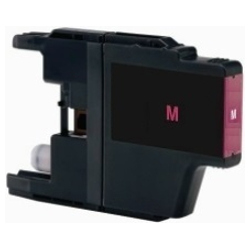
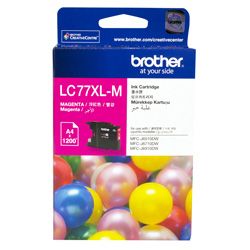
| LC77XL-M | Extra High Yield | Magenta | 1,200 | $0.042 |
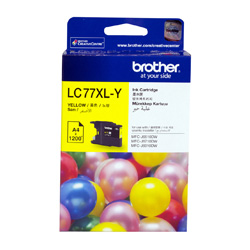
| LC77XL-Y | Extra High Yield | Yellow | 1,200 | $0.042 |
Cost Per Page = Total Cartridge Price ÷ Page Yield (at 5% coverage). Prices based on Genuine cartridges.
Choosing between genuine and compatible options
Choosing between original Brother inks and compatible options depends on print volume and budget priorities. Under Australian Consumer Law, using compatible cartridges does not void your printer warranty. Compatible LC73 and LC77XL cartridges offer significant cost savings for daily office printing. To learn more about how third-party cartridges perform against original manufacturer supplies, view our detailed guide comparing genuine vs compatible cartridges.
Selecting the right supply for your printing volume
If you regularly print text documents and A3 spreadsheets, stocking high-yield LC77XL black cartridges reduces printing costs and replacement frequency. For low-volume colour printing, standard LC73 cartridges provide an affordable option. Choosing compatible cartridges provides substantial savings, backed by our complete money-back guarantee under our returns policy. Free delivery applies on all orders over $99. We ship directly from warehouses in Perth, Brisbane, Sydney, Melbourne and Adelaide. Browse our complete range of Brother ink cartridges for fast order dispatch.
Cartridge Selection Tip
High-yield LC77XL cartridges contain significantly more ink than standard LC73 cartridges while maintaining the exact same physical cartridge slot footprint inside the Brother MFC-J5910DW. You do not need any adapters or modifications to upgrade from LC73 to LC77XL.
Frequently Asked Questions
Can I mix standard LC73 and high-yield LC77XL cartridges in the Brother MFC-J5910DW?
Yes, you can mix standard LC73 and high-yield LC77XL cartridges in the same printer without issue. The printer independently tracks each colour slot, allowing you to run an LC77XL high-yield black cartridge alongside standard LC73 colour cartridges if your document printing is predominantly text-based.
Why does colour ink deplete even when printing mainly in black?
The Brother MFC-J5910DW periodically performs automated printhead maintenance routines to keep the ink nozzles clear and prevent drying out. A small amount of ink from all four channels (black, cyan, magenta, and yellow) is used during these cycles, even if you primarily print monochrome documents.
What happens if one colour cartridge runs out completely?
Brother inkjet systems require active ink levels across all four colour slots to prevent printhead damage caused by drawing air into the firing nozzles. If any single cartridge registers as empty, the printer will pause printing operations until that cartridge is replaced.


