
Brother MFC-J491DW Ink Cartridges
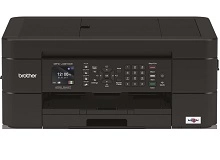
Your Brother MFC-J491DW uses the LC3311 / LC3313 cartridge series, featuring a four-colour individual ink setup. We have been supplying consumables for this printer since Jun 2019, providing reliable printing solutions for Australian households. Home office users frequently notice that document text demands far more frequent black ink replacements compared to colour graphic prints. This individual ink system prevents waste, allowing you to swap out only the depleted black cartridge while preserving the remaining cyan, magenta, and yellow colours.


!-- Bottom CMS -->
Expected page output and replacement cycles
Managing your printing budget requires clear visibility over your expected output. The LC3313 high-yield cartridges provide up to 400 pages for each individual colour, including black, cyan, magenta, and yellow. Industry standard testing via ISO/IEC 24711 determines these yields using a series of five standard text and graphic pages printed continuously. In everyday home office use, complex documents or high-coverage emails will deplete individual cartridges faster than these laboratory baselines, making it smart to track which colours dominate your print jobs.
| Cartridge Number | Type | Colour | Page Yield | Cost Per Page |
|---|---|---|---|---|
| LC3313BK | High Yield | Black | 400 | $0.015 |
| LC3313C | High Yield | Cyan | 400 | $0.013 |
| LC3313M | High Yield | Magenta | 400 | $0.013 |
| LC3313Y | High Yield | Yellow | 400 | $0.013 |
Cost Per Page = Total Cartridge Price ÷ Page Yield (at 5% coverage). Prices based on Compatible cartridges.
What to know about compatible cartridges
Choosing third-party ink options is an excellent way to maintain low operational costs without risking your hardware investment. Under Australian Consumer Law, using compatible cartridges does not void your printer warranty. This legal protection ensures you have the freedom to select aftermarket alternatives. These premium compatible LC3313 cartridges match the physical specifications of original parts, ensuring they seat securely into the carriage and communicate accurately with the printer. To read more about how third-party options stack up against originals, view our comprehensive guide at genuine vs compatible cartridges.
Managing replacements and shipping
For optimal savings, home office environments benefit from bundle options rather than buying cartridges individually when an ink light flashes. If you print heavy text documents, keeping an extra high-yield black ink on hand prevents sudden workflow interruptions. Our premium compatibles include a full money-back guarantee if they do not work, providing total peace of mind for everyday document production. To see how easy it is to manage returns, please review our Returns policy. Free delivery applies on all orders over $99, and we dispatch daily from our national network of warehouses in Perth, Brisbane, Sydney, Melbourne, and Adelaide to ensure your replacement ink arrives when you need it. You can explore the full range of options on our dedicated Brother ink cartridges portal.
Pro Tip
The MFC-J491DW checks ink levels via an optical sensor and an internal chip counter. When replacing a compatible LC3313 cartridge, always ensure the printer is fully powered on before inserting the new ink so the internal memory registers the replacement and resets the on-screen ink gauge accurately.
Frequently Asked Questions
Can I install high-yield LC3313 cartridges if my printer originally used standard LC3311 cartridges?
Yes, the high-yield LC3313 cartridges share identical external physical dimensions with the standard LC3311 series. They fit into the exact same color-coded slots inside the printer carriage, but they contain a larger volume of ink to deliver a higher page yield.
Why does my printer show low cyan or magenta ink when I almost exclusively print black text?
The printer uses small amounts of all colours during its automatic printhead cleaning cycles to prevent the microscopic nozzles from clogging. This routine maintenance occurs even if you only select monochrome printing in your print settings, leading to gradual depletion of colour cartridges over time.
What should I do if a compatible LC3313 cartridge is not recognised immediately upon installation?
Remove the unrecognised cartridge, turn the printer completely off at the power wall for two minutes, power it back on, and then firmly reinsert the cartridge. This power cycle clears the printer's temporary cache and forces the internal sensor to re-scan the cartridge chip.


