
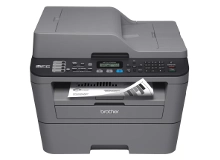
Brother MFC-7362N Toner Cartridges
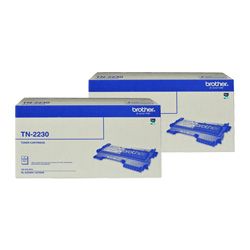
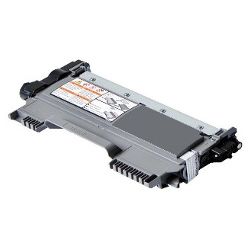
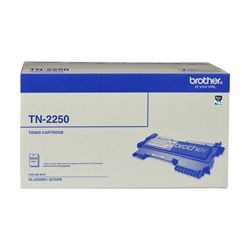
Your Brother MFC-7362N uses the TN-2230, TN-2250 cartridge series in conjunction with the DR-2225 drum unit. We have been supplying reliable consumables for this monochrome laser printer since Jan 2011, helping small business workplaces handle high-volume text document printing efficiently. As demonstrated by our 4.8 Google rating, we are committed to providing premium consumable cartridges. Switching to high-yield TN-2250 toner cartridges significantly extends replacement intervals during heavy print runs.


Expected page output and replacement cycles
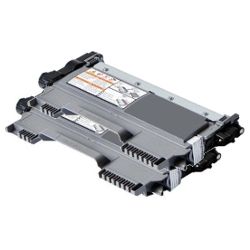
Page yields for Brother monochrome laser consumables are tested according to standard ISO/IEC 19752 guidelines based on 5% page coverage. The standard-capacity TN-2230 produces up to 1,200 pages, whereas the high-yield TN-2250 yields up to 2,600 pages to substantially lower printing costs on high-volume print runs.
| Cartridge Number | Type | Colour | Page Yield | Cost Per Page |
|---|---|---|---|---|
| TN-2230 | Standard | Black | 1,200 | $0.081 |
| TN-2250 | High Yield | Black | 2,600 | $0.064 |
Cost Per Page = Total Cartridge Price ÷ Page Yield (at 5% coverage). Prices based on Genuine cartridges.
Managing the independent drum unit
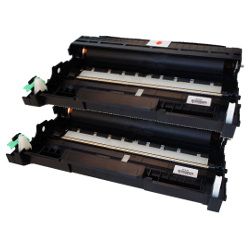
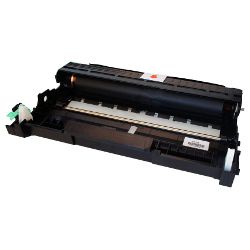
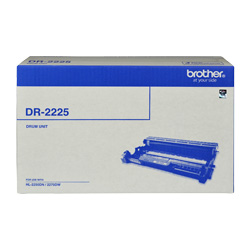
This printer operates with a separate DR-2225 drum unit into which the TN-2230 or TN-2250 toner cartridge clips. The drum unit maintains electrostatic charge transfer across multiple toner changes, typically needing replacement after three to four high-yield toner cycles.
Experience Tip: Remember to perform a manual drum counter reset on the printer panel when installing a fresh DR-2225 drum unit to clear system drum life alerts.
Choosing between genuine and compatible options
Utilising compatible toner cartridges offers significant savings for everyday office documentation without sacrificing sharp, readable text output. Under Australian Consumer Law, using compatible cartridges does not void your printer warranty. Learn more about how performance compares by visiting our genuine vs compatible cartridges comparison guide.
How most users manage replacements
For workplaces printing high volumes of text documents, opting for high-yield TN-2250 cartridges or multi-packs minimises cartridge changeovers and keeps printing costs low. Compatible options are fully backed by a money-back guarantee. Orders ship promptly from distribution centres located in Perth, Brisbane, Sydney, Melbourne, and Adelaide. Free delivery applies on all orders over $99. Browse our wider range of Brother toner cartridges or review our returns policy.
Pro Tip
When your printer signals that toner is depleted, only replace the TN-2230 or TN-2250 toner cartridge itself; the DR-2225 drum unit framework remains in the printer until explicit drum wear messages or print defects appear.
Frequently Asked Questions
Why does my printer display a "Toner Low" warning immediately after installing a new TN-2250 cartridge?
Brother monochrome laser printers rely on a mechanical reset gear on the side of the cartridge to signal a fresh toner installation. If the TN-2250 toner cartridge is not snapped securely into the DR-2225 drum assembly before insertion, the internal reset lever won't engage properly, leaving the low-toner error active.
Can I install a TN-2250 high-yield cartridge if my printer currently has a standard TN-2230 fitted?
Yes, both the standard TN-2230 and high-yield TN-2250 share identical external dimensions and clip seamlessly into the exact same DR-2225 drum unit slot. The TN-2250 simply contains more toner powder inside, yielding over double the printed pages.
How do I distinguish between an exhausted TN-2250 toner cartridge and a worn-out DR-2225 drum unit?
An empty TN-2250 toner cartridge causes overall faint print quality, light grey text, or a "Replace Toner" alert. A worn DR-2225 drum unit results in repeating black spots, vertical streaks down the page, or a permanent "Drum End Soon" warning on the display screen.


