
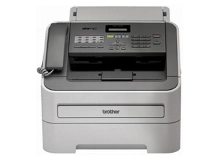
Brother MFC-7240 Toner Cartridges
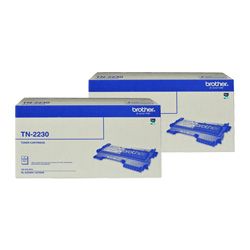
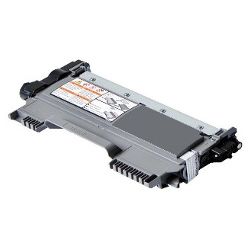
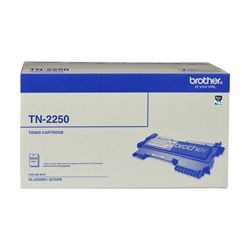
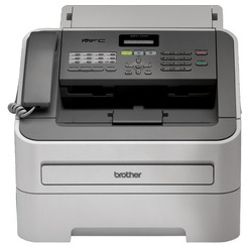
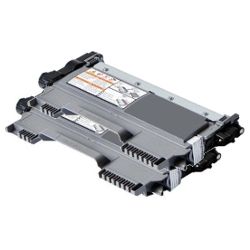
Your Brother MFC-7240 uses the TN-2230, TN-2250 cartridge series in tandem with the DR-2225 drum frame. We have supplied reliable consumables for this workplace printer since Oct 2012, helping small business offices maintain uninterrupted document workflows. Our 4.8 Google rating reflects a long-standing track record of premium cartridge performance. Transitioning from standard TN-2230 to high-capacity TN-2250 toner cartridges significantly extends operating periods between replacements for high-volume text printing.


Real-world page output and cartridge endurance
Yield measurements for Brother monochrome laser consumables follow industry-standard ISO/IEC 19752 guidelines at 5% page coverage. The standard TN-2230 cartridge outputs approximately 1,200 pages, whereas the high-yield TN-2250 cartridge delivers up to 2,600 pages, providing a significantly lower cost per page for busy workplace setups.
| Cartridge Number | Type | Colour | Page Yield | Cost Per Page |
|---|---|---|---|---|
| TN-2230 | Standard | Black | 1,200 | $0.081 |
| TN-2250 | High Yield | Black | 2,600 | $0.064 |
Cost Per Page = Total Cartridge Price ÷ Page Yield (at 5% coverage). Prices based on Genuine cartridges.
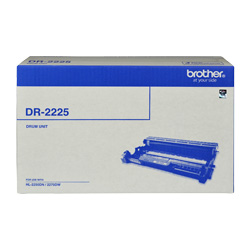
Replacing the DR-2225 drum unit
Monochrome laser printing on this model relies on a two-part consumable architecture where the TN-2230 or TN-2250 toner cartridge locks into an independent DR-2225 drum unit. The drum transfers toner onto paper electrostatic charges and typically outlasts three to four high-yield toner cartridges before requiring replacement.
Experience Tip: After fitting a fresh DR-2225 drum unit, press Clear/Back on the front console and hit 1 to reset the drum counter and remove lingering change alerts.
Choosing between genuine and compatible options
Opting for compatible toner cartridges reduces everyday running costs substantially without compromising crisp text sharpness or document readability. Under Australian Consumer Law, using compatible cartridges does not void your printer warranty. Read our comprehensive guide on genuine vs compatible cartridges for full details.
How most users manage replacements
Offices handling regular administrative printing usually keep spare TN-2250 high-capacity cartridges in reserve to prevent print workflow stoppages. Compatible cartridges carry a full money-back guarantee for risk-free operation. Orders are dispatched quickly from dispatch centres in Perth, Brisbane, Sydney, Melbourne, and Adelaide. Free delivery applies on all orders over $99. View our complete range of Brother toner cartridges or consult our transparent returns policy.
Pro Tip
When the low toner light activates, replace only the TN-2230 or TN-2250 toner cartridge inside the carriage; keep the original DR-2225 drum unit in place until actual drum wear indicators or repeating print defects appear.
Frequently Asked Questions
Why does the "Toner Low" warning remain on screen after inserting a new TN-2250 cartridge?
Brother monochrome laser systems rely on a small reset gear on the side of the cartridge to physically trip an internal flag inside the printer. If the TN-2250 toner cartridge was not clicked securely into the DR-2225 drum carrier before being inserted into the printer, the reset mechanism may fail to trigger correctly.
Can I upgrade from a standard TN-2230 to a high-yield TN-2250 toner cartridge?
Yes, the standard TN-2230 and high-yield TN-2250 share identical external physical dimensions and slot into the exact same location inside the DR-2225 drum assembly. The TN-2250 simply contains more toner powder to output over double the pages.
How can I determine whether the TN-2250 toner cartridge or the DR-2225 drum unit needs replacing?
Faded text across the whole page or explicit low toner messages indicate an empty TN-2250 toner cartridge. Evenly spaced black dots, dark vertical lines down the sheet, or a persistent "Drum End Soon" message indicate that the electro-static surface on the DR-2225 drum unit has worn down.


