
Brother HL-L2464DW Toner Cartridges
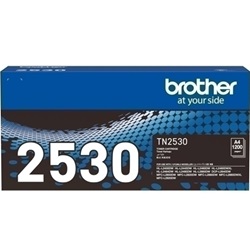
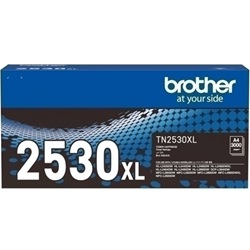
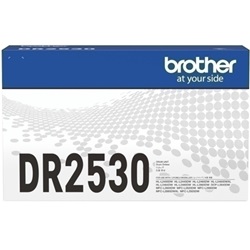
Your Brother HL-L2464DW uses the TN2530 toner cartridge series along with the DR2530 drum unit. Ink Depot has been supplying reliable consumables for this printer since Jan 2024. A compact monochrome laser printer designed for fast office document production, it performs most efficiently when running high-yield TN2530XL toners to reduce replacement cycles during heavy printing runs. Our 4.8 Google rating reflects a long-standing track record of premium cartridge performance.



Expected Page Output and Cartridge Yield
Brother calculates toner page yields using the ISO/IEC 19752 standard for monochrome laser cartridges, based on 5% page coverage. Actual yield varies depending on document complexity and print density, with high-yield TN2530XL options offering significantly lower cost per page for routine office documentation.
| Cartridge Number | Type | Colour | Page Yield | Cost Per Page |
|---|---|---|---|---|
| TN2530 | Standard | Black | 1,200 | $0.090 |
| TN2530XL | High Yield | Black | 3,000 | $0.055 |
Cost Per Page = Total Cartridge Price ÷ Page Yield (at 5% coverage). Prices based on Genuine cartridges.
Choosing Between Genuine and Compatible Options
Selecting compatible TN2530XL toner cartridges offers a cost-effective alternative for routine business documents without compromising text clarity. Under Australian Consumer Law, using compatible cartridges does not void your printer warranty. Learn more about performance differences in our genuine vs compatible cartridge guide.
Drum Units and Separate Consumables
The DR2530 drum unit is a separate replacement item from the toner cartridge and is rated for approximately 15,000 pages. Experience Tip: The DR2530 drum unit outlasts up to five standard TN2530 toner cartridges before requiring replacement, so you only need to swap it when prompt messages indicate end-of-life.
Selecting the Best Supply Setup for Your Office
If you print mainly text documents, choosing high-yield TN2530XL cartridges provides the best balance of output and value. If you opt for compatible cartridges to save on expenses, rest assured they come backed by our money back guarantee. For extra convenience, view our complete range of Brother toner cartridges. Free delivery applies on all orders over $99, shipped directly from our distribution warehouses in Perth, Brisbane, Sydney, Melbourne, and Adelaide. Please review our returns policy for details.
Pro Tip for Cartridge Buyers
When your printer displays a low toner alert, only replace the TN2530 toner cartridge itself rather than the drum unit; replacing the DR2530 drum is only necessary after thousands of pages when explicit drum messages appear.
Frequently Asked Questions
Can I install a high-yield TN2530XL toner if my printer came with a standard TN2530?
Yes, the TN2530XL toner cartridge shares the exact physical dimensions as the standard TN2530 and installs into the exact same slot in the DR2530 drum unit. It simply contains more toner powder to produce up to 3,000 pages.
How do I know whether I need a new TN2530 toner or a DR2530 drum unit?
The toner cartridge holds the black powder, while the drum unit transfers that powder onto the paper. Your printer will explicitly trigger separate error messages for "Replace Toner" and "Replace Drum", allowing you to replace only the specific component that has reached the end of its lifespan.
Why does my monochrome laser printer still report low toner level shortly after light text printing?
Monochrome laser yield ratings are calculated on 5% page coverage, which equates to roughly short paragraphs of simple text. If your documents contain heavy black tables, barcodes, or full-page diagrams, toner consumption increases substantially per page, depleting the cartridge faster than expected.


