
Brother HL-L2460DW Toner Cartridges
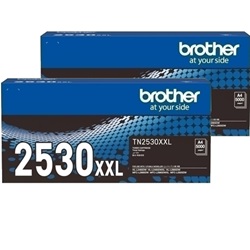
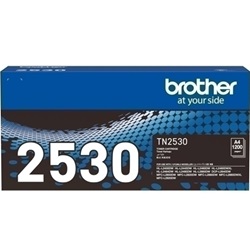
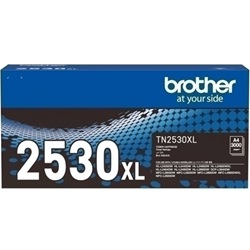
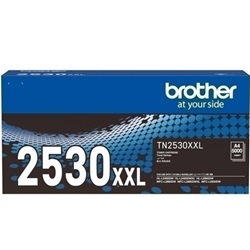
Shop toner cartridges for your Brother HL-L2460DW, which uses the Brother TN2530, TN2530XL and TN2530XXL toner cartridge series along with DR2530 drum units. Ink Depot has been supplying reliable consumables for this printer since Jan 2024. The HL-L2460DW is a compact monochrome laser printer engineered for fast business document output. Upgrading from standard TN2530 cartridges to high-yield TN2530XL or extra high-yield TN2530XXL options drastically reduces per-page expenses during heavy print runs. Our 4.8 Google rating reflects a long-standing track record of premium cartridge performance.




Expected Page Output and Replacement Cycles
Black toner cartridge yields are measured in accordance with ISO/IEC 19752 standard testing, based on 5% page coverage. High-volume business printing achieves lower running costs by utilising TN2530XXL extra high-yield cartridges, which deliver substantially more output per replacement than standard capacity options.
| Cartridge Number | Type | Colour | Page Yield | Cost Per Page |
|---|---|---|---|---|
| TN2530 | Standard | Black | 1,200 | $0.090 |
| TN2530XL | High Yield | Black | 3,000 | $0.055 |
| TN2530XXL | Extra High Yield | Black | 5,000 | $0.043 |
Cost Per Page = Total Cartridge Price ÷ Page Yield (at 5% coverage). Prices based on Genuine cartridges.
Choosing Between Genuine and Compatible Cartridges
Both genuine Brother supplies and high-quality compatible alternatives are available for this printer model. Compatible cartridges provide a cost-effective alternative for daily office documentation without compromising text sharpness. Under Australian Consumer Law, using compatible cartridges does not void your printer warranty. Read our detailed guide on genuine vs compatible cartridges to determine the best option for your workspace.
DR2530 Drum Assemblies
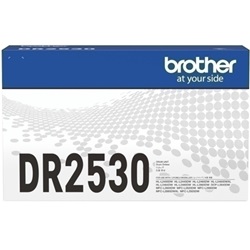
The Brother HL-L2460DW features a two-piece consumable design where the toner cartridge snaps into a separate drum assembly. Experience Tip: The DR2530 drum unit is rated for up to 15,000 pages, meaning it typically outlasts three to twelve individual toner replacements depending on whether you install standard or XXL capacity cartridges.
Best Way to Stock These Cartridges
For heavy text document printing, opting for high-yield TN2530XL or extra high-yield TN2530XXL cartridges minimises per-page output costs. If you choose compatible cartridges for budget efficiency, every purchase is protected by our risk-free guarantee outlined in our returns policy. Free delivery applies on all orders over $99, dispatched quickly from our central warehouses located in Perth, Brisbane, Sydney, Melbourne and Adelaide. Explore our full range of Brother toner cartridges to complete your setup.
Pro Tip
Never discard your DR2530 drum unit when the printer indicates low toner. The TN2530 toner cartridge is an independent part that unlatches directly from the drum frame, so only replace the drum when the printer explicitly prompts for a new drum unit after approximately 15,000 pages.
Frequently Asked Questions
Can I install a TN2530XXL cartridge if my printer came with a standard TN2530?
Yes. The standard TN2530, high-yield TN2530XL, and extra high-yield TN2530XXL cartridges all share the exact same physical outer dimensions and click into the standard DR2530 drum unit identically; the XXL version simply contains a larger reservoir of toner powder internally.
When should I replace the DR2530 drum unit versus the TN2530 toner cartridge?
The TN2530 toner cartridge holds the fine black powder and requires replacement every 1,200 to 5,000 pages based on the capacity selected. The DR2530 drum unit transfers that powder onto the paper and lasts up to 15,000 pages before print clarity diminishes.
Why does my Brother HL-L2460DW still display a toner message after inserting a replacement cartridge?
This typically occurs if the toner cartridge was not firmly locked into the DR2530 drum cradle until it clicked before sliding the combined assembly back into the printer, preventing the internal physical counter mechanism from resetting.


