
Canon PG 37 & Canon CL 38 Ink Cartridges
Canon PG-37 and CL-38 ink cartridges use an integrated printhead system featuring separate black and tri-colour cartridges built for general home printing. These standard yield cartridges suit everyday light document duties, while combined twin packs provide both essential cartridges together in a single convenient purchase. Our 4.8 Google Star rating shows that our customers consistently receive high-quality cartridges backed by reliable performance.
Printers Compatible with Canon PG 37 & Canon CL 38 Ink Cartridges



Expected Page Output and Testing Standards
Page yields for Canon PG-37 and CL-38 cartridges are measured under ISO/IEC 24711 standards using standard test pages at 5% coverage. Actual output varies based on document density, image coverage, and printing frequency.
| Cartridge Number | Type | Colour | Page Yield | Cost Per Page |
|---|---|---|---|---|
| PG-37 | Standard | Black | 219 | $0.13 |
| CL-38 | Standard | Colour | 207 | $0.10 |
Cost Per Page = Total Cartridge Price ÷ Page Yield (at 5% coverage). Prices based on Genuine cartridges.
Compare Canon PG-37 & CL-38 Ink Cartridge Options
Replace the Complete Colour Set
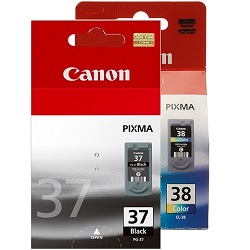
Instead of buying colours one by one, the 2-Pack PG-37/CL-38 Genuine (from $49.92) covers the complete set.
Replace Just One Colour
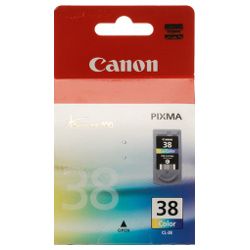
When just one colour needs replacing, a single Genuine CL-38 Colour cartridge (from $21.65) is all that's required.
Ordering Guidance and Fast Australian Shipping
Selecting between individual replacement cartridges and twin packs depends on your printing routine. Because tri-colour cartridges stop printing when any single colour runs out, replacing black and colour together in a combo pack ensures balanced operation. All purchases are backed by our returns policy. Free delivery applies on all orders over $99. Orders ship directly from our dispatch hubs in Perth, Brisbane, Sydney, Melbourne and Adelaide. Explore our full range of Canon ink cartridges for all compatible models.
Pro Tip for Tri-Colour Cartridges
Because the CL-38 tri-colour cartridge contains cyan, magenta and yellow ink in a single casing, printing heavy photos of a single tone depletes that colour first, requiring a full cartridge replacement even if other colours remain in the reservoir.
Frequently Asked Questions
How do Canon PG-37 and CL-38 cartridges handle integrated printheads?
Both PG-37 and CL-38 cartridges incorporate the printhead directly into the cartridge housing. Every time you replace either cartridge, you renew the printhead mechanism, preventing nozzle clogging issues associated with fixed-head printers.
What happens when one colour runs out in the CL-38 tri-colour cartridge?
The CL-38 cartridge uses a single combined chamber for cyan, magenta, and yellow ink. When any single colour is depleted, the printer will prompt for a cartridge replacement to protect print head thermal elements, regardless of remaining levels in the other colour wells.
Can I print black text if the CL-38 colour cartridge is empty?
Most PIXMA printers using this cartridge series permit temporary black-only printing through driver settings, using the PG-37 black cartridge while the CL-38 is depleted, provided the empty cartridge remains installed in the printer carriage.
Is PG-37 the same as PG 37 ink?
Yes, PG-37 and PG 37 refer to the exact same genuine Canon black ink cartridge. The hyphen is simply a formatting variation used in retail listings, with both codes referring to the same 219-page cartridge.


