
Brother TN251 & Brother TN255 Toner Cartridges
Brother TN251 and TN255 toner cartridges support standard and high-yield colour laser printing across popular office models, with budget-friendly compatible cartridges available alongside original options. Our 4.8 Google Star rating shows that our customers consistently receive high-quality cartridges backed by reliable performance. Selecting high-yield colour options lowers overall printing costs while significantly minimising maintenance interruptions in busy Australian workplace environments.
Printers Compatible with Brother TN251 & Brother TN255 Toner Cartridges


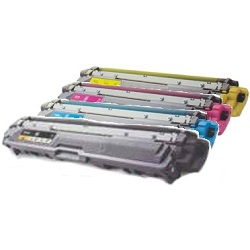
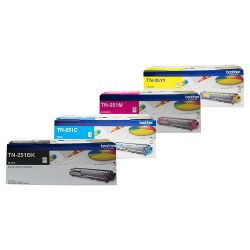
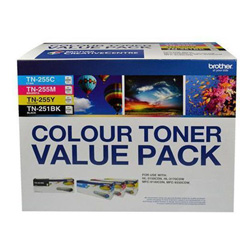
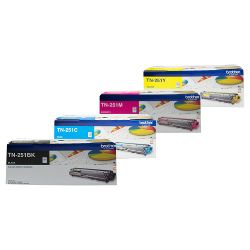
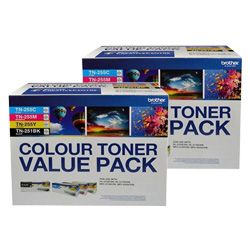

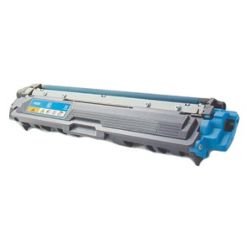

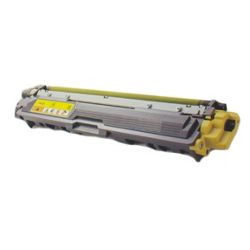

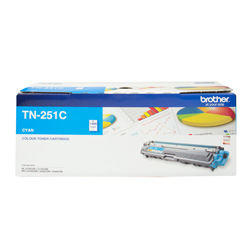





Brother TN251 and TN255 toner cartridge yields
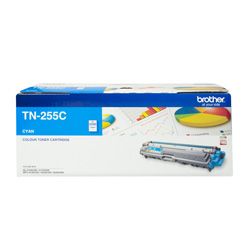
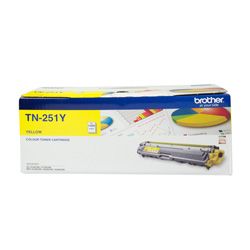
Brother TN251 toner cartridges provide standard-yield replacement options for compatible Brother colour laser and LED printers, while Brother TN255 toner cartridges offer higher-capacity colour printing. The TN255 cyan, magenta and yellow cartridges deliver up to 2,200 pages each, making them a practical choice for offices that print reports, presentations and colour documents regularly.
| Cartridge Number | Type | Colour | Page Yield | Cost Per Page |
|---|---|---|---|---|
| TN-251BK | Standard | Black | 2,500 | $0.073 |
| TN-251C | Standard | Cyan | 1,400 | $0.10 |
| TN-251M | Standard | Magenta | 1,400 | $0.10 |
| TN-251Y | Standard | Yellow | 1,400 | $0.10 |
| TN-255C | High Yield | Cyan | 2,200 | $0.087 |
| TN-255M | High Yield | Magenta | 2,200 | $0.087 |
| TN-255Y | High Yield | Yellow | 2,200 | $0.087 |
Cost Per Page = Total Cartridge Price ÷ Page Yield (at 5% coverage). Prices based on Genuine cartridges.
Choosing between Brother TN251 and TN255 toner
The main difference between Brother TN251 and TN255 toner cartridges is their page capacity. Standard-yield TN251 cartridges suit lighter or occasional printing, while high-yield TN255 cartridges reduce the frequency of replacements during heavier colour print runs. Compatible printers can use TN251 and TN255 cartridges together, allowing you to select the most suitable yield for each colour.
For example, you may choose a standard Brother TN251 black cartridge for regular office documents while using high-yield Brother TN255 cyan, magenta and yellow cartridges for frequent colour printing. This flexibility helps businesses manage toner costs without replacing every cartridge at the same time.
Genuine and compatible TN251 and TN255 cartridges
Both genuine Brother and compatible TN251 and TN255 toner cartridges are available. Genuine Brother toner is manufactured by Brother for consistent printer performance, while compatible toner provides a lower-cost alternative for everyday office documents and colour printing.
Under Australian Consumer Law, using a compatible toner cartridge does not automatically void your printer warranty. Read our genuine vs compatible cartridges guide for more information about choosing the right toner for your printer and printing requirements.
Replacing toner and other printer consumables
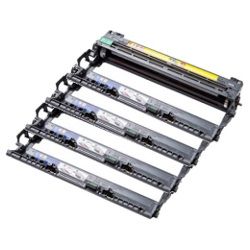
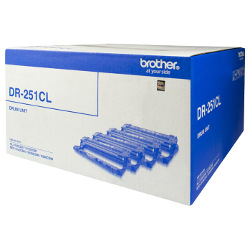
Brother TN251 and TN255 toner cartridges are installed into the separate DR251CL drum assembly. The toner cartridges and drum unit have different replacement cycles, so you do not need to replace the drum each time a toner cartridge runs out.
Replace only the colour shown as low or empty on the printer display. Keep unused toner cartridges sealed in their original packaging and store them in a cool, dry location until they are required.
Ordering Brother TN251 and TN255 toner cartridges
Choose individual black, cyan, magenta and yellow toner cartridges or a complete multipack when several colours are running low. Multipacks can simplify ordering for busy workplaces, while individual cartridges allow you to replace only the colour that has been used.
Compatible toner purchases are covered by our returns policy. Free delivery applies on orders over $99, with fast dispatch available across Australia. You can also browse our complete range of Brother toner cartridges for other Brother printer models and toner series.
Frequently Asked Questions
What is the difference between Brother TN251 and TN255 toner cartridges?
Brother TN251 cartridges are standard-yield toner cartridges, while Brother TN255 cartridges provide a higher page yield for cyan, magenta and yellow. TN255 cartridges are generally better suited to workplaces that print colour documents frequently.
Can I use TN251 and TN255 cartridges together?
Yes. In compatible Brother printers, standard-yield TN251 and high-yield TN255 cartridges can be installed together. You can therefore choose a different yield for each colour based on how quickly it is used.
Are TN255 cartridges available in black?
The high-yield Brother TN255 range applies to cyan, magenta and yellow toner cartridges. The corresponding black cartridge for this series is the Brother TN251BK.
Do I need to replace the DR251CL drum whenever I replace toner?
No. The Brother DR251CL drum unit is a separate consumable with a longer replacement cycle than the toner cartridges. Replace the drum only when the printer displays a drum warning or when print quality indicates that the drum may be worn.
Should I buy individual TN251 and TN255 cartridges or a multipack?
Individual cartridges are useful when only one colour is low. A TN251 and TN255 multipack may provide a more convenient option when several colours need replacement or when you want to keep spare toner available.


