
Brother LC40 Ink Cartridges
Brother LC40 ink cartridges supply a stable four-colour individual ink system engineered exclusively in standard-yield genuine options for reliable document printing. This design ensures that you only purchase and replace the specific fluid cell that runs empty rather than discarding an entire single-piece multi-colour tank. Our 4.8 Google Star rating shows that our customers consistently receive high-quality cartridges backed by reliable performance.
Printers Compatible with Brother LC40 Ink Cartridges


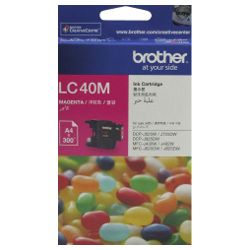
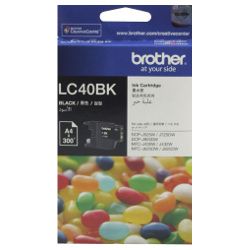


Expected page output and replacement cycles
Genuine LC40 black, cyan, magenta, and yellow cartridges carry a factory-rated yield of 300 pages each, measured strictly under international ISO/IEC 24711 standards. Heavy font printing, graphic borders, and individual automated printhead purge maintenance cycles will naturally diminish this volume in normal day-to-day operations.
| Cartridge Number | Type | Colour | Page Yield | Cost Per Page |
|---|---|---|---|---|
| LC40B | Standard | Black | 300 | $0.14 |
| LC40C | Standard | Cyan | 300 | $0.085 |
| LC40M | Standard | Magenta | 300 | $0.085 |
| LC40Y | Standard | Yellow | 300 | $0.085 |
Cost Per Page = Total Cartridge Price ÷ Page Yield (at 5% coverage). Prices based on Genuine cartridges.
Choosing the right cartridge setup
Document-heavy tasks deplete the black cartridge faster than the individual cyan, magenta, and yellow units, meaning purchasing standalone replacement black cells prevents multi-pack imbalances. If your printer sets a micro-chip alert for faulty hardware recognition or structural ink defects, everything is covered fully via our Returns policy. We dispatch directly from our stock reserves in Perth, Brisbane, Sydney, Melbourne, and Adelaide to lower transit times across all states. Free delivery applies on all orders over $99. Review our complete catalogue of official Brother ink cartridges to find precise structural matches for your office layout.
Pro Tip
Leaving your printer permanently connected to a live power source in sleep mode reduces the duration and mechanical intensity of the internal printhead micro-flushes. Turning the printer completely off at the wall wall-plug triggers a heavy, automatic ink pump reset upon power-up, draining valuable microlitres of your colour cartridges directly into the internal waste pad.
Frequently Asked Questions
Frequently Asked Questions
Can I safely install Brother LC73 cartridges into my printer if they look physically similar to the LC40?
No, while LC73 and LC40 cartridges share a comparable external shape, their integrated logic chips are coded with different firmware frequencies, meaning the printer will show an unrecognised cartridge error and refuse to print.
Why will my printer not execute a pure black text document when one colour cartridge is totally out of ink?
Brother ink systems lock down all operational components when any individual tank hits zero to prevent heat friction damage to the micro-nozzles, meaning you must maintain fluid in all four slots to print.
How does printing in greyscale mode affect my colour consumption over time?
Greyscale printing still draws minor tracking quantities of cyan, magenta, and yellow ink to composite a rich neutral grey hue and maintain fluid circulation through the printhead channels, so colour levels will drop even without full-colour documents.


