
Brother MFC-J625DW Ink Cartridges
Your Brother MFC-J625DW uses the LC40 / LC73 ink cartridge series, featuring an efficient individual four-colour ink system. Ink Depot has been supplying these reliable consumables for your printer since Nov 2011, ensuring consistent running costs. Because this printer operates with independent tanks for black, cyan, magenta, and yellow, you only ever need to swap out the single color that has run dry. Document-heavy users will find that black ink runs down much faster than the individual colours, making high-yield setups the ideal operational strategy to avoid frequent dynamic print-run interruptions.

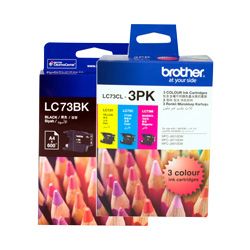


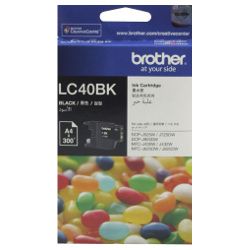

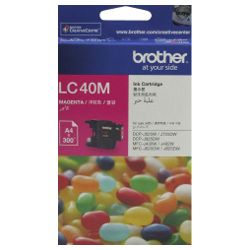


Your Brother MFC-J625DW uses the LC40 / LC73 ink cartridge series, featuring an efficient individual four-colour ink system. Ink Depot has been supplying these reliable consumables for your printer since Nov 2011, ensuring consistent running costs. Because this printer operates with independent tanks for black, cyan, magenta, and yellow, you only ever need to swap out the single color that has run dry. Document-heavy users will find that black ink runs down much faster than the individual colours, making high-yield setups the ideal operational strategy to avoid frequent dynamic print-run interruptions.
Choosing the right cartridge setup
Managing your ongoing supply depends heavily on whether your daily workload consists of occasional administrative pages or structured multi-page document creation. If you print mainly text, investing in high-yield black ink tanks or comprehensive multi-pack bundles prevents premature interruptions during critical operations. If you print photos or colour graphics, monitor the individual colour depletion patterns closely, as graphics-heavy tasks draw unevenly from the cyan, magenta, and yellow tanks.
Genuine multi-cartridge bundles are excellent for streamlining your procurement, providing a full set of replacement inks in a single transaction. To secure replacement consumables, Free delivery applies on all orders over $99. We maintain a reliable logistics network to despatch items quickly from our dedicated distribution warehouses located in Perth, Brisbane, Sydney, Melbourne, and Adelaide. For comprehensive order protection, our items are covered by a customer-focused returns policy which can be reviewed at our Returns policy page. Discover our complete selection of premium supplies on our dedicated Brother ink cartridges catalogue page.
Expected page output and replacement cycles
Page yield measurements provide a standardised benchmark for planning your office supply stock levels. Brother determines the official page yields for these inkjet supplies using the international ISO/IEC 24711 standard, which utilises a series of continuous testing patterns printed under uniform environment conditions.
In actual daily use, the actual document output will fluctuate depending on font selection, graphic density, and regular maintenance printhead cleaning cycles. The high-yield black cartridge delivers up to 600 pages, doubling the output of the entry-level standard capacity alternative. Opting for the higher capacity variants or structured bundle sets ensures longer operating windows, making it the preferred choice when printing volumes become regular.
| Cartridge Number | Type | Colour | Page Yield | Cost Per Page |
|---|---|---|---|---|
| LC40B | Standard | Black | 300 | $0.14 |
| LC40C | Standard | Cyan | 300 | $0.085 |
| LC40M | Standard | Magenta | 300 | $0.085 |
| LC40Y | Standard | Yellow | 300 | $0.085 |
| LC73BK | High Yield | Black | 600 | $0.10 |
| LC73C | High Yield | Cyan | 600 | $0.061 |
| LC73M | High Yield | Magenta | 600 | $0.061 |
| LC73Y | High Yield | Yellow | 600 | $0.061 |
Cost Per Page = Total Cartridge Price ÷ Page Yield (at 5% coverage). Prices based on Genuine cartridges.
Pro Tip
To ensure maximum page efficiency from your ink system, avoid regularly turning the printer off via a master power board or wall switch. Leaving the printer plugged into an active outlet allows it to enter a low-power sleep mode, preventing the system from triggering aggressive, ink-heavy printhead flushing cycles every time the printer is turned on.
Frequently Asked Questions
Can I mix a high-yield LC73 cartridge with standard LC40 cartridges in my printer?
Yes. The printer accommodates both standard-yield LC40 and high-yield LC73 ink tanks simultaneously across different slots. You can easily install a high-yield black cartridge alongside standard colour cartridges without experiencing compatibility issues or performance drops.
Why does my colour ink drop over time even though I print almost exclusively in black text?
The printer uses small amounts of cyan, magenta, and yellow ink during its automatic maintenance and printhead cleaning routines. These background operational processes are vital to keep the micro-nozzles clear of dried ink, meaning colour ink will gradually deplete even during monochrome print runs.
What is the difference between the LC40 and LC73 ink cartridge lines?
The core difference lies in the internal ink volume and subsequent page output. The LC73 series contains more ink to deliver approximately 600 pages, while the standard LC40 series holds a lower fill level suited for up to 300 pages, though both physical cartridge dimensions are identical.


