
Laptop Docking Hubs
Laptop Docking Hubs expand a laptop’s connectivity by providing additional USB, video, network and power ports through a single connection, turning a portable system into a full workstation. These hubs enable connection of external displays, keyboards, mice, Ethernet, storage and other peripherals without constantly plugging and unplugging devices.
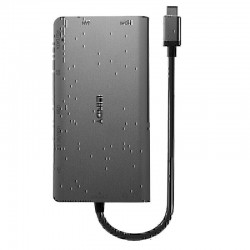

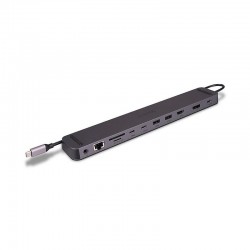
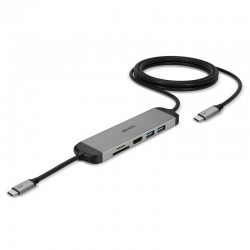
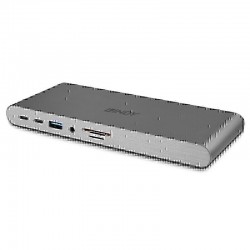

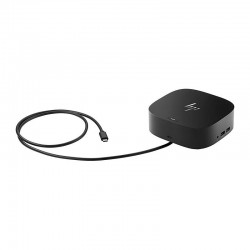
Choose from compact USB-C docks to full-featured multiport docking stations for productivity, gaming, remote work or creative workflows.
What Are Laptop Docking Hubs?
Laptop docking hubs are accessories that connect to a laptop—typically via USB-C or Thunderbolt—to provide multiple ports for peripherals like monitors, Ethernet, audio interfaces, USB devices and power delivery. They help consolidate connections so one cable links your laptop to all your essential hardware.
Types of Laptop Docking Hubs
USB-C Multiport Hubs
Compact USB-C docking hubs offer extra USB-A, USB-C, HDMI, Ethernet and SD card ports in a slim, travel-friendly design. They’re ideal if you need basic expansion for peripherals, networking and video output.
Thunderbolt Docking Stations
Thunderbolt docks provide high-speed data transfer, multi-display support and power delivery, making them suited to demanding workstations, creative professionals and power users.
Multi-Display Hubs
These hubs focus on video outputs such as HDMI and DisplayPort to connect multiple external monitors, helping boost productivity with expanded screen setups.
Benefits of Laptop Docking Hubs
- Expanded connectivity: Connect monitors, keyboards, printers, external drives and network interfaces with one hub.
- Improved productivity: Full-desktop workstation setup from a single laptop connection.
- Cable management: Keep cables organised and reduce clutter on your desk.
- Power delivery: Many docks also charge your laptop while connected.
Other products you may interested in


General FAQ
Laptop docking hubs are used to expand the limited ports on a laptop, enabling connection to external monitors, keyboards, mice, Ethernet and other peripherals from a single easy connection.
Docking hubs offer more than just USB expansion—they typically include video outputs, Ethernet, power delivery and sometimes audio interfaces, turning a laptop into a full workstation.
Many USB-C and Thunderbolt docks support power delivery (PD) to charge your laptop while connected, simplifying cable management and ensuring consistent power.


