
Best Home Paper Shredders Australia (2026 Guide)

The best home paper shredder depends on how often you shred and how sensitive your documents are. For occasional personal use, a compact cross-cut manual-feed model is usually enough. For a large paperwork backlog or regular home-office shredding, a higher-capacity auto-feed cross-cut model saves time and reduces jamming.
Match a shredder to your actual shredding volume rather than the biggest model you can afford. A unit built for light home use will overheat and shut down if you feed it hours of continuous paperwork.
Quick Recommendations: Which Home Shredder Suits You?
A compact, affordable cross-cut manual-feed model handles bank statements and old receipts without taking up much space.
A higher per-pass capacity manual-feed model copes better with weekly invoices or client documents.
A longer continuous run time matters more than sheet count when you're working through years of paperwork in one sitting.
Check the exact security (P) rating stated on the model's own product page before choosing, rather than assuming a higher price means a higher rating.
Cross-Cut, Micro-Cut or Strip-Cut: What Matters for Home Use
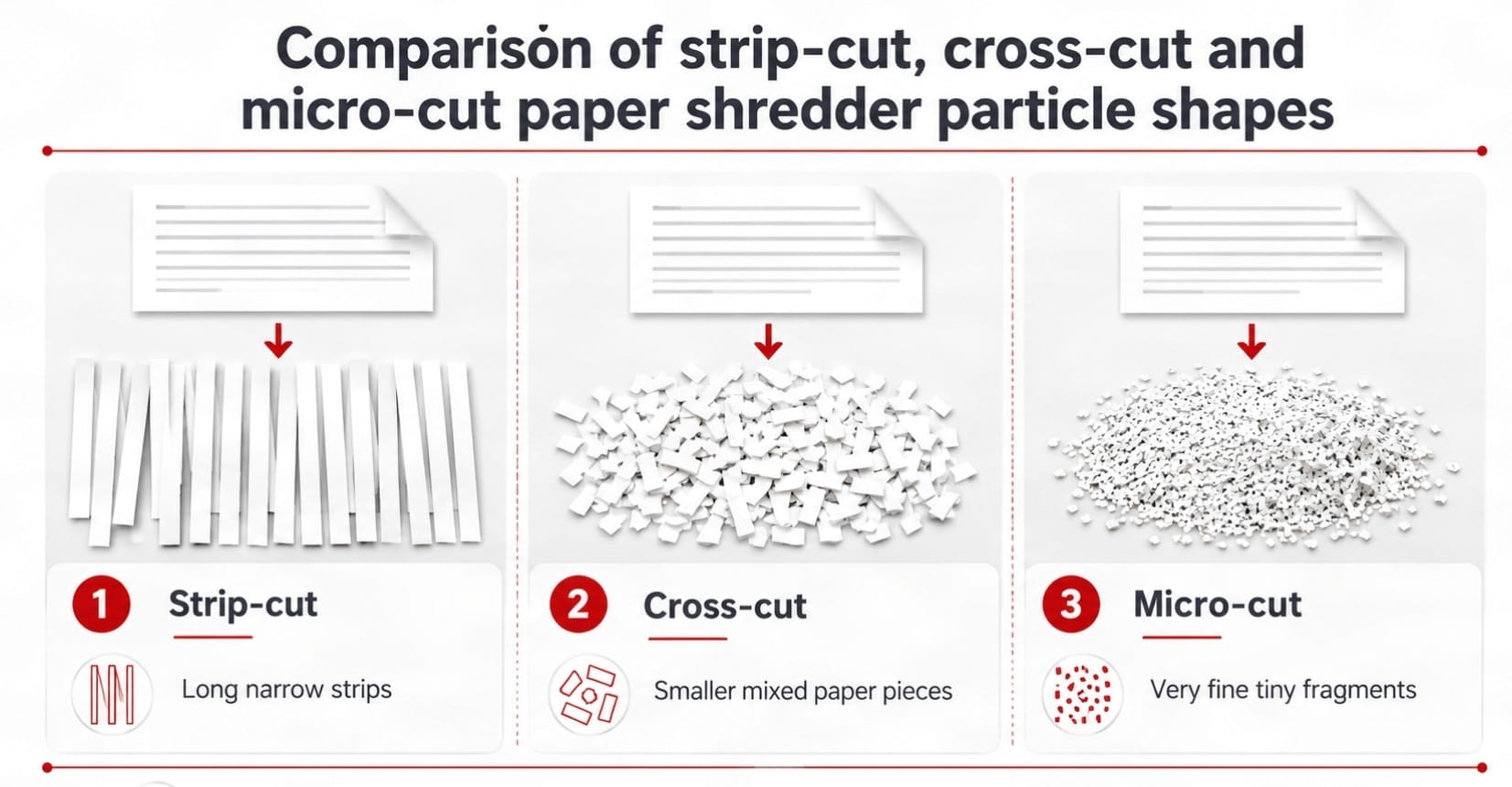
Strip-cut shredders slice paper into long vertical strips and offer the lowest security. Cross-cut shredders cut in two directions, producing smaller confetti-like pieces that are much harder to reconstruct. Micro-cut goes further again, producing even finer particles for the most sensitive documents. The security (P) rating printed on a shredder's spec sheet follows the international DIN 66399 standard, which sets particle-size limits for each level from P-1 up to P-7. For most home use, a cross-cut model strikes a reasonable balance between security and price, which is reflected across Ink Depot's Rexel range.
Capacity and security don't always move together. It's worth checking both separately, since a shredder that handles more sheets per pass isn't automatically more secure. The Momentum X312, for example, has a higher sheets-per-pass rating than the Momentum X406, but a lower security (P) rating, so the "biggest capacity" option isn't always the most secure choice for confidential paperwork. You can browse the full range, including current stock and pricing, at Ink Depot's range of Rexel paper shredders.
Auto-Feed vs Manual-Feed: Which Suits Your Volume?
This comes down to how often you shred, not how much you're willing to spend. If you shred a handful of documents a month, a manual-feed model rarely justifies the extra cost of auto-feed: you're loading a few sheets at a time either way, so the convenience of auto-feed goes largely unused.
Auto-feed earns its price when you're clearing a genuine backlog. Load a stack into the tray, let the shredder work through it, and walk away rather than feeding sheets by hand for an hour. That makes it a better fit for an EOFY clear-out or an estate paperwork sort than for topping up a small home-office bin week to week.
What Sheet Capacity Do You Actually Need?
A shredder's advertised sheet capacity describes a single pass, not how long it can run continuously. Independent Australian testing of home shredders generally finds most models handle somewhere in the range of 5 to 13 sheets per pass and need a cooling-off period after only a few minutes of continuous feeding. These figures are worth keeping in mind rather than assuming a shredder can run non-stop.
This gap between per-pass capacity and continuous run time varies a lot even within a single range. Ink Depot's own Momentum X406 is rated for around 3 minutes of continuous running before a 60-minute cool-down, while the Momentum X415 is rated for around 120 minutes before the same cool-down period. If you're planning to clear years of accumulated paperwork in one sitting, that run-time figure matters more than the sheets-per-pass number on its own. Check it on the specific model's product page.
Our Picks: Rexel Shredders for Different Home Scenarios
Ink Depot's shredder range is entirely Rexel, split between the manual-feed Momentum series and the auto-feed Optimum series. The four models below were checked directly on their own product pages; prices and stock are subject to change, so confirm both before ordering.
| Model | Feed Type | Capacity | Security Rating | Bin Capacity | Run Time | Best For |
|---|---|---|---|---|---|---|
| Momentum X406 | Manual | 6 sheets/pass | P-4 | 15L | 3 min | Occasional, light home use |
| Momentum X312 | Manual | 12 sheets/pass | P-3 | 23L | 6 min | Regular home-office paperwork |
| Momentum X415 | Manual | 15 sheets/pass | P-4 | 23L | 120 min | Long, uninterrupted shredding sessions |
| Optimum 100X | Auto + Manual | 100 auto / 8 manual | P-4 | 34L | 20 min | Loading a stack and walking away |
So Which One Should You Actually Buy?
Pick the Momentum X406 if you're a light, occasional home user
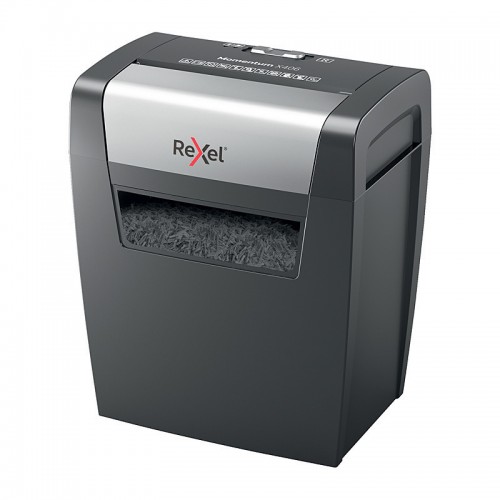
You shred the odd bank statement or old receipt, not weekly, not in bulk. The X406 is the most affordable model in the range, and at P-4 it's already got a solid security rating for personal paperwork. The trade-off is capacity: only 6 sheets per pass and 3 minutes of continuous running before it needs to cool down, so it's not built for a big sit-down session. Don't buy this one if you're planning to clear more than a small stack in one go. It'll overheat and shut off.
Pick the Momentum X312 if you run a home office with regular paperwork
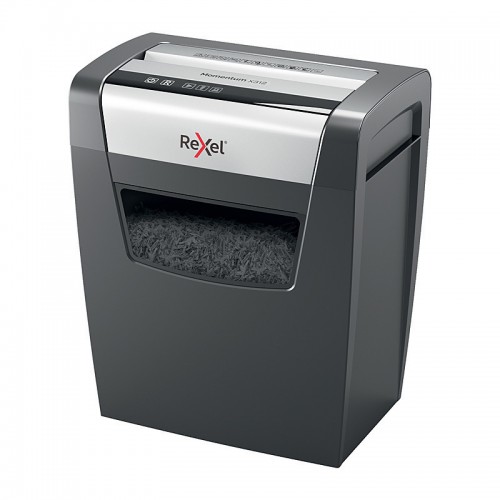
Weekly invoices, client documents, general admin: the X312's 12-sheet-per-pass capacity and larger 23L bin mean fewer stop-and-restart cycles than the X406. The one thing to check before you buy: it's rated P-3, a step below the P-4 of the other three models. Don't buy this one if your paperwork is genuinely sensitive (client financials, ID documents, anything you'd want reconstructed as unlikely as possible). Go up to the X415 instead for the same higher security rating with more capacity.
Pick the Momentum X415 if you're clearing a large backlog in one sitting
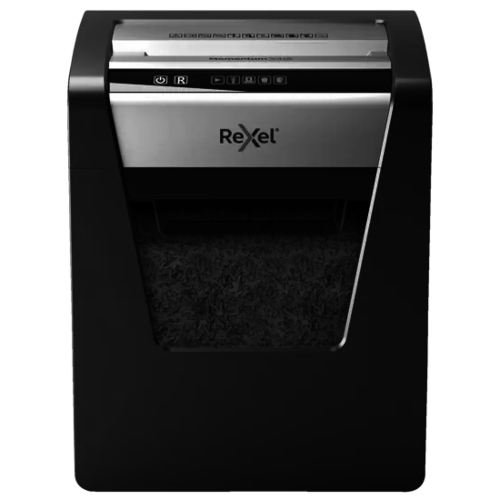
Think EOFY paperwork, an estate clear-out, or years of accumulated statements. The X415's standout number isn't sheet capacity. It's the 120-minute continuous run time, 40 times longer than the X406 before it needs a cool-down. It also holds the P-4 security rating and the larger 23L bin. Don't buy this one if you only shred occasionally: you'd be paying for run time you'll rarely use, and the X406 covers that case for less.
Pick the Optimum 100X if you want to load it and walk away
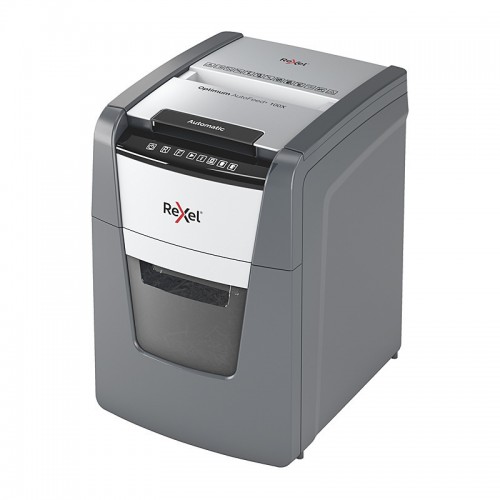
This is the only auto-feed model in the range: load up to 100 sheets into the tray and let it work through the stack unattended, rather than feeding sheets by hand. It matches the X406 and X415 on security (P-4), has the largest 34L bin of the four, and is the only model with a confirmed noise rating (55dBA) if that matters in a small office. Don't buy this one if you only ever shred a handful of sheets at a time. The auto-feed tray goes largely unused, and a manual-feed model does the same job for less.
In short: X406 for light and occasional, X312 for regular home-office volume where P-3 security is enough, X415 for long backlog-clearing sessions, and Optimum 100X for hands-off bulk shredding. Confirm current price and stock on each model's own product page before ordering, since these can change.
Safety, Noise and Maintenance at Home
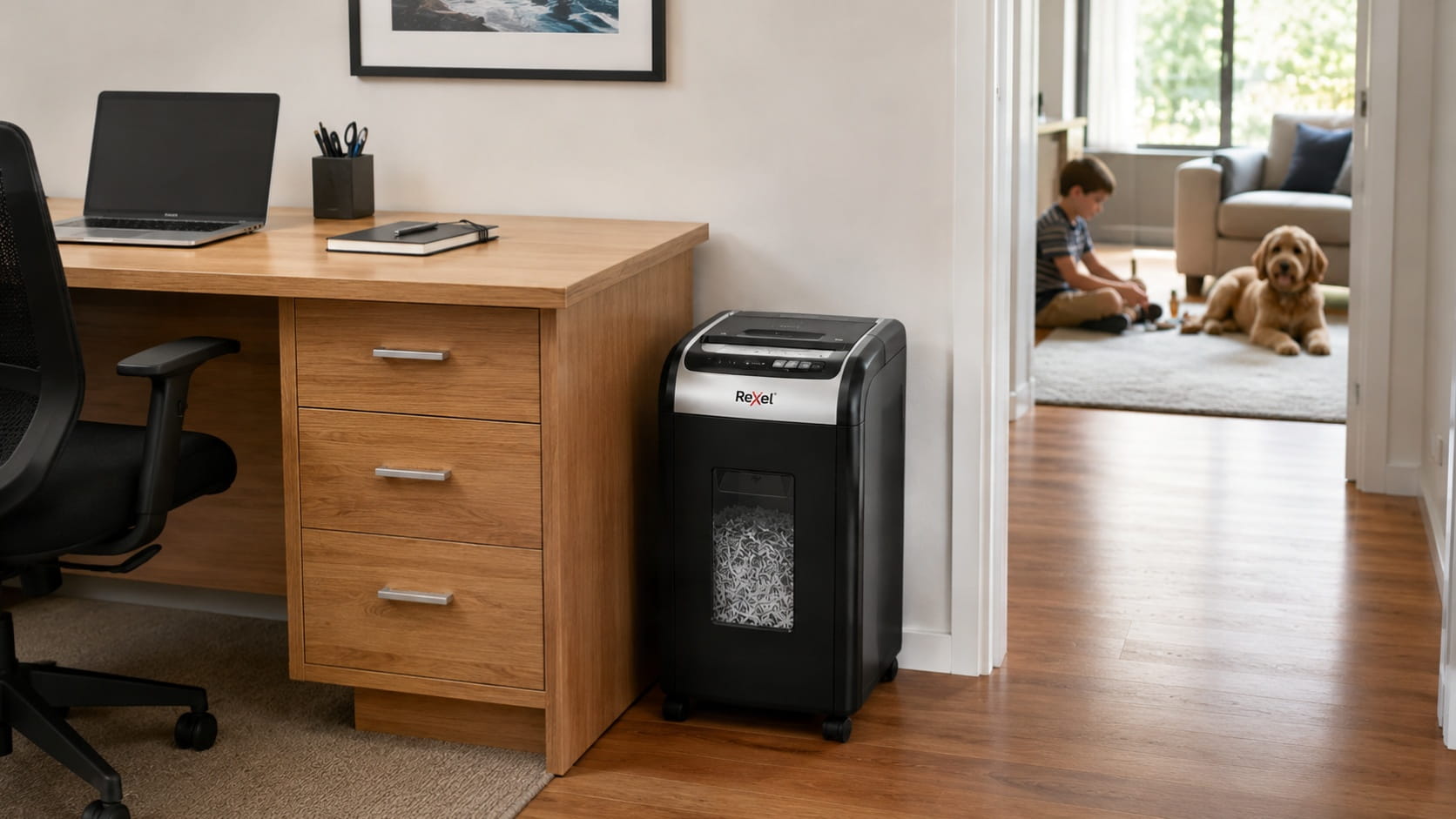
Important: Keep shredders away from young children and pets while in use. The feed opening can catch fingers, hair, and loose clothing, so supervise use and switch off or unplug the unit when it's not actively shredding.
All four models checked for this guide accept paper along with paperclips and staples, which covers most household and home-office paperwork without needing to remove fasteners first. For anything else, like CDs, credit cards, or heavier card stock, check the specific model's own spec sheet rather than assuming it's rated for it, since this varies by model and isn't something to guess.
Noise is worth considering if you're shredding in a small home office or apartment. The Optimum 100X is rated at 55dBA, which is a useful reference point if noise matters to you, though it's only confirmed for that specific model. If you're shredding regularly, a bin sized to your household's paperwork volume saves you emptying it constantly. The higher-capacity Momentum X415 and X312 hold noticeably more before needing to be cleared than the compact X406.
How Long Should You Keep Documents Before Shredding?
The Australian Taxation Office generally requires many tax and business records to be retained for around five years, but the exact period and starting point depend on the type of record and the taxpayer's circumstances. Some records may need to be kept longer. Review the ATO's current guidance on how long to keep tax records before destroying anything you're unsure about.
Documents that are still within their required retention period can be organised using archive and storage boxes for documents you need to keep. Keep records you still need separate from paperwork that's confirmed safe to destroy.
For households, shredding personal documents is a sensible privacy precaution. Businesses covered by the Privacy Act have additional obligations. The Office of the Australian Information Commissioner's guidance on Australian Privacy Principle 11 states that an APP entity must take reasonable steps to destroy or de-identify personal information it no longer needs, and identifies shredding as one accepted method. This doesn't mean every household or sole trader is automatically an APP entity, or that owning a shredder alone guarantees compliance. Businesses should check the OAIC's current APP 11 guidance and apply procedures appropriate to the information they hold.
Disposing of Shredded Paper Responsibly
Don't assume shredded paper belongs in your kerbside recycling bin. Acceptance varies by council, and some don't take loose shredded paper at all, or ask for it to be bagged separately first. Planet Ark's Recycling Near You is a good starting point for checking what your local council currently accepts, but always confirm against your council's own guidance before adding a full shredder bin to your recycling.
Frequently Asked Questions
How many sheets can a home shredder handle at once?
Home models commonly handle small batches, but capacity varies substantially. The verified Rexel examples in this guide range from six sheets for the Momentum X406 to 15 sheets for the Momentum X415, while the Optimum 100X can automatically process a stack of up to 100 sheets. Check both the sheets-per-pass rating and the operating cycle before choosing.
Is auto-feed worth it for home use?
Usually only if you shred in large batches rather than a few sheets at a time. For occasional home use, a manual-feed model does the same job for less money. Auto-feed pays off when you're clearing a genuine backlog and want to load a stack and walk away.
How long should I keep documents before shredding them?
Many tax and financial records need to be kept for around five years under general ATO guidance, but the exact period depends on the record type. Check current ATO guidance for anything you're unsure about before destroying it.
Can I shred credit cards, CDs or staples in a home shredder?
Some home shredders handle staples and paperclips, but not all are rated for CDs or credit cards. Check your specific model's spec sheet before feeding anything through it that isn't plain paper.
How do I maintain a shredder so it lasts?
Avoid overloading it past its rated sheet capacity, and empty the bin regularly rather than letting it overfill. A bin sized to your actual paperwork volume needs emptying less often. For general maintenance steps like oiling, see the FAQ on our shredders category page.


Any comments?