
Samsung SCX-3405F SCX-3405FW SCX-3405W Toner Cartridges
Your Samsung SCX-3405F, SCX-3405FW, and SCX-3405W printers use the Samsung MLT-D101S toner cartridge series. These compact monochrome laser printers handle everyday document workflows with built-in wireless connectivity and fax capabilities across small office environments. Ink Depot has been supplying reliable printer consumables for these models since Jan 2012. Purchasing MLT-D101S multipacks lowers per-page printing expenses during heavy document runs. Our 4.8 Google rating reflects a long-standing track record of premium cartridge performance.

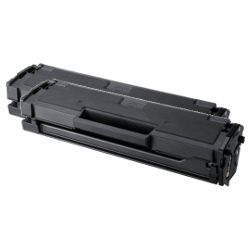
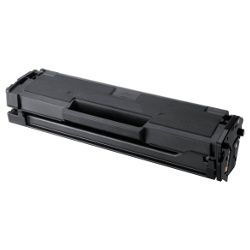
Expected Page Output & Print Performance
The MLT-D101S Black toner cartridge yields approximately 1,500 pages under standard 5% coverage conditions, measured according to ISO/IEC 19752 testing standards for monochrome laser toner. Actual page output varies based on document text density and daily print job complexity.
| Cartridge Number | Type | Colour | Page Yield | Cost Per Page |
|---|---|---|---|---|
| MLT-D101S | Standard | Black | 1,500 | $0.018 |
Cost Per Page = Total Cartridge Price ÷ Page Yield (at 5% coverage). Prices based on Compatible cartridges.
Quality Compatible Cartridge Performance
Our premium compatible MLT-D101S cartridges deliver clean text and crisp line graphics matching original equipment specifications. Choosing compatible cartridges provides substantial cost savings without compromising daily document output quality. Under Australian Consumer Law, using compatible cartridges does not void your printer warranty. You can read our detailed genuine vs compatible cartridge guide to learn more about how alternative consumables perform.
Ordering Options & Fast Dispatch
For consistent daily document output, ordering MLT-D101S bundle packs reduces per-page costs and maintains uninterrupted operation. All our compatible products include a money-back guarantee for complete peace of mind. Check our full returns policy for details on product guarantees. We ship directly from warehouses in Perth, Brisbane, Sydney, Melbourne and Adelaide for swift delivery across Australia. Free delivery applies on all orders over $99. Browse our complete range of Samsung toner cartridges to stock your office supplies efficiently.
Practical Usage Tip
When your printer displays a low toner message, remove the MLT-D101S toner cartridge and gently rock it side to side five or six times. This redistributes the remaining toner powder evenly across the internal hopper, giving you extra clean prints before replacement is required.
Frequently Asked Questions
Do the Samsung SCX-3405F, SCX-3405FW, and SCX-3405W printers take the same MLT-D101S toner cartridge?
Yes. All three models share the exact same internal printing system and fit the MLT-D101S Black toner cartridge without any physical differences or modification.
Why does the printer show a "Toner Exhausted" message when ink is still visible on the page?
The Samsung MLT-D101S toner cartridge utilises an internal counter chip that tracks page cycles rather than physical toner volume. Resetting or replacing the cartridge chip ensures accurate status monitoring when print density remains clear.
What causes light or faint vertical streaks on printed pages near the end of a cartridge lifecycle?
Faint vertical banding indicates uneven toner distribution inside the hopper as powder levels drop. Gently shaking the MLT-D101S cartridge horizontally redistributes remaining toner to temporarily restore uniform print density.
How does print density setting in the Samsung printer driver affect MLT-D101S toner consumption?
Adjusting the print driver settings to draft or eco mode reduces toner drop volume per character by up to 30 percent, extending page yield well beyond the standard 1,500-page rating for non-critical internal documents.


