
Samsung ML-2160 ML-2165 ML-2165W Toner Cartridges
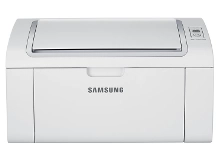
Your Samsung ML-2160, ML-2165, and ML-2165W printers use the Samsung MLT-D101S toner cartridge series. Ink Depot has been supplying reliable consumables for these desktop printers since Jan 2012. These compact mono laser printers suit fast everyday document creation. Our 4.8 Google rating proves it: we consistently supply premium cartridges backed by rock-solid reliability. Purchasing MLT-D101S multi-packs helps lower printing costs while keeping spare Black toner ready for heavy workloads.
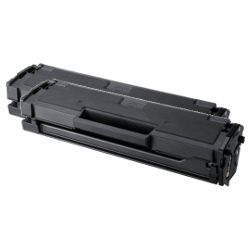
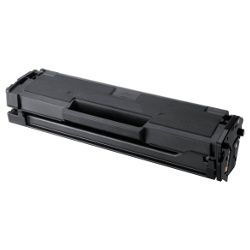
Expected page output for MLT-D101S cartridges
Standard page yield calculations for MLT-D101S toner cartridges follow the ISO/IEC 19752 testing standard for monochrome laser printing. Real-world print counts depend on document text density, page coverage, and print resolution settings used during regular daily office tasks.
| Cartridge Number | Type | Colour | Page Yield | Cost Per Page |
|---|---|---|---|---|
| MLT-D101S | Standard | Black | 1,500 | $0.018 |
Cost Per Page = Total Cartridge Price ÷ Page Yield (at 5% coverage). Prices based on Compatible cartridges.
Value and performance with compatible MLT-D101S toner
Choosing high-yield compatible MLT-D101S cartridges provides an economical alternative to original cartridges without sacrificing crisp text readability. Under Australian Consumer Law, using compatible cartridges does not void your printer warranty. Read our guide to genuine vs compatible cartridges for a full comparison.
Ordering options and nationwide delivery
If you regularly produce multi-page text documents, purchasing MLT-D101S multi-packs reduces downtime and provides better long-term savings. Our compatible cartridges are backed by a money-back guarantee if they do not meet performance expectations. Review our returns policy for details. Free delivery applies on all orders over $99, dispatched quickly from our local distribution hubs in Perth, Brisbane, Sydney, Melbourne, and Adelaide. Browse our complete range of Samsung toner cartridges to complete your order.
Pro tip for Samsung ML-2160 series users
If faint print lines appear before your MLT-D101S cartridge reaches its 1,500-page limit, gently remove the cartridge and rock it horizontally side to side to redistribute the remaining Black toner inside.
Frequently Asked Questions
Do the Samsung ML-2160, ML-2165, and ML-2165W use the exact same toner cartridge?
Yes, all three printer models share the same Samsung MLT-D101S Black toner cartridge slot, making consumables interchangeable across this entire printer series.
What is the standard page yield of an MLT-D101S toner cartridge?
A standard MLT-D101S toner cartridge yields approximately 1,500 pages under standard 5% coverage conditions (ISO/IEC 19752), suitable for typical home office workloads.
How do I resolve a persistent red status light after installing a new MLT-D101S compatible cartridge?
Ensure the cartridge protective shield and tape are fully removed, then re-seat the toner firmly into the printer bay until it clicks to reset the internal sensor contacts.
Can I print wirelessly on the ML-2165W using compatible MLT-D101S cartridges?
Yes, compatible MLT-D101S cartridges work seamlessly with all printer features, including the wireless network printing capabilities of the ML-2165W.


