
Samsung CLX-6210FX CLX-6240FX Toner Cartridges
Your Samsung CLX-6210FX and CLX-6240FX printers use the Samsung CLP-660B toner cartridge series. Ink Depot has been supplying reliable printer consumables for these colour laser multifunction printers since Jul 2007. Busy workgroups running high-volume graphic reports rely on C660B cyan, M660B magenta, and Y660B yellow cartridges to ensure consistent colour output. Our 4.8 Google rating reflects a long-standing track record of premium cartridge performance.
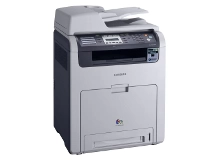


Expected Page Output and Replacement Cycles
Laser page yields for Samsung colour toner cartridges are measured under ISO/IEC 19798 standard testing conditions for continuous document printing. Actual page output varies depending on graphic coverage density, paper size, and overall colour saturation during office workflows.
| Cartridge Number | Type | Colour | Page Yield | Cost Per Page |
|---|---|---|---|---|
| CLP-C660B | Standard | Cyan | 5,000 | $0.008 |
| CLP-M660B | Standard | Magenta | 5,000 | $0.008 |
| CLP-Y660B | Standard | Yellow | 5,000 | $0.008 |
Cost Per Page = Total Cartridge Price ÷ Page Yield (at 5% coverage). Prices based on Compatible cartridges.
Choosing Compatible Samsung Toner Options
Selecting premium compatible cartridges allows office workgroups to manage printing costs without compromising visual clarity. Under Australian Consumer Law, using compatible cartridges does not void your printer warranty. Learn more about performance standards in our guide to genuine vs compatible cartridges.
Smart Purchasing Strategies and Order Dispatch
If your office prints heavy graphic content or multi-page brochures, keeping spare C660B, M660B, and Y660B cartridges on hand prevents downtime when single colours run out. All compatible Samsung toner cartridges come backed by a money-back guarantee for total peace of mind. Check our returns policy for full details. Free delivery applies on all orders over $99, with fast dispatch from our national warehouses in Perth, Brisbane, Sydney, Melbourne, and Adelaide. Browse our full range of Samsung toner cartridges to stock your office today.
Expert Purchasing Advice
When running high-volume print tasks, colour toner levels deplete unevenly depending on graphic design templates; always monitor individual cartridge levels so you only replace the specific colour that has reached its end of life.
Frequently Asked Questions
Do the Samsung CLX-6210FX and CLX-6240FX take the same toner cartridges?
Yes. Both the Samsung CLX-6210FX and CLX-6240FX share the exact same internal architecture and accept the CLP-660B series toner cartridges, including the C660B, M660B, and Y660B colour options.
Can I replace just one colour toner cartridge at a time?
Yes. The Samsung colour laser system operates with separate individual cartridges for each colour tone. You only need to replace the specific C660B cyan, M660B magenta, or Y660B yellow cartridge that is empty while leaving the remaining cartridges in place.
Why do colour toners deplete at different rates in an office environment?
Uneven toner consumption is standard in business environments because logo placements, letterheads, and document highlight tones heavily favour specific primary colours over others, leading to faster exhaustion of individual cartridges.
How should unused Samsung toner cartridges be stored before installation?
Store sealed replacement toners horizontally in a cool, dry environment out of direct light. Keeping cartridges flat ensures internal toner powder remains evenly distributed across the roller prior to installation.


