
Lexmark X940E Toner Cartridges
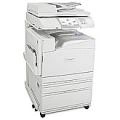
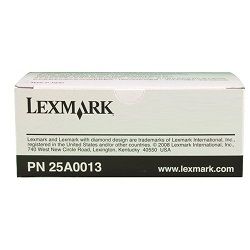
Your Lexmark X940E printer uses the 25A0013 cartridge series, supporting high-volume A3 colour printing and document finishing in busy office environments. Our 4.8 Google rating proves it: we consistently supply premium cartridges backed by rock-solid reliability. Keeping genuine 25A0013 replacements on hand ensures uninterrupted output during large print runs.
Expected Page Output and Replacement Cycles
Page yields for Lexmark toner cartridges are measured in accordance with ISO/IEC 19798 standard testing for colour laser printers. High-volume office printing yield depends on page coverage, document density, and job length.
Best Way to Stock These Cartridges
If you print mainly text documents, keeping extra black cartridges ready prevents unexpected downtime. If you print colour graphics or presentation decks, monitor colour levels together to balance replacements. All genuine purchases are covered by our Returns policy for complete peace of mind. Free delivery applies on all orders over $99. We dispatch quickly from warehouses in Perth, Brisbane, Sydney, Melbourne and Adelaide. Browse our full range of Lexmark Toner Cartridges to keep your office printing smoothly.
Pro Tip
For high-volume office printing on the Lexmark X940E, store unopened toner cartridges flat in a cool, dry place away from direct sunlight to preserve toner powder quality until installation.
Frequently Asked Questions
How does high-coverage A3 printing impact toner cartridge yield on the Lexmark X940E?
Standard page yield figures are calculated based on 5% coverage on standard A4 paper under ISO/IEC standards. Printing full-bleed A3 graphics or dense departmental reports uses significantly more toner per page, which reduces the total page output proportionally.
Can I store spare Lexmark X940E cartridges for extended periods before use?
Yes, unopened genuine Lexmark cartridges have a long shelf life when kept in their sealed packaging at room temperature. Avoid temperature extremes and high humidity to ensure the toner powder remains free-flowing and ready for immediate print performance.
What causes uneven toner distribution during long print runs, and how can it be prevented?
Continuous high-speed printing can occasionally cause minor toner settling inside the cartridge hopper. Gently rocking a new cartridge horizontally before removing its protective strip ensures even toner distribution across the developer roller for crisp, consistent output from the first page.


