
Lexmark MX632adwe Toner Cartridges
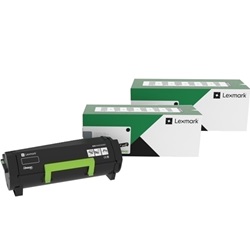
Shop toner cartridges for your Lexmark MX632adwe, which uses the Lexmark 66S1000 toner cartridge series along with 66S0Z00 imaging units. Designed for high-speed enterprise document printing, Ink Depot has been supplying reliable consumables for this printer since Oct 2023. Our 4.8 Google rating proves it: we consistently supply premium cartridges backed by rock-solid reliability. Replacing standard 66S1000 toner cartridges with multi-packs ensures continuous output during peak administrative reporting.



Expected Page Output and Replacement Cycles
Standard Lexmark 66S1000 Black toner cartridges yield up to 5,000 pages based on ISO/IEC 19752 testing standards. High-volume office environments experience predictable page output during heavy text document production, allowing scheduled replacements before toner depletion impacts administrative workflows.
| Cartridge Number | Type | Colour | Page Yield | Cost Per Page |
|---|---|---|---|---|
| 66S1000 | Standard | Black | 5,000 | $0.050 |
Cost Per Page = Total Cartridge Price ÷ Page Yield (at 5% coverage). Prices based on Genuine cartridges.
Imaging Unit Requirements
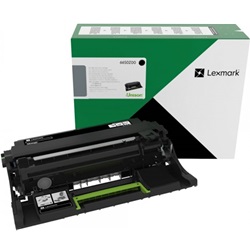
The Lexmark MX632adwe operates with a separate 66S0Z00 imaging unit rated for up to 75,000 pages. A single 66S0Z00 imaging unit typically outlasts up to 15 standard 66S1000 toner cartridge replacements in high-volume office settings.
Managing Replacement Cartridges and Shipping
For routine monochrome office printing, ordering 66S1000 Black toner cartridges in bundle packs provides the best inventory protection against unexpected print stoppages. Sourcing genuine Lexmark toner cartridges through Ink Depot guarantees full printer compatibility and crisp text quality. All items are covered under our comprehensive returns policy. Orders are dispatched directly from regional distribution centres in Sydney, Melbourne, Brisbane, Perth, and Adelaide. Free delivery applies on all orders over $99.
Pro Tip for High-Volume Printing
Monitor your 66S0Z00 imaging unit life indicator independently from toner levels. Replacing the toner cartridge does not reset the imaging drum lifecycle, so tracking both components ensures zero downtime during critical print runs.
Frequently Asked Questions
Does replacing a 66S1000 toner cartridge reset the page count on the 66S0Z00 imaging unit?
No, the 66S1000 toner cartridge and the 66S0Z00 imaging unit operate as separate physical components with independent tracking chips. The printer tracks toner level and imaging unit wear separately, meaning the 75,000-page imaging unit lifecycle continues uninterrupted across multiple toner changes.
How does print density affect the actual page yield of the 66S1000 Black toner cartridge?
Standard page yields of 5,000 pages are calculated using standard 5% coverage under ISO/IEC 19752 testing protocols. Printing dense graphics, barcodes, or heavy bold text increases toner consumption per page, which naturally reduces the total number of prints achieved per cartridge.
What happens if the 66S0Z00 imaging unit reaches the end of its service life mid-print job?
When the 66S0Z00 imaging unit reaches 100% wear, the printer will display a replacement prompt. Having a spare imaging unit on hand alongside your replacement 66S1000 toner cartridges prevents administrative delays in high-volume office settings.


