
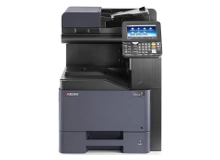
Kyocera TASKalfa 356ci Toner Cartridges
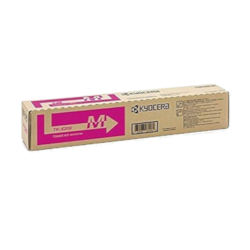
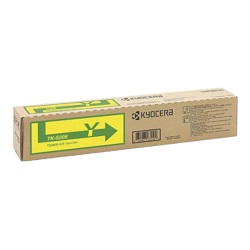
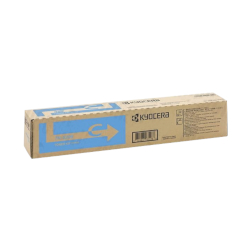
The Kyocera TASKalfa 356ci uses the Kyocera TK-5209 toner series. Designed for busy workgroup environments, this A4 colour multifunction printer uses separate black, cyan, magenta, and yellow cartridges to produce sharp documents and clear colour graphics. Offices handling large volumes of text-heavy printing may use black toner faster than the colour cartridges, so keeping spare black toner or a complete toner set available can help minimise printing interruptions. Ink Depot has supplied consumables for this printer model since Nov 2016 and is rated 4.8 by customers on Google.



Expected page output and replacement cycles
Page yields for the TK-5209 series are measured under ISO/IEC 19798 standards based on 5% page coverage. The black cartridge delivers up to 18,000 pages, while cyan, magenta, and yellow each provide approximately 12,000 pages. In high-volume office settings, black toner replacement will naturally outpace colour cartridges due to standard corporate document ratios.
| Cartridge Number | Type | Colour | Page Yield | Cost Per Page |
|---|---|---|---|---|
| TK-5209K | Standard | Black | 18,000 | $0.003 |
| TK-5209C | Standard | Cyan | 12,000 | $0.008 |
| TK-5209M | Standard | Magenta | 12,000 | $0.008 |
| TK-5209Y | Standard | Yellow | 12,000 | $0.008 |
Cost Per Page = Total Cartridge Price ÷ Page Yield (at 5% coverage). Prices based on Genuine cartridges.
Waste toner container management
The Kyocera TASKalfa 356ci requires a WT-5190 waste toner bottle to collect excess toner particles during the print cycle. Experience Tip: Always change the waste toner bottle when prompted during a fresh toner installation to prevent internal overflow sensors from stopping print jobs mid-run.
Best way to stock these cartridges
Office environments running heavy daily workloads benefit from ordering full CMYK multipacks to ensure zero downtime when a specific colour reaches depletion. Free delivery applies on all orders over $99. We ship directly from strategically located warehouses in Perth, Brisbane, Sydney, Melbourne, and Adelaide to ensure rapid delivery. Review our full return terms on our Returns policy page. Browse our complete range of Kyocera toner cartridges for other office hardware.
Pro Tip
When replacing the TK-5209 black or colour toner cartridges, ensure the lock lever snaps fully into position; an unseated cartridge can trigger persistent 'Toner Empty' errors even on brand-new units.
Frequently Asked Questions
Why does the WT-5190 waste toner bottle fill up before all four toner cartridges are empty?
The waste toner bottle collects unfused toner during automatic calibration cycles and duplex cleaning passes, meaning high-volume double-sided printing fills the waste container faster than standard single-sided document runs.
Can I replace individual TK-5209 colour toner cartridges as they run out, or do I need to swap them as a set?
Each TK-5209 colour operates independently. You only need to replace the specific colour cartridge that is depleted; the printer will continue using remaining toner in the other units without issue.
Does the black TK-5209K toner cartridge last longer than the colour cartridges?
Yes, the TK-5209K black cartridge has a higher fill capacity yielding up to 18,000 pages compared to 12,000 pages on the TK-5209 cyan, magenta, and yellow cartridges, accounting for heavy text printing in office setups.


