
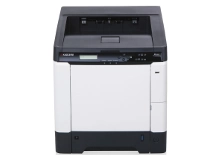
Kyocera FS-C5250DN Toner Cartridges
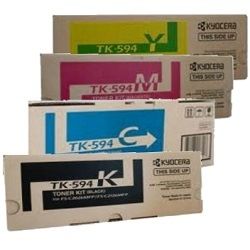
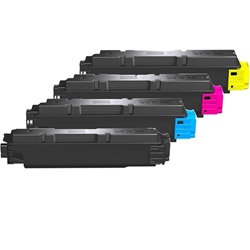
Your FS-C5250DN uses the TK-594 toner cartridge series. We have been supplying reliable consumables for this printer since Jul 2011. Laser printing workloads naturally deplete black toner faster than colour channels during everyday text processing. Maintaining a complete set prevents sudden office workflow pauses. As demonstrated by our 4.8 Google rating, we are committed to providing premium consumable cartridges.


Expected page output and replacement cycles
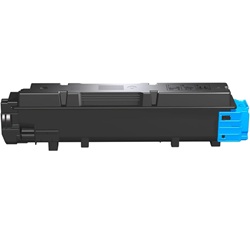
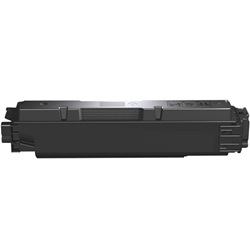
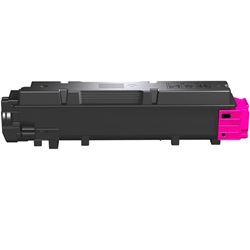
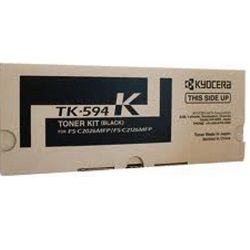
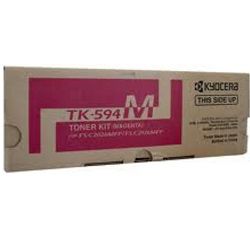
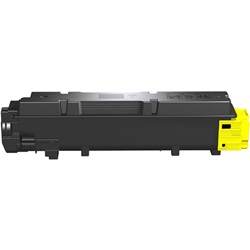
Black TK-594K toner units yield up to 7,000 pages, while cyan, magenta, and yellow cartridges deliver up to 5,000 pages each, based on ISO/IEC 19798 laser standards. Offices handling high-volume documentation will find black cartridges require replacement sooner than colour components.
| Cartridge Number | Type | Colour | Page Yield | Cost Per Page |
|---|---|---|---|---|
| TK-594K | Standard | Black | 7,000 | $0.028 |
| TK-594C | Standard | Cyan | 5,000 | $0.047 |
| TK-594M | Standard | Magenta | 5,000 | $0.047 |
| TK-594Y | Standard | Yellow | 5,000 | $0.048 |
Cost Per Page = Total Cartridge Price ÷ Page Yield (at 5% coverage). Prices based on Genuine cartridges.
How most users manage replacements
High-volume offices printing dense reports should pair regular black replacements with bundle options to secure lower costs per page. Compatible supplies feature a money back guarantee if performance falls short. Orders dispatch from warehouses in Perth, Brisbane, Sydney, Melbourne, and Adelaide. Free delivery applies on all orders over $99. Explore our wide selection of Kyocera toner cartridges, backed by our transparent returns policy.
What to know about compatible cartridges
Choosing compatible toner cartridges reduces overhead expenses while maintaining crisp print quality. Under Australian Consumer Law, using compatible cartridges does not void your printer warranty. Read our detailed genuine vs compatible guide to learn more about how alternative consumables perform.
Pro Tip
Always store unopened toner cartridges flat in a cool, dry area to prevent the fine powder from clumping inside the casing before installation.
Frequently Asked Questions
Why does my Kyocera laser printer display a toner low warning even after installing a brand-new cartridge?
Kyocera devices rely on internal gear counting mechanisms alongside optical sensors to track toner levels. If the printer is powered off during replacement or the cartridge isn't firmly clicked into place, the internal counter may fail to register the fresh unit.
Can I mix genuine and compatible TK-594 toner cartridges in the same printer?
Yes, genuine and compatible cartridges can be installed alongside one another without issue. You can replace individual colours as they empty rather than swapping the entire set at once.
Why does my FS-C5250DN initiate a calibration cycle after replacing a single cartridge?
Replacing any single toner cartridge triggers an automatic toner density adjustment. The printer recalibrates the developer units to ensure consistent colour distribution across the transfer belt before resuming print tasks.


