
Kyocera FS-C2026MFP FS-C2126MFP FS-C2526MFP FS-C2626MFP Toner Cartridges
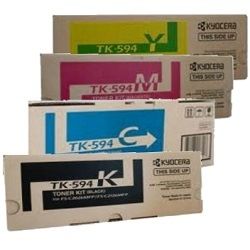
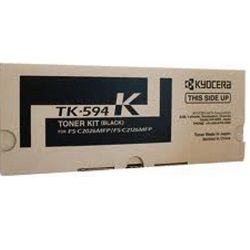
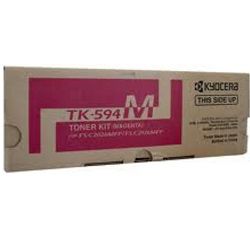
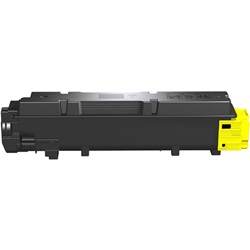
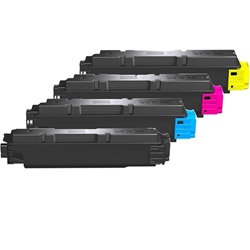
Shop toner cartridges for your Kyocera FS-C2026MFP, FS-C2126MFP, FS-C2526MFP, and FS-C2626MFP printers, which use the Kyocera TK-594 toner cartridge series. Our 4.8 Google rating proves it: we consistently supply premium cartridges backed by rock-solid reliability. These workgroup colour laser printers rely on separate black TK-594K and colour TK-594 toners, where black cartridges usually run out first during daily administration work.
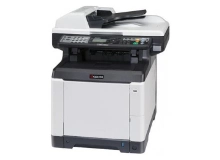
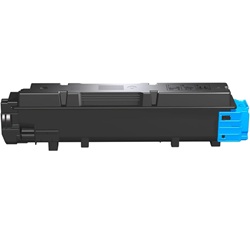
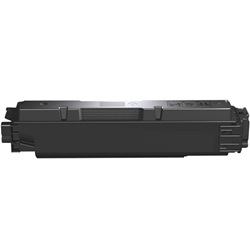
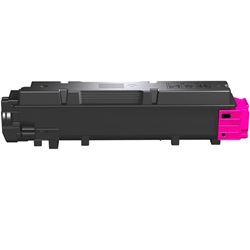


Expected Page Output and Replacement Cycles
Page yields for Kyocera TK-594 toner cartridges are measured using ISO/IEC 19798 testing standards for colour laser devices. Standard coverage is calculated at 5% page area per colour, though high-volume office printing with heavy graphics or dark text formatting will naturally increase toner consumption and shorten replacement cycles.
| Cartridge Number | Type | Colour | Page Yield | Cost Per Page |
|---|---|---|---|---|
| TK-594K | Standard | Black | 7,000 | $0.028 |
| TK-594C | Standard | Cyan | 5,000 | $0.047 |
| TK-594M | Standard | Magenta | 5,000 | $0.047 |
| TK-594Y | Standard | Yellow | 5,000 | $0.048 |
Cost Per Page = Total Cartridge Price ÷ Page Yield (at 5% coverage). Prices based on Genuine cartridges.
Choosing Between Genuine and Compatible Toners
Compatible TK-594 toners offer an economical alternative for busy offices without sacrificing print clarity or text crispness. Under Australian Consumer Law, using compatible cartridges does not void your printer warranty. Every compatible toner supplied by Ink Depot comes backed by a money-back quality guarantee for complete peace of mind. To learn more about how third-party cartridges perform against original manufacturer supplies, explore our genuine vs compatible cartridge guide.
Selecting the Right Toner Supplies and Delivery Options
For offices producing daily paperwork, stocking extra TK-594K black toner keeps workflows moving, while purchasing TK-594 colour sets ensures uniform printing across all four colours. Choosing compatible toner sets gives high-volume users maximum savings, fully supported by our money-back guarantee. Orders are shipped fast from our distribution network across Sydney, Melbourne, Brisbane, Perth, and Adelaide. Free delivery applies on all orders over $99. For returns or policy details, review our returns policy. Browse our complete range of Kyocera toner cartridges to restock your office.
Professional Supply Tip
Always store unopened TK-594 toner cartridges horizontally in a cool, dark room to prevent toner powder inside the cartridge from settling unevenly prior to installation.
Frequently Asked Questions
Do the Kyocera FS-C2026MFP, FS-C2126MFP, FS-C2526MFP, and FS-C2626MFP all use the exact same toner cartridges?
Yes. All four printer models in this Kyocera range use the TK-594 series toner cartridges, including TK-594K (black), TK-594C (cyan), TK-594M (magenta), and TK-594Y (yellow).
Why does the TK-594K black toner cartridge yield more pages than the colour cartridges?
The TK-594K black toner is rated for 7,000 pages compared to 5,000 pages for the TK-594 colour cartridges. This reflects typical office printing patterns where text-heavy monochrome documents make up the bulk of print volume.
Can I replace an individual TK-594 colour cartridge when it runs out without replacing the others?
Yes. The Kyocera system uses four separate toner cartridges, allowing you to replace only the specific TK-594 colour that has depleted without disturbing or wasting the remaining toner cartridges.
Will mixing genuine and compatible TK-594 toners affect print performance?
No. Compatible TK-594 cartridges are engineered to work seamlessly alongside original Kyocera cartridges, so you can replace individual colours as they run out without needing to change all four toners at once.


