
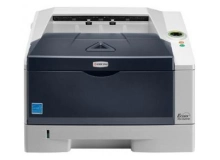
Kyocera FS-1320D FS-1320DN FS-1320DTN Toner Cartridges
Your Kyocera FS-1320D FS-1320DN FS-1320DTN uses the TK-1119 series black toner cartridges. Supplying high-volume office environments with reliable consumables since Jul 2010, we understand how heavy printing workflows require dependable supply chains. Switching from standard TK-1119 capacity to TK-174 high-yield cartridges significantly cuts downtime during peak document production runs. Our 4.8 Google rating is built on dependable cartridge performance and uncompromising product quality.
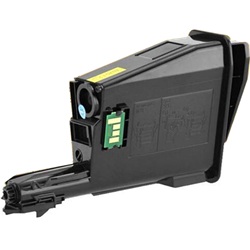
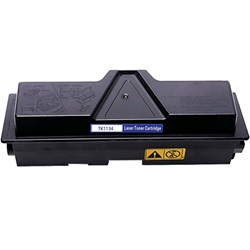
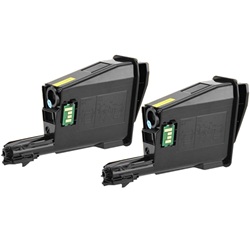
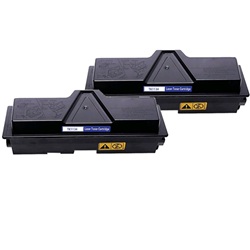

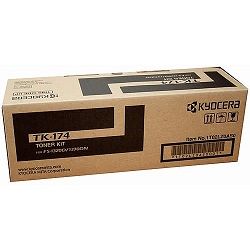
Page output expectations in high-demand environments
Monochrome page yields for these toner cartridges follow ISO/IEC 19752 testing benchmarks at 5% coverage. Workplaces producing text-dense legal documents or detailed spread sheets will observe replacement cycles tailored to their specific print coverage.
| Cartridge Number | Type | Colour | Page Yield | Cost Per Page |
|---|---|---|---|---|
| TK-174 | Standard | Black | 7,200 | $0.025 |
Cost Per Page = Total Cartridge Price ÷ Page Yield (at 5% coverage). Prices based on Genuine cartridges.
Choosing between genuine and compatible options
Selecting compatible TK-174 or TK-1119 cartridges offers substantial savings without compromising document sharpness or workflow continuity. Under Australian Consumer Law, using compatible cartridges does not void your printer warranty. Learn more about performance standards in our genuine vs compatible guide.
Ordering strategy and delivery guidelines
Choosing higher capacity TK-174 cartridges or multi-packs keeps operational interruptions minimal while driving running costs down. Compatible alternatives carry a complete money-back guarantee for added confidence; review our full returns policy for terms. All items dispatch directly from distribution hubs across Perth, Brisbane, Sydney, Melbourne, and Adelaide. Free delivery applies on all orders over $99. To browse the broader range, check out our dedicated Kyocera toner cartridges section.
Pro Tip
When upgrading from a TK-1119 to a high-capacity TK-174, gently rock the new toner horizontally before insertion to ensure smooth micro-toner distribution across the internal developer cartridge.
Frequently Asked Questions
Why does the replacement light stay on after installing a fresh TK-174 toner?
This usually occurs if the top cover is closed too quickly before the internal micro-switch resets. Re-open the main front door, reseat the TK-174 cartridge firmly until it clicks, and allow thirty seconds for the printer drive gear to engage.
Are TK-1119 and TK-174 cartridges interchangeable in this printer series?
Yes, both cartridges share identical physical fitting dimensions for this printer range. The TK-1119 acts as the standard yield option, whereas the TK-174 holds significantly more toner for longer print runs.
Do these toner cartridges include a new drum unit?
No, these products are toner-only units. Kyocera Ecosys design separates the TK series toner supply from the long-life ceramic drum unit, which remains inside the printer through multiple toner cycles.


