
Kyocera P3145dn Toner Cartridges
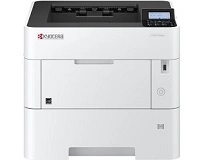
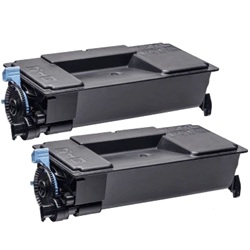
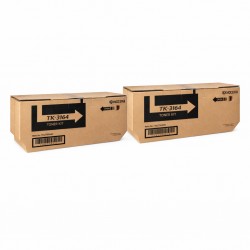
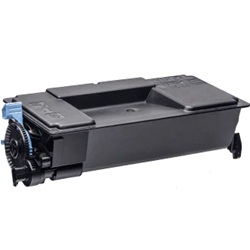
The Kyocera ECOSYS P3145dn uses the high-yield Kyocera TK-3164 toner series. Built for fast monochrome document printing, this reliable A4 desktop printer accepts both genuine and cost-effective compatible black toners to handle heavy office workloads. Stocking up on spare cartridges ensures uninterrupted daily print runs and keeps your workflow moving without delay. Ink Depot has supplied consumables for this model since Oct 2019 and is rated 4.8 by customers on Google.
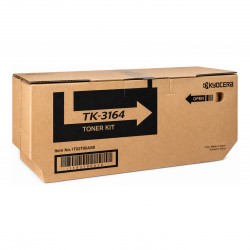
Real-World Output and ISO Ratings
The TK-3164 black cartridge delivers an official rating of 12,500 pages, measured under ISO/IEC 19752 monochrome laser standards. Printing high-density financial ledgers, shipping labels, or dense text files uses up micro-toner faster than the standard 5% coverage baseline, causing cartridges to deplete sooner during intensive office cycles.
| Cartridge Number | Type | Colour | Page Yield | Cost Per Page |
|---|---|---|---|---|
| TK-3164 | Standard | Black | 12,500 | $0.013 |
Cost Per Page = Total Cartridge Price ÷ Page Yield (at 5% coverage). Prices based on Genuine cartridges.
Managing Non-Genuine Cartridge Options
Businesses aiming to reduce overall printing costs can choose compatible replacements for their daily document needs. Under Australian Consumer Law, using compatible cartridges does not void your printer warranty. Read our helpful guide comparing genuine vs compatible cartridges to decide which option best aligns with your print demands.
Ordering Strategy and Distribution
If you print mainly text documents, purchasing twin-packs keeps administrative workflows running smoothly without sudden downtime. Third-party alternatives carry a comprehensive money back guarantee if they fail to perform as expected. Details are available on our Returns Policy page. Orders dispatch swiftly from distribution centres in Sydney, Melbourne, Brisbane, Perth, and Adelaide. Free delivery applies on all orders over $99. Explore our complete range of Kyocera toner cartridges for all office replacement supplies.
Pro Tip
Before removing the protective strip on a new TK-3164 cartridge, gently rock it horizontally side to side 5 to 6 times. This loosens compacted toner powder inside the hopper, ensuring balanced distribution across the internal feed screw from the first page printed.
Frequently Asked Questions
Why does the low toner prompt appear even though printed pages still appear dark and sharp?
Kyocera monochrome printing systems separate the toner hopper from the long-life developer unit. The prompt activates when the TK-3164 supply cartridge is completely empty, allowing staff to replace it while the printer continues operating briefly on toner remaining inside the developer chamber.
Will switching between genuine and compatible TK-3164 cartridges cause print quality issues?
No, provided the developer unit isn't contaminated with low-grade powder. Premium compatible cartridges use refined micro-toner formulations engineered with melting points identical to genuine cartridges, maintaining consistent image density and preventing roller buildup.
Does printing small job runs impact total page yield compared to continuous printing?
Yes. Frequent short print cycles increase the rotation time of internal drive gears and developer rollers relative to the amount of toner applied to paper, slightly reducing overall page count compared to continuous, long-run document jobs.


