
Kyocera Ecosys M6535cdn M6535cidn Toner Cartridges
Your Kyocera Ecosys M6535cdn and M6535cidn printers use the TK-5154 toner cartridge series. Ink Depot has been supplying consumables for these printers since Nov 2015. Designed for demanding office workgroups, these heavy-duty colour laser printers rely on TK-5154K black and TK-5154 colour toners to handle large daily workloads efficiently. Our 4.8 Google rating reflects a long-standing track record of premium cartridge performance.
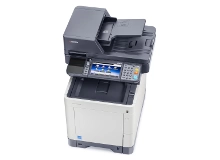
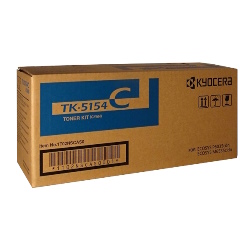

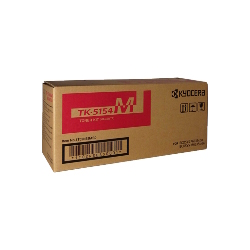
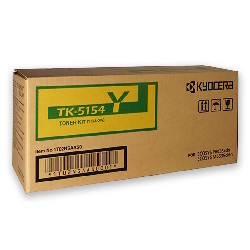
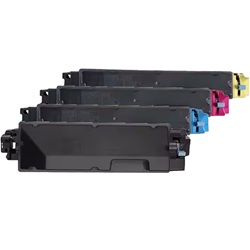
Expected page output and cartridge capacity
Standard ISO/IEC 19798 testing determines the page yields for Kyocera TK-5154 toner cartridges based on 5% page coverage. High-volume office environments will see black toner outlast individual colour toners during standard text document processing.
| Cartridge Number | Type | Colour | Page Yield | Cost Per Page |
|---|---|---|---|---|
| TK-5154K | Standard | Black | 12,000 | $0.018 |
| TK-5154C | Standard | Cyan | 10,000 | $0.028 |
| TK-5154M | Standard | Magenta | 10,000 | $0.028 |
| TK-5154Y | Standard | Yellow | 10,000 | $0.028 |
Cost Per Page = Total Cartridge Price ÷ Page Yield (at 5% coverage). Prices based on Genuine cartridges.
Choosing between genuine and compatible Kyocera toners
If you want to reduce operating expenses on multi-page print runs, compatible TK-5154 cartridges offer a cost-effective alternative to OEM supplies. "Under Australian Consumer Law, using compatible cartridges does not void your printer warranty." You can learn more about how third-party options perform in our genuine vs compatible cartridges guide.
Best approach for stocking TK-5154 toners
If your office primarily prints monochrome reports and contracts, stock additional TK-5154K black cartridges to prevent unexpected workflow stops. Compatible toners deliver reliable performance backed by our money-back guarantee. View our returns policy for complete coverage details. Free delivery applies on all orders over $99, dispatched quickly from our Australian warehouses in Perth, Brisbane, Sydney, Melbourne, and Adelaide. Browse our full selection of Kyocera toner cartridges today.
Pro Tip for TK-5154 Cartridge Management
Order a replacement TK-5154K black toner as soon as your current cartridge drops to 15% capacity; busy workgroups consume black toner at roughly double the rate of individual colour cartridges during general document printing.
Frequently Asked Questions
Do the Kyocera Ecosys M6535cdn and M6535cidn use the exact same toner cartridges?
Yes, both the M6535cdn and M6535cidn models share the exact same TK-5154 toner cartridge series, including TK-5154K, TK-5154C, TK-5154M, and TK-5154Y.
How does the TK-5154K black toner yield compare to the colour cartridges?
The TK-5154K black toner yields up to 12,000 pages, whereas the TK-5154 cyan, magenta, and yellow cartridges yield up to 10,000 pages each, based on standard 5% coverage standards.
Can I replace individual TK-5154 colour toners as they run out?
Yes, each colour toner cartridge operates independently. The printer monitors each cartridge's toner level separately, allowing you to replace only the specific depleted unit.
Will compatible TK-5154 toners cause error messages on my Ecosys printer?
Quality compatible TK-5154 cartridges feature updated microchips engineered to communicate directly with the printer status monitor, ensuring accurate level reporting without warning messages.


