
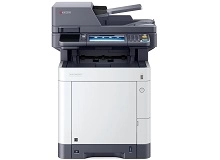
Kyocera M6230cidn & Kyocera M6630cidn toner cartridges
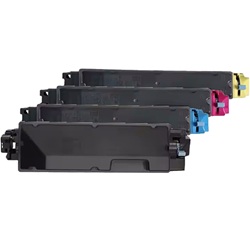
Shop toner cartridges for the Kyocera ECOSYS M6230cidn and Kyocera ECOSYS M6630cidn, both of which use the Kyocera TK-5274 toner series. Designed for demanding workplace document production, these A4 colour laser multifunction printers use separate black, cyan, magenta, and yellow cartridges to produce sharp text and vibrant graphics. Offices printing large volumes of text-heavy documents may use black toner faster than the colour cartridges, so keeping spare black toner or a complete multi-pack available can help minimise workflow interruptions. Ink Depot has supplied consumables for the M6230cidn and M6630cidn since Jun 2018 and is rated 4.8 by customers on Google.

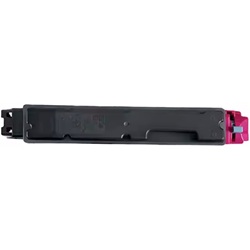
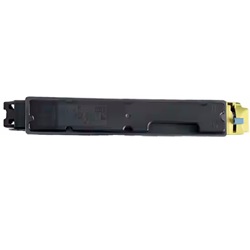
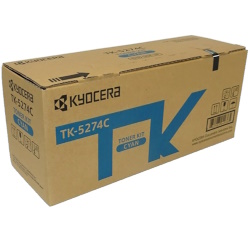

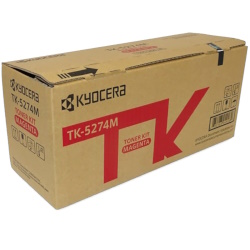

What to expect from each cartridge type
Black toner cartridges deliver an estimated 8,000 pages, while each colour unit produces up to 6,000 pages based on ISO/IEC 19798 standard testing for colour laser printers. High-volume document printing often results in black consumables needing replacement twice as frequently as individual cyan, magenta, or yellow units.
| Cartridge Number | Type | Colour | Page Yield | Cost Per Page |
|---|---|---|---|---|
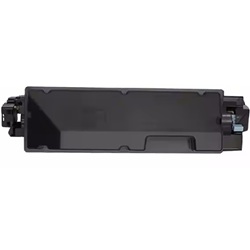
| TK-5274K | Standard | Black | 8,000 | $0.028 |
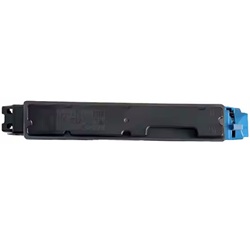
| TK-5274C | Standard | Cyan | 6,000 | $0.045 |
| TK-5274M | Standard | Magenta | 6,000 | $0.045 |
| TK-5274Y | Standard | Yellow | 6,000 | $0.045 |
Cost Per Page = Total Cartridge Price ÷ Page Yield (at 5% coverage). Prices based on Genuine cartridges.
Choosing between genuine and compatible options
Opting for compatible TK-5274 cartridges provides substantial savings for heavy office workloads without sacrificing crisp line detail or text sharpness. Under Australian Consumer Law, using compatible cartridges does not void your printer warranty. To understand how third-party options perform against original manufacturer supplies, read our detailed genuine vs compatible cartridge guide.
Best way to stock these cartridges
For office setups running daily invoices and general paperwork, ordering full value bundle packs minimises administrative overhead and secures lower overall running costs. If your office primarily processes text documents, keeping an extra TK-5274K black cartridge on hand prevents sudden workflow disruptions while colour levels deplete at a slower rate. All compatible options are covered by our full money-back guarantee for complete peace of mind. Standard shipping originates from our distribution warehouses in Perth, Brisbane, Sydney, Melbourne, and Adelaide, ensuring swift arrival across Australia. Free delivery applies on all orders over $99. Explore our full range of Kyocera toner cartridges to keep your office supplied, and review our hassle-free returns policy for details on satisfaction guarantees.
Pro Tip
Always let new toner cartridges rest horizontally at room temperature for a few hours before installation if they were delivered during extreme hot or cold weather, as sudden thermal shifts can temporarily cause uneven toner distribution on the roller.
Frequently Asked Questions
Why does my printer show low black toner while colour levels remain high?
Office print jobs overwhelmingly consist of monocolour text and basic layout elements. Even when printing light colour graphics, the black cartridge processes the primary text load, leading to a much faster consumption rate compared to cyan, magenta, or yellow.
Do compatible TK-5274 cartridges print the same page count as OEM cartridges?
Yes, high-quality compatible TK-5274 cartridges are filled to match the standard OEM capacities of 8,000 pages for black and 6,000 pages for colour, operating under identical yield testing protocols.
Can I mix genuine Kyocera toners with compatible TK-5274 toners in the same printer?
Yes, you can run genuine and compatible cartridges alongside each other without issues. The printer handles each slot independently, so replacing a single depleted genuine black with a compatible unit will not disrupt remaining genuine colour cartridges.


