
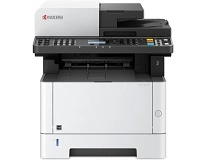
Kyocera M2635dn & Kyocera M2735dw Toner Cartridges
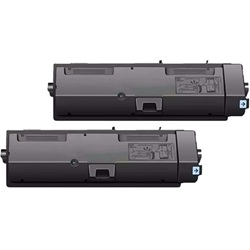
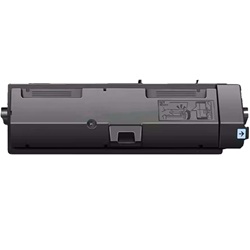
Shop toner cartridges for the Kyocera ECOSYS M2635dn and Kyocera ECOSYS M2735dw, both of which use the Kyocera TK-1184 toner series. Designed for high-volume workgroup printing, these monochrome laser multifunction printers use a high-capacity black toner cartridge to produce sharp, crisp documents across longer print runs. Keeping spare cartridges available can help minimise unexpected printing interruptions and keep daily office output moving smoothly. Ink Depot has supplied consumables for the M2635dn and M2735dw since Mar 2017 and is rated 4.8 by customers on Google.


Expected Page Output and Replacement Cycles
Page yields for the TK-1184 series are measured in accordance with ISO/IEC 19752 standards for monochrome laser cartridges, based on standard 5% page coverage. High-density document output, such as invoices, contracts, or heavy graphics, will deplete toner faster than standard text.
| Cartridge Number | Type | Colour | Page Yield | Cost Per Page |
|---|---|---|---|---|
| TK-1184 | Standard | Black | 3,000 | $0.031 |
Cost Per Page = Total Cartridge Price ÷ Page Yield (at 5% coverage). Prices based on Genuine cartridges.
Choosing Between Genuine and Compatible Options
If you want to lower your printing costs without interrupting daily office output, third-party TK-1184 cartridges offer a dependable alternative to OEM products. Under Australian Consumer Law, using compatible cartridges does not void your printer warranty. Learn more about performance and warranty coverage in our genuine vs compatible guide.
How Most Users Manage Replacements
Monochrome laser environments benefit most from keeping a spare TK-1184 toner on hand to prevent unexpected downtime during busy office hours. If your daily output consists of standard text and administrative documents, compatible options provide excellent value with a full money-back guarantee. View our returns policy for complete details. Free delivery applies on all orders over $99, dispatched quickly from our distribution network across Perth, Brisbane, Sydney, Melbourne, and Adelaide. Browse our full range of Kyocera toner cartridges to complete your office setup.
Pro Tip
Always let a freshly unpacked TK-1184 toner cartridge adjust to room temperature for 15 minutes and give it a gentle horizontal shake before installation to ensure uniform powder distribution across the internal developer roller.
Frequently Asked Questions
Why does the printer indicate low toner before reaching the expected 3,000-page limit?
ISO/IEC 19752 page yield ratings are calculated using standard 5% coverage per page. If your office prints dense documents, logos, or bold text blocks, page coverage can easily average 10% to 15%, effectively halving the total number of physical pages produced per cartridge.
Will switching to compatible TK-1184 cartridges cause faint lines or streaking on prints?
Faint lines or streaking generally indicate uneven toner powder distribution inside the cartridge or wear on the drum unit, rather than an issue with the compatible toner formula itself. Installing a fresh, properly prepared compatible cartridge will restore sharp black output.
Should I replace the toner immediately when the low-toner message first appears on the screen?
No, Kyocera monochrome systems typically display a low warning when approximately 10% of the toner remains. You can usually continue printing regular text for a few hundred more pages, but you should order your replacement TK-1184 immediately so it is ready when the cartridge is completely empty.


