
Kyocera M2040dn, M2540dn & M2640idw Toner Cartridges
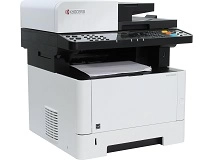
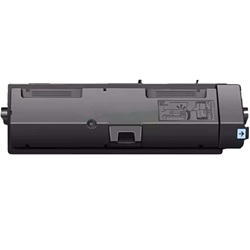
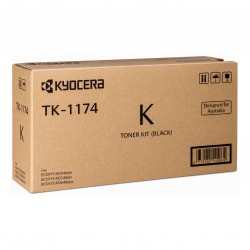
The Kyocera ECOSYS M2040dn, M2540dn, and M2640idw use the Kyocera TK-1174 toner series. Designed for high-volume office workloads, these monochrome laser multifunction printers use a high-capacity black toner cartridge to produce sharp, consistent text across longer print runs. Keeping spare cartridges available can help minimise workflow interruptions during heavy document cycles and keep everyday office printing moving smoothly. Ink Depot has supplied consumables for the M2040dn, M2540dn, and M2640idw since Mar 2017 and is rated 4.8 by customers on Google.

Expected page output and replacement cycles
Calculated using the ISO/IEC 19752 standard for monochrome laser printing, TK-1174 cartridges yield up to 7,200 pages based on standard 5% coverage. High-volume document printing across busy office networks means page counts depend heavily on text density.
| Cartridge Number | Type | Colour | Page Yield | Cost Per Page |
|---|---|---|---|---|
| TK-1174 | Standard | Black | 7,200 | $0.019 |
Cost Per Page = Total Cartridge Price ÷ Page Yield (at 5% coverage). Prices based on Genuine cartridges.
Choosing between genuine and compatible cartridges
Opting for premium compatible TK-1174 cartridges delivers significant cost savings for high-print-volume offices without compromising crisp text output or operational reliability. Under Australian Consumer Law, using compatible cartridges does not void your printer warranty. Read our comprehensive guide on genuine vs compatible cartridges to decide which option suits your workplace best.
How to stock these cartridges effectively
Workplaces printing large document batches generally purchase twin-packs or multiple black cartridges to prevent unexpected workflow interruptions. If you choose our compatible TK-1174 options for better cost efficiency, they are backed by a complete money-back guarantee. Free delivery applies on all orders over $99. We dispatch quickly from nationwide warehouses located in Perth, Brisbane, Sydney, Melbourne, and Adelaide. Browse our complete range of Kyocera toner cartridges for all your printing needs. View details on standard orders via our returns policy.
Pro Tip
When replacing the TK-1174 toner cartridge, gently rock the new cartridge side-to-side horizontally before installation to loosen settled toner powder; this ensures uniform print density from the very first page.
Frequently Asked Questions
Why does the printer prompt to replace toner when the physical cartridge still feels slightly heavy?
The TK-1174 system relies on internal optical sensors and page counters to trigger replacement alerts before toner completely exhausts, preventing air from entering the developer unit. A slight residual amount of toner powder inside the casing is normal to protect internal components.
Can I mix a compatible TK-1174 toner with the original Kyocera drum unit?
Yes. The TK-1174 is a standalone toner cartridge that seats directly into the printer's long-life ceramic drum assembly. Premium compatible cartridges are engineered to match OEM toner melt points, working seamlessly with the original drum without causing premature wear.
How many total prints can the internal drum handle before needing attention?
Kyocera Ecosys printers feature durable ceramic drums designed to outlast dozens of TK-1174 toner replacements (often rated up to 100,000 pages). You only need to replace the individual black toner cartridge during routine maintenance.


