
Kyocera Ecosys FS-6025MFP FS-6525MFP Toner Cartridges
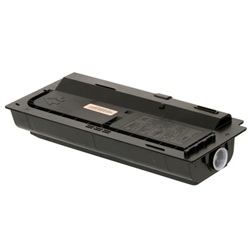
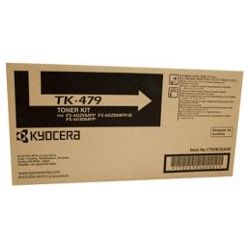
Shop toner cartridges for your Kyocera Ecosys FS-6025MFP and FS-6525MFP printers, which use the Kyocera TK-479 toner cartridge series. Our 4.8 Google Star rating shows that our customers consistently receive high-quality cartridges backed by reliable performance. These heavy-duty A3 monochrome laser printers are built for demanding workplace document workflows where high print volumes run continuously.

Expected Page Output and Yield Performance
Kyocera TK-479 Black toner cartridges are rated using ISO/IEC 19752 standard testing for monochrome laser printers, based on 5% coverage on A4 paper. Heavy graphics or dense text documents will reduce coverage yield, so tracking typical page coverage helps estimate real-world replacement cycles accurately.
| Cartridge Number | Type | Colour | Page Yield | Cost Per Page |
|---|---|---|---|---|
| TK-479 | Standard | Black | 15,000 | $0.011 |
Cost Per Page = Total Cartridge Price ÷ Page Yield (at 5% coverage). Prices based on Genuine cartridges.
Choosing Between Genuine and Compatible TK-479 Toners
For high-volume office printing, high-quality compatible TK-479 cartridges provide significant cost savings without sacrificing page output or text sharpness. Under Australian Consumer Law, using compatible cartridges does not void your printer warranty. Read our genuine vs compatible cartridge guide to evaluate which option suits your workplace budget.
Stocking Options and Delivery Details
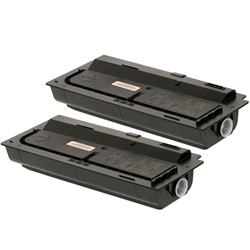
If your office handles heavy daily text output, purchasing TK-479 multi-packs ensures continuous operation and lowers overhead expenses. For extra peace of mind, all compatible toners come with a money-back guarantee. Free delivery applies on all orders over $99. We ship directly from fast dispatch warehouses in Sydney, Melbourne, Brisbane, Perth, and Adelaide to get your order to you quickly. View our returns policy or explore our full range of Kyocera toner cartridges.
Pro Tip
When installing a fresh TK-479 toner cartridge, gently rock it horizontally five or six times before removing the protective seal to distribute the fine toner powder evenly for consistent initial print density.
Frequently Asked Questions
Do the Kyocera Ecosys FS-6025MFP and FS-6525MFP use the exact same TK-479 toner cartridges?
Yes. Both the FS-6025MFP and FS-6525MFP share the exact same internal housing and printer design, so the TK-479 toner cartridge fits and functions identically in both printer models.
What does a 15,000-page yield mean for real-world office printing on the TK-479?
Page yields are measured under ISO/IEC 19752 at 5% page coverage (standard short business letters). If your office regularly prints dense contracts, spreadsheets, or A3 documents, your actual page yield per TK-479 cartridge will be lower due to higher toner application per sheet.
How should unused TK-479 toner cartridges be stored to prevent powder clumping?
Store unopened TK-479 toners horizontally in a cool, dry place away from direct sunlight and extreme temperatures. High humidity can cause dry toner particles to absorb moisture and clump, causing uneven print distribution when eventually installed.
Will switching between genuine OEM and compatible TK-479 cartridges affect drum component life?
Quality compatible TK-479 cartridges use micro-fine toner powder formulated to match the melt point and charge characteristics of genuine Kyocera toner, ensuring long-term ceramic drum durability without leaving gritty residue.


