
HP Smart Tank Plus 558 Ink Bottles
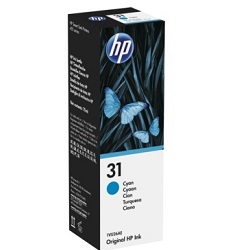
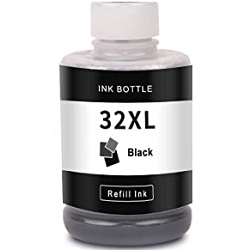
Your HP Smart Tank Plus 558 uses the 31XL, 32XL ink bottles, operating on a high-capacity continuous refill system with individual colour reservoirs. We have been supplying replacement consumables for this printer since Jul 2025, helping home office users manage their high-volume printing requirements efficiently. Since document creators often deplete black liquid much faster than cyan, magenta, and yellow, individual replenishment keeps running overheads low. As demonstrated by our 4.8 Google rating, we are committed to providing premium consumable cartridges.





Expected page output and replacement cycles
HP determines these page yield estimates using the standard ISO/IEC 24711 international testing method for continuous inkjet systems. In real-world environments, your actual yield will change depending on your regular text density and the percentage of colour coverage on each page.
| Cartridge Number | Type | Colour | Page Yield | Cost Per Page |
|---|---|---|---|---|
| 31 | Standard | Cyan | 8,000 | $0.003 |
| 31 | Standard | Magenta | 8,000 | $0.003 |
| 31 | Standard | Yellow | 8,000 | $0.003 |
| 32XL | High Yield | Black | 6,000 | $0.004 |
Cost Per Page = Total Cartridge Price ÷ Page Yield (at 5% coverage). Prices based on Genuine cartridges.
Choosing between genuine and compatible options
Under Australian Consumer Law, using compatible cartridges does not void your printer warranty. Opting for third-party refill bottles offers a cost-effective alternative for daily document creation without risking performance problems. To review the comprehensive legal details and manufacturing differences, read our genuine vs compatible cartridges comparison blog.
Maintenance parts and other components
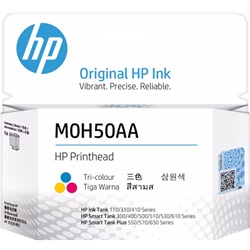
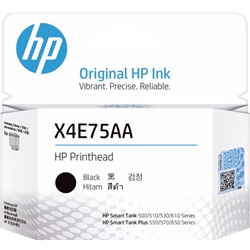
This continuous system relies on user-replaceable M0H50AA and X4E75AA print heads to maintain clean lines and sharp text. Experience Tip: If your text looks patchy or lines are missing even after a software cleaning cycle, manually replacing the individual black or tri-colour print head can instantly restore pristine output.
Choosing the right cartridge setup
If you print mainly text documents, purchasing standalone black bottles ensures your primary pipeline stays filled, while creative users printing full-colour graphics will benefit from multi-bottle bundles. Our third-party ink options are fully covered by a complete money-back guarantee for peace of mind. Free delivery applies on all orders over $99, with all shipments dispatched from our national warehouse network in Sydney, Melbourne, Brisbane, Adelaide, and Perth. Discover more options across our full HP ink bottles range.
Pro Tip
Always let the printer sit idle for a few minutes after filling a reservoir or changing a print head to ensure the fluid fully primes the internal tubes and prevents air bubbles from causing intermittent printing dropouts.
Frequently Asked Questions
Can I mix a compatible ink bottle with genuine ink already inside the printer reservoirs?
Yes, you can safely pour compatible ink into a tank that still contains genuine factory ink, as the chemical formulations are engineered to blend seamlessly without clotting.
Why does the printer prompt me to replace a print head when the ink tanks are completely full?
The ink tanks simply hold the liquid, whereas the M0H50AA and X4E75AA print heads contain the physical firing nozzles, which wear out over time regardless of how much fluid is left in the printer reservoirs.
How do I know when to manually refill the reservoirs before running completely empty?
Do not rely purely on software estimations; check the translucent front-facing windows regularly and top up the liquid before it drops below the lower line to prevent air from getting sucked into the ink lines.


