
HP Smart Tank Plus 551 Ink Bottles
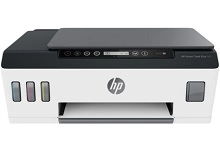
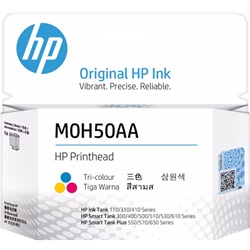
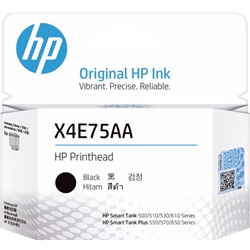
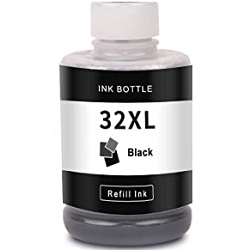
Your HP Smart Tank Plus 551 uses the HP 31XL and 32XL ink bottle series along with M0H50AA and X4E75AA print heads. Designed for high-volume document and colour printing, refilling with 32XL (1VV24AA) Black and 31XL colour ink bottles keeps per-page costs exceptionally low. Our 4.8 Google rating reflects a long-standing track record of premium cartridge performance.


Expected Page Output and Replacement Cycles
The HP 31XL and 32XL bottle system complies with ISO/IEC standards for continuous ink refill yield calculations. High-capacity refill bottles deliver extended output, allowing high-volume document environments to produce thousands of pages before needing a refill.
Choosing Between Genuine and Compatible Ink Bottles
Under Australian Consumer Law, using compatible cartridges does not void your printer warranty. Choosing compatible HP 31XL and 32XL ink bottles offers significant cost savings for daily volume printing while maintaining excellent text legibility and vibrant colour output. To read more about how third-party options perform against OEM products, read our genuine vs compatible cartridges comparison guide.
Replacement Print Heads
The HP Smart Tank Plus 551 uses thermal print heads including M0H50AA and X4E75AA units to control ink droplets. Experience Tip: Unlike standard ink cartridges with integrated print heads, the M0H50AA and X4E75AA print heads are separate long-life components that typically last through multiple full ink bottle refill cycles.
Best Way to Stock These Ink Bottles
For high-volume text printing, purchasing 32XL (1VV24AA) Black bottles in multipacks reduces ordering frequency. If you print colour graphics or marketing materials, multipacks containing 31XL (1VU26AA, 1VU27AA, 1VU28AA) bottles provide maximum ink supply. All compatible ink bottles are backed by a money-back guarantee. Free delivery applies on all orders over $99, dispatched quickly from our Australian warehouses in Perth, Brisbane, Sydney, Melbourne, and Adelaide. Browse our full range of HP ink cartridges or check our returns policy for complete peace of mind.
Pro Tip for Refill Management
When topping up ink reservoirs, always use complete bottle pours for individual colour reservoirs rather than mixing partially empty bottles, as opening a fresh 31XL (1VU26AA, 1VU27AA, 1VU28AA) or 32XL (1VV24AA) bottle ensures the spill-free seal engages correctly with the printer fill valve.
Frequently Asked Questions
How often do the HP Smart Tank Plus 551 print heads need replacing compared to the ink bottles?
The M0H50AA and X4E75AA print heads are durable, semi-permanent components designed to handle tens of thousands of pages, meaning you will complete many full 31XL and 32XL bottle refills before needing to replace a print head.
Can I mix genuine HP 32XL black ink with compatible 31XL colour bottles in the Smart Tank Plus 551?
Yes, the individual reservoirs operate independently, allowing you to use genuine HP 32XL (1VV24AA) black ink alongside compatible 31XL colour bottles without ink contamination or performance issues.
What happens if ink bottle levels drop below the minimum fill line on the printer?
Allowing the ink reservoirs to drop below the indicator line can draw air into the fluid supply lines, which may require priming through printer menu alignment steps before full output density is restored.


