
HP Smart Tank 5105 Ink Bottles
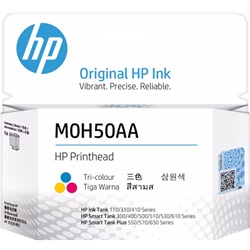
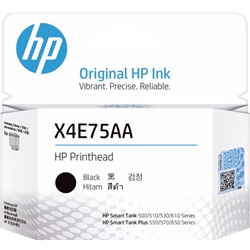
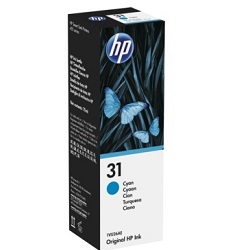
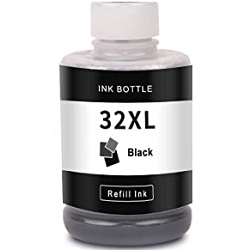
Your HP Smart Tank 5105 uses the HP 31 and 32XL ink bottle series along with M0H50AA and X4E75AA replacement print heads. The HP Smart Tank 5105 is a refillable ink tank printer built for low-cost, high-volume home office printing. Replenishing with high-capacity 32XL (1VV24AA) Black ink bottles ensures continuous text output, while 31 (1VU26AA) colour bottles maintain vivid graphics. Our 4.8 Google rating reflects a long-standing track record of premium cartridge performance, with quality supplies available since Jul 2025.





Expected Output and Page Yields
Page yields for HP 31 and 32XL ink bottles are measured under ISO/IEC 24711 testing standards using standard five-percent coverage pages. The high-capacity 32XL (1VV24AA) Black bottle provides up to 6,000 pages, while 31 (1VU26AA) colour bottles deliver up to 8,000 pages for long refill intervals.
| Cartridge Number | Type | Colour | Page Yield | Cost Per Page |
|---|---|---|---|---|
| 31 | Standard | Cyan | 8,000 | $0.003 |
| 31 | Standard | Magenta | 8,000 | $0.003 |
| 31 | Standard | Yellow | 8,000 | $0.003 |
| 32XL | High Yield | Black | 6,000 | $0.004 |
Cost Per Page = Total Cartridge Price ÷ Page Yield (at 5% coverage). Prices based on Genuine cartridges.
Choosing Between Genuine and Compatible Ink Bottles
Choosing between OEM and high-quality compatible ink bottles comes down to upfront spending and print volume needs. Compatible 31 (1VU26AA) and 32XL (1VV24AA) bottles deliver identical bottle fittings and vibrant colour reproduction at a significantly lower purchase price. Under Australian Consumer Law, using compatible cartridges does not void your printer warranty. Read our comprehensive guide to genuine vs compatible cartridges to determine which option suits your workflow.
Replacement Print Heads
The HP Smart Tank 5105 uses individual thermal print heads, including the M0H50AA and X4E75AA units, which process ink transfer onto paper. Experience Tip: Replacement print heads are durable, multi-year components that only need changing when permanent print channel wear occurs, outlasting multiple full ink bottle refills.
Best Ways to Order and Save
For high-volume document printing, ordering multi-packs of 32XL (1VV24AA) Black ink bottles minimises reorder frequency. Multipacks combining 31 (1VU26AA) Cyan, Magenta, and Yellow ink bottles offer complete colour coverage in a single order. Compatible refill bottles come with a money-back guarantee for complete peace of mind. Check our returns policy for details. Free delivery applies on all orders over $99. We dispatch quickly from nationwide warehouses located in Perth, Brisbane, Sydney, Melbourne, and Adelaide. Browse our full range of HP ink bottles today.
Expert Tip for Ink Refills
Store unopened ink bottles upright in a cool place and avoid opening the sealed cap until you are ready to fill the tank, as the keying mechanism relies on a factory seal to prevent air bubbles from entering the ink feed.
Frequently Asked Questions
How do HP 31 and 32XL ink bottles work with the printer's print heads?
Unlike traditional integrated ink cartridges, the HP Smart Tank 5105 separates ink storage from print execution. Ink from the 32XL (1VV24AA) and 31 (1VU26AA) bottles feeds into internal reservoirs connected to replaceable M0H50AA and X4E75AA print heads, maintaining consistent ink pressure without requiring a new print head with every refill.
Can I mix genuine HP ink bottles with compatible ink bottles in the same printer?
Yes, you can refill individual colour or black tanks with compatible ink bottles even if other tanks still contain original HP ink. The formulation of quality compatible ink mixes safely inside the reservoir without clogging print channels.
How often will I need to replace the M0H50AA or X4E75AA print heads?
Print heads in Smart Tank printers are long-life components rather than frequent consumables. While 31 (1VU26AA) and 32XL (1VV24AA) ink bottles are replenished regularly based on print volume, print heads typically last for tens of thousands of pages before needing replacement.


