
HP Smart Tank 450 Ink Bottles
Your HP Smart Tank 450 uses the 31XL, 32XL ink bottles. Our 4.8 Google rating reflects a long-standing track record of premium cartridge performance. Supplying high-capacity consumables for this printer since Jul 2025, we understand how its continuous ink replenishment system operates. Home office users benefit from the vast capacity differences between the heavy black text usage and lighter colour documents, changing individual wells only as required.





Expected page output and replacement cycles
These high-yield ink bottles are engineered for substantial print runs, making replacements a rare task. Standardised testing under ISO/IEC 24711 determines the page yield metrics, ensuring reliable output expectations for standard documentation.
| Cartridge Number | Type | Colour | Page Yield | Cost Per Page |
|---|---|---|---|---|
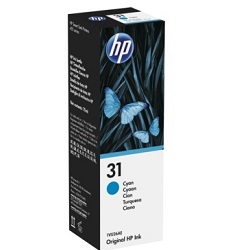
| 31 | Standard | Cyan | 8,000 | $0.003 |
| 31 | Standard | Magenta | 8,000 | $0.003 |
| 31 | Standard | Yellow | 8,000 | $0.003 |
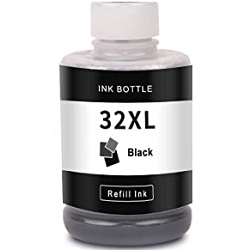
| 32XL | High Yield | Black | 6,000 | $0.004 |
Cost Per Page = Total Cartridge Price ÷ Page Yield (at 5% coverage). Prices based on Genuine cartridges.
Choosing between genuine and compatible options
Opting for premium compatible ink bottles offers a significant reduction in printing costs without risking your hardware. Under Australian Consumer Law, using compatible cartridges does not void your printer warranty. This gives you total peace of mind when selecting alternative ink supplies. To understand how these options compare in detail, read our genuine vs compatible cartridges comparison guide.
Maintaining your print heads
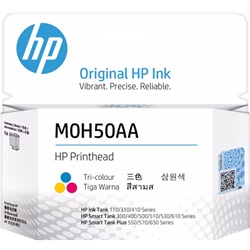
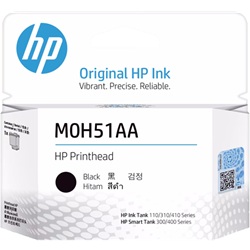
This printer features replaceable print heads, including the M0H50AA and M0H51AA components, which keep the print mechanism operating smoothly over time. Experience Tip: If you notice lines or faint streaks in your prints, running a built-in print head cleaning cycle through the printer menu can resolve ink flow issues before needing a mechanical replacement.
Best way to stock these ink bottles
If you print mainly text documents, purchasing standalone black ink bottles provides the most practical setup. If you print mixed documents or graphics, bundle packs offer a complete refill solution at a reduced cost per bottle. Our compatible inks are covered by a full money-back guarantee, allowing you to buy with confidence. View our Returns policy for more details. Free delivery applies on all orders over $99, with items dispatched rapidly from our regional warehouses in Perth, Brisbane, Sydney, Melbourne and Adelaide. Browse our full range of HP ink bottles to keep your workspace supplied.
Pro Tip
Always let the printer sit undisturbed for a few minutes after refilling an ink reservoir; this allows the air pressure to equalise and prevents microscopic bubbles from disrupting the ink flow to the print head.
Frequently Asked Questions
Can I mix a compatible ink bottle with genuine ink already in the printer?
Yes, you can safely fill an ink reservoir with a compatible bottle even if the existing ink inside the printer is from a genuine bottle. The formulations are fully miscible and will not clog the lines.
How do I know when to refill the ink reservoirs if the printer does not have chip sensors?
You must visually monitor the physical ink levels through the clear front windows of the printer. Refilling the reservoirs before they drop below the lower line ensures air is not sucked into the internal fluid lines.
Why does my print quality fade even though the ink reservoirs are completely full?
This is typically caused by dried ink or trapped air inside the user-replaceable M0H50AA or M0H51AA print heads. Running a deep cleaning cycle or reseating the print head assembly usually restores the continuous ink flow.


