
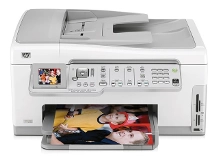
HP Photosmart C7280 Ink Cartridges
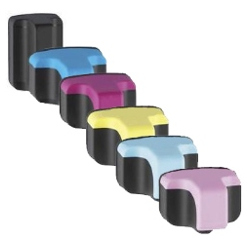
Your HP Photosmart C7280 uses the 02 cartridge series, operating on an advanced six-colour individual ink setup engineered to produce professional-grade lab photographs and crisp documents. Backed by our 4.8 Google rating, we are dedicated to supplying premium replacements that guarantee seamless colour transitions and distinct detail. We have been providing replacement alternatives for this specific setup since Jan 2007, helping creative enthusiasts and home office workspaces maintain a steady workflow. Because multi-cartridge photographic setups consume individual shades like cyan, magenta, and yellow at varied intervals depending on image traits, home users frequently select multi-pack bundle options to simplify inventory management and optimise long-term print value.


Page yield expectations and domestic printing lifecycles
Maintaining a smooth creative workflow requires clear oversight over stock management and individual cartridge lifespans. HP establishes expected page yield capacities for the 02 ink configurations using the standard ISO/IEC 24711 testing framework for inkjet systems, which tracks continuous consumption patterns using uniform mixed text and image files. Review the detailed product options below to assess print capacities before finalising your purchase.
| Cartridge Number | Type | Colour | Page Yield | Cost Per Page |
|---|---|---|---|---|
| 02 | Standard | Black | 480 | $0.013 |
| 02 | Standard | Cyan | 350 | $0.016 |
| 02 | Standard | Light Cyan | 350 | $0.016 |
| 02 | Standard | Magenta | 350 | $0.016 |
| 02 | Standard | Light Magenta | 350 | $0.016 |
| 02 | Standard | Yellow | 350 | $0.016 |
Cost Per Page = Total Cartridge Price ÷ Page Yield (at 5% coverage). Prices based on Compatible cartridges.
Compatible cartridge performance standards
Lowering ongoing photo printing expenses is straightforward when transitioning to premium generic replacement options. Under Australian Consumer Law, utilising high-quality compatible consumables does not void your original printer warranty. These cost-effective alternatives match original factory components in their precise structural fit, fluid density, and vibrant colour fidelity, ensuring your family photo albums and presentations retain an entirely professional appearance. Every premium unit is specifically developed to match internal thermal ink delivery components, preventing blockages or smudge defects on high-gloss photo media. These budget-friendly options fit the designated slots exactly, delivering deep black contrast and accurate colour tones across all prints. You can explore more about managing consumable options in our detailed genuine vs compatible cartridges guide.
Best ways to manage your print supply
When your daily schedule involves printing high-resolution snapshots, vibrant creative layouts, or multi-page documents, ordering full HP 02 six-colour pack bundle configurations provides the most secure protection against unexpected downtime when a single shade runs low. Our compatible inventory ensures total compatibility and reliable operation across every domestic task. Free shipping applies to all transactions exceeding $99. To facilitate rapid logistics nationwide, we dispatch packages directly from regional distribution centres across Sydney, Melbourne, Brisbane, Adelaide, and Perth. Browse our complete range of HP ink cartridges to restock your workspace.
Pro Tip
The HP Photosmart C7280 features a specialised internal ink delivery setup that uses a series of permanent internal printheads fed by the individual 02 cartridges via a network of internal tubes. To avoid air locks or dried residue building up inside this internal delivery network, ensure you replace any empty ink tanks promptly and run a built-in nozzle maintenance utility if the printer has been left idle for an extended period.
Frequently Asked Questions
Can I install a single compatible HP 02 ink cartridge alongside original components?
Yes, this versatile photographic setup lets you install compatible 02 colour or black options into the separate channels interchangeably without experiencing software or communication blocks. The exterior molding tracks and integrated microchips are engineered to mirror factory specifications exactly, allowing the internal tracking utility to recognise the replacement and track remaining levels accurately.
Why does my screen show an ink low warning when fluid is still moving inside the casing?
The built-in smart chip estimates remaining capacity by tracking the total number of microscopic ink drops fired during print runs rather than conducting a physical weight test of the cartridge contents. If you primarily print small snapshots or documents with light line coverage, the digital alert system will trigger slightly before the physical fluid reservoir is completely spent.
How do I clear blank lines or faint horizontal streaks on my high-resolution photo prints?
Horizontal blank streaks can occur if tiny air bubbles or dried ink residue block the fine nozzle gaps after periods of non-use. To resolve this, navigate to the maintenance menu via your desktop utility software or app and initiate a printhead cleaning process to flush the internal pathways and re-establish a consistent ink flow.


