
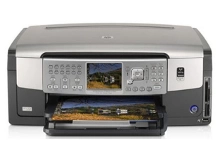
HP Photosmart C7180 Ink Cartridges
Your HP Photosmart C7180 uses the HP 02 ink cartridge series, a advanced six-colour individual ink system engineered to deliver beautiful lab-quality photo prints, vibrant creative graphics, and crisp daily documents. Backed by our 4.8 Google rating, we are dedicated to supplying premium replacements that guarantee precise colour accuracy and smooth tonal transitions. We have been providing replacement alternatives for this specific setup since Jan 2006, helping hobbyists, home offices, and creative professionals maintain a steady, high-quality printing workflow. Because this photo printing system utilises individual colour wells to minimise waste, users frequently select high-capacity multi-pack bundle options to simplify supply management and optimise long-term print value.

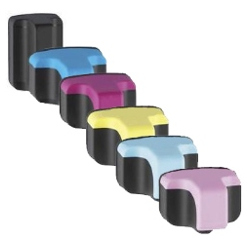

Page yield expectations and vibrant photo lifecycles
Maintaining a seamless printing workflow requires transparent oversight over inventory stock levels and individual cartridge lifespans. HP establishes expected page yield capacities for the HP 02 standard black and individual colour configurations using standardizsd manufacturer coverage metrics, which track continuous liquid ink consumption using uniform test pages. Review the detailed product options below to assess print capacities before completing your purchase.
| Cartridge Number | Type | Colour | Page Yield | Cost Per Page |
|---|---|---|---|---|
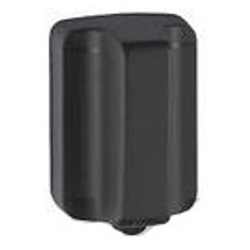
| 02 | Standard | Black | 480 | $0.013 |
| 02 | Standard | Cyan | 350 | $0.016 |
| 02 | Standard | Light Cyan | 350 | $0.016 |
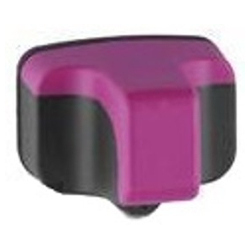
| 02 | Standard | Magenta | 350 | $0.016 |
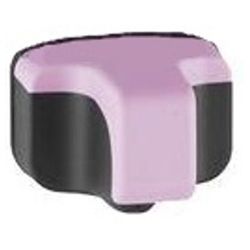
| 02 | Standard | Light Magenta | 350 | $0.016 |
| 02 | Standard | Yellow | 350 | $0.016 |
Cost Per Page = Total Cartridge Price ÷ Page Yield (at 5% coverage). Prices based on Compatible cartridges.
Premium compatible ink cartridges
Lowering ongoing home and office printing expenses is straightforward when transitioning to premium replacement options. Utilizing premium compatible alternative office supplies provides total compatibility without risk. These durable components match original factory specifications in their physical housing structure, specialised dye-based ink formulation, and rich colour density, ensuring your family photo albums, creative portfolios, and administrative records retain an entirely professional presentation. Discover more about managing your office consumable choices by reading our genuine vs compatible cartridges guide.
Best ways to manage your print supply
When your weekly schedule involves heavy photography projects, school assignments, or high-volume document runs, ordering HP 02 multi-pack bundle configurations provides the most secure protection against unexpected downtime during an important print job. Every premium replacement ink unit is backed by a full warranty, giving total financial peace of mind to our customers. Free shipping applies to all transactions exceeding $99. To facilitate rapid logistics nationwide, we dispatch packages directly from regional distribution centres across Sydney, Melbourne, Brisbane, Adelaide, and Perth. Browse our complete range of HP ink cartridges to restock your team.
Pro Tip
The HP Photosmart C7180 relies on an internal system that circulates ink through a complex printhead mechanism to prevent clogging. To maintain pristine print quality and protect the health, avoid turning the printer off via a power strip or wall switch while it is idle; always use the physical Power button on the control panel, which allows the unit to securely cap the cartridges and park the printhead safely.
Frequently Asked Questions
What is the advantage of the HP 02 six-colour individual ink system?
The individual ink layout ensures you only replace the specific colour that runs out, saving money compared to tri-colour cartridges. By adding Light Cyan and Light Magenta to the standard Black, Cyan, Magenta, and Yellow matrix, this achieves incredibly lifelike skin tones and smoother, grain-free gradients in photo prints.
Will using compatible HP 02 ink units affect my printer's performance?
No, our premium compatible alternative cartridges are engineered to mirror original factory physical dimensions and are equipped with matching microchip arrays to ensure total system integration. They interact seamlessly with your printer and provide reliable communication with the printer's onboard firmware without triggering communication faults.
Why does my printer show an ink alert immediately after installing a new compatible cartridge?
Because the original physical configuration belongs to an older generation, some printer firmware versions may display a benign warning like "Non-Genuine Cartridge Detected." This is completely normal; simply click "OK" or "Proceed" on your printer panel or computer screen to bypass the prompt and resume printing as usual.


