
HP Photosmart C4599 Ink Cartridges
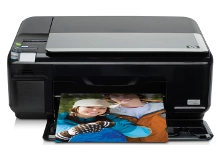
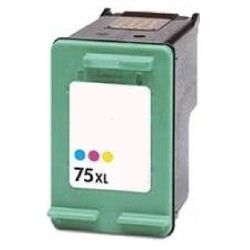
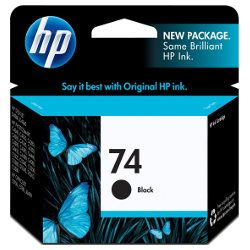
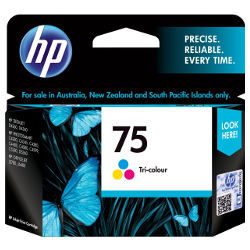
Your HP Photosmart C4599 uses the 74 / 75 cartridge series, consisting of one black and one tri-colour ink cartridge. We have been supplying reliable printer consumables for this system since Nov 2010. Our 4.8 Google rating is built on dependable cartridge performance and uncompromising product quality. For home users, printing predominantly colour means replacing the combined colour cartridge regularly, even if only one specific shade runs dry first.

How long these cartridges last in real use
These cartridges are designed to deliver standard yields of 220 pages for the black cartridge and 170 pages for the tri-colour cartridge, measured in accordance with ISO/IEC 24711 standards. Actual output will vary based on coverage and colour distribution.
| Cartridge Number | Type | Colour | Page Yield | Cost Per Page |
|---|---|---|---|---|
| 74 | Standard | Black | 220 | $0.21 |
| 75 | Standard | Colour | 170 | $0.36 |
Cost Per Page = Total Cartridge Price ÷ Page Yield (at 5% coverage). Prices based on Genuine cartridges.
Choosing between genuine and compatible options
For this system, utilising premium compatible cartridges provides a highly cost-effective printing option without risking damage to your printer. Under Australian Consumer Law, using compatible cartridges does not void your printer warranty.
Choosing the right cartridge setup
If you print mainly text, selecting a high-yield black cartridge prevents frequent interruptions. If you print photos or colour documents, replacing both cartridges together via a bundle is usually the most economical approach. Should you choose our compatibles, they are backed by a complete money-back guarantee. Free delivery applies on all orders over $99. We ship directly from our national warehouses in Melbourne, Sydney, Brisbane, Perth and Adelaide to ensure fast transit times. Find more options in our HP ink cartridges catalogue. For return information, please refer to our returns policy.
Pro Tip
This printer uses a integrated printhead design where the actual firing nozzle is built directly onto the cartridge rather than the printer. Because of this, replacing an empty cartridge completely refreshes your printhead mechanism, instantly solving most streakiness or banding issues.
Frequently Asked Questions
Can I mix a genuine black cartridge with a compatible colour cartridge in my printer?
Yes, this two-cartridge system permits you to mix genuine and compatible cartridges simultaneously. The printer will recognise and calibrate both independently without any communication conflicts.
Why does my tri-colour cartridge run out of ink when I only print a small amount of colour?
The tri-colour cartridge houses three separate chambers for cyan, magenta and yellow. Since colour elements like web links, document borders, or warm photo tones deplete specific colours faster, the cartridge will register as empty once any single chamber runs dry, regardless of how much ink remains in the other two.
Will the ink dry out inside these cartridges if I do not print regularly?
Yes, because the printhead is integrated directly into the 74 and 75 cartridge bases, infrequent printing can cause microscopic ink deposits to dry and clog the nozzles. We recommend running a single-page test print at least once every two weeks to keep the nozzles hydrated and clear.


