
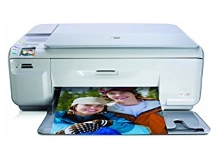
HP Photosmart C4580 Ink Cartridges
Your HP Photosmart C4580 uses the 74 / 75 cartridge series, featuring a dual-cartridge setup configured with one dedicated black cartridge slot and one tri-colour cartridge slot. We have been supplying reliable printer consumables for this system since Apr 2010. Our 4.8 Google rating mirrors a long-standing track record of premium cartridge performance. For home photo printing or everyday document processing, this integrated head setup ensures that replacing your cartridge gives you a brand-new firing nozzle mechanism every time.

Page yields to expect from this series
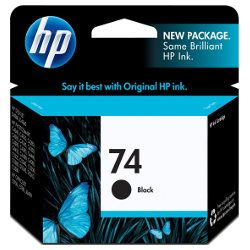
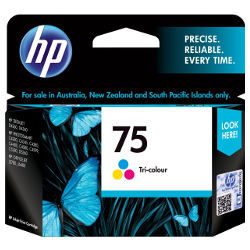
Standard 74 genuine black ink cartridges offer a declared yield of roughly 220 pages, while the 75 genuine tri-colour cartridges output up to 170 pages. These limits are measured following international ISO/IEC 24711 compliance standards, though total page yields depend heavily on regular font choice and photographic colour saturation.
| Cartridge Number | Type | Colour | Page Yield | Cost Per Page |
|---|---|---|---|---|
| 74 | Standard | Black | 220 | $0.21 |
| 75 | Standard | Colour | 170 | $0.36 |
Cost Per Page = Total Cartridge Price ÷ Page Yield (at 5% coverage). Prices based on Genuine cartridges.
The importance of genuine cartridges
Opting for authentic factory originals offers a fully reliable printing path, engineered to work in perfect harmony with your printer's engine without risking quality drop-offs. Because these cartridges come direct from the manufacturer, they guarantee total hardware compatibility and optimal performance across all document types. You can review a direct breakdown of standard operational differences in our genuine vs compatible guide.
Best way to stock these cartridges
If you print mainly text documents, purchasing standalone black ink replacements is the most direct solution. If you regularly output colour school assignments or high-resolution photos, picking up a combination bundle pack delivers better value upfront. Free delivery applies on all orders over $99. We fulfil and ship orders daily from our regional logistics facilities across Brisbane, Sydney, Melbourne, Adelaide, and Perth. Browse the full range on our dedicated HP ink cartridges hub, and check our returns policy for additional details.
Pro Tip
The tri-colour cartridge contains three distinct cyan, magenta, and yellow ink wells inside a single shell. If you print graphics containing heavy amounts of one specific tone, that isolated chamber will empty first, prompting a replacement message even if the other two internal sections remain completely full.
Frequently Asked Questions
Can I run high-yield 74XL black or 75XL colour cartridges alongside standard versions in this printer?
Yes, this printer layout accommodates any mix of standard and high-yield XL versions within the 74 and 75 families. The on-board system tracks each cartridge slot independently, allowing you to scale up the capacity of whichever slot you deplete fastest.
What should I do if my printer prints blank pages right after installing a fresh genuine cartridge?
A fresh cartridge can sometimes develop a tiny air bubble near its base or have lingering residue on its copper contacts. Try gently wiping the gold-coloured contacts with a lint-free cloth and running a standard printhead cleaning cycle via your printer control software.
Will the ink nozzles dry out and block up if I only print once a month?
Yes, because the micro-nozzles are attached directly to the base of the 74 and 75 cartridges, sitting idle lets stray ink thicken and block the ports. Running a single test print page every two weeks keeps the ink paths fluid and clear.


