
HP Photosmart C4480 Ink Cartridges
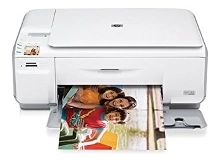
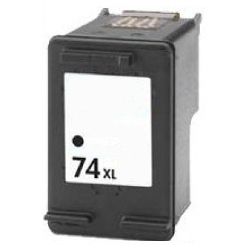
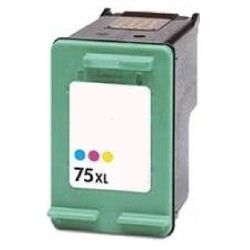
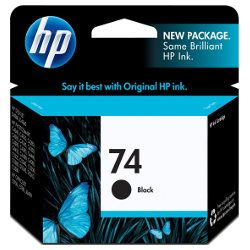
Your HP Photosmart C4480 uses the 74 / 75 cartridge series, featuring one black and one tri-colour ink cartridge. We have been supplying reliable printer consumables for this system since Jan 2008. Our 4.8 Google rating is built on dependable cartridge performance and uncompromising product quality. For home office tasks, the dual-cartridge design means a brand-new printhead is integrated into every replacement, maintaining clean document output even during low-use periods.


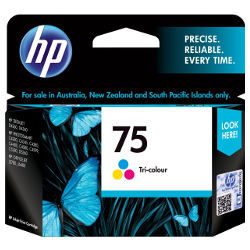
What to expect from each cartridge type
Standard variants deliver yields of 220 pages for black and 170 pages for tri-colour, while high-yield versions reach up to 750 black and 520 colour pages. These outputs are determined via standard ISO/IEC 24711 testing procedures, though real-world performance depends on total page coverage.
| Cartridge Number | Type | Colour | Page Yield | Cost Per Page |
|---|---|---|---|---|
| 74 | Standard | Black | 220 | $0.21 |
| 75 | Standard | Colour | 170 | $0.36 |
Cost Per Page = Total Cartridge Price ÷ Page Yield (at 5% coverage). Prices based on Genuine cartridges.
What to know about compatible cartridges
Choosing premium compatible alternatives provides an excellent path to lowering ongoing printing costs without risking damage to your printer. Under Australian Consumer Law, using compatible cartridges does not void your printer warranty.
Best way to stock these cartridges
If you print mainly text documents, opting for high-yield standalone cartridges prevents frequent replacement interruptions. If you print mixed graphics or family photos, securing a bundle pack lowers your initial layout. All premium compatible cartridges come backed by a complete money-back guarantee. Free delivery applies on all orders over $99. Orders are dispatched quickly from our national dispatch centres located in Brisbane, Sydney, Melbourne, Adelaide and Perth. Browse the full selection of options via our HP ink cartridges page, and read our comprehensive returns policy for full terms.
Pro Tip
The tri-colour cartridge combines cyan, magenta and yellow ink within three distinct internal chambers. If your documents use a single colour predominantly, that specific chamber will deplete first, meaning the entire cartridge must be replaced despite ink remaining in the other two reservoirs.
Frequently Asked Questions
Can I use a high-yield 74XL or 75XL cartridge if my printer previously used the standard 74 or 75?
Yes, high-yield XL cartridges feature identical physical dimensions and external cartridge sizing as the standard variants. They simply house a larger internal fluid reservoir and fit directly into the exact same slots inside the printer carriage.
Why does my printer display a low ink or message after I install a new compatible cartridge?
Old printer firmware sometimes caches previous chip data, incorrectly reporting a new compatible cartridge as low. You can clear this false reading and proceed with your prints by holding down the Cancel or Stop button on the printer panel for five seconds.
Will the ink nozzles clog up if this printer remains unused for weeks at a time?
Yes, because the micro-nozzle printhead is built directly into the base of the 74 and 75 cartridges, extended downtime can cause residual ink to dry out and block the ports. Printing a quick test page once a fortnight keeps the ink pathways clear.


