
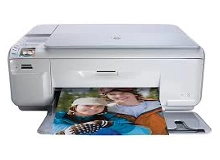
HP Photosmart C4385 Ink Cartridges
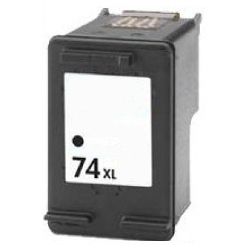
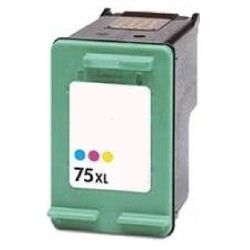
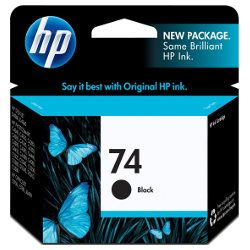
Your HP Photosmart C4385 uses the 74, 74XL, 75, 75XL cartridge series. We have been supplying dependable replacement consumables for this printer since Jan 2007. Operating on a two-cartridge system with separate black and tri-colour blocks, managing your everyday output means finding the right equilibrium between text and creative projects. Our 4.8 Google rating is built on dependable cartridge performance and uncompromising product quality.


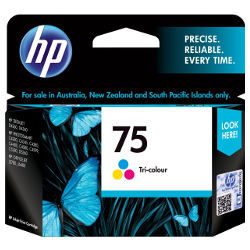
Expected page output and replacement cycles
Page yields for these cartridges are measured using the standard ISO/IEC 24711 testing procedures for inkjet hardware. Standard text printing primarily draws from the black tank, while creative imagery creates a swift depletion of the multi-coloured well due to how the printer blends shades.
| Cartridge Number | Type | Colour | Page Yield | Cost Per Page |
|---|---|---|---|---|
| 74 | Standard | Black | 220 | $0.21 |
| 75 | Standard | Colour | 170 | $0.36 |
Cost Per Page = Total Cartridge Price ÷ Page Yield (at 5% coverage). Prices based on Genuine cartridges.
Choosing between genuine and compatible options
Under Australian Consumer Law, using compatible cartridges does not void your printer warranty. Opting for premium compatible cartridges offers a practical path to reducing long-term printing costs without risking internal clogging or electronic recognition errors. To get a comprehensive overview of how third-party options hold up against factory alternatives, read our genuine vs compatible cartridges breakdown.
Managing replacements and shipping options
If you print mainly text, running standalone high-yield cartridges helps avoid early replacement warnings. For regular home or creative tasks, moving to XL versions keeps your operation running longer between updates. All compatible units carry a full replacement guarantee under our returns policy. Free delivery applies on all orders over $99, with inventory processed and shipped directly from local warehouses across Perth, Brisbane, Sydney, Melbourne and Adelaide. If you need supplies for an alternate setup, browse our HP ink cartridges catalogue.
Pro Tip
The 75 and 75XL tri-colour cartridges store cyan, magenta and yellow ink in three separate internal chambers. If one individual colour runs dry during creative printing, the entire unit will refuse to reproduce correct tones, making draft mode essential for non-essential documents to preserve the combined reservoir.
Frequently Asked Questions
Can I use the 74XL or 75XL cartridges if my printer originally used standard 74 or 75 cartridges?
Yes, the physical dimensions of the XL housing are completely identical to the standard versions. They slot into the exact same positions, but contain a larger physical volume of liquid inside the chamber to deliver an extended print span.
Why does my computer show an ink level warning message immediately after inserting a compatible cartridge?
This is a standard notification window built into legacy printer firmware. You can safely clear the message by clicking ok or pressing the printer resume button, which lets the cartridge function normally without restricting operation.
How do I clean the contacts if my printer fails to recognise a newly replaced cartridge?
Since these cartridges feature an integrated printhead mechanism, tiny specks of dust can disturb the connection. Turning off the printer, taking the cartridge out, and wiping the copper contact points gently with a lint-free cloth normally clears the error.


