
HP Photosmart 7830 Ink Cartridges
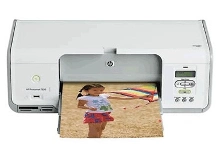
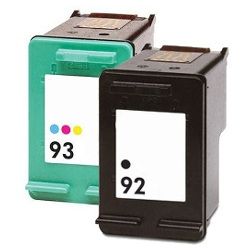
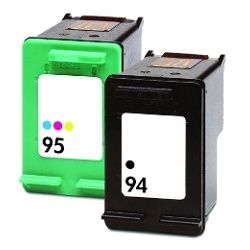
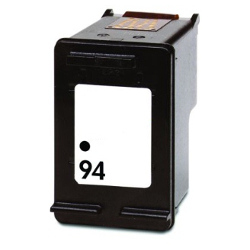
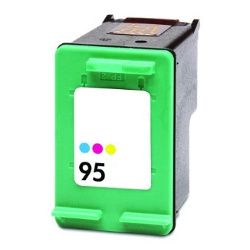
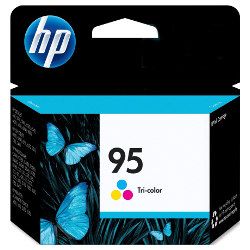
Shop ink cartridges for your HP Photosmart 7830, which uses the HP 92 and 93 ink cartridge series. Ink Depot has been supplying reliable consumables for this printer since Jan 2005. Designed as a versatile photo printer for vibrant borderless prints and clear text documents, this model balances black text output with multi-colour printing. Our 4.8 Google rating reflects a long-standing track record of premium cartridge performance. Opting for higher-capacity 94 (C8765WA) black or 95 (C8766WA) colour cartridges reduces replacement frequency.

Expected Page Output and Replacement Cycles
Page yield measurements for HP 92, 93, 94, and 95 ink cartridges follow ISO/IEC 24711 testing standards. Photo printing and heavy colour coverage consume tri-colour cartridges faster than standard 5% coverage text documents.
Choosing Between Genuine and Compatible Options
Under Australian Consumer Law, using compatible cartridges does not void your printer warranty. Compatible 92 (C9362WA), 93 (C9361WA), 94 (C8765WA), and 95 (C8766WA) cartridges offer a cost-effective alternative for everyday printing without compromising print output. Learn more about performance differences in our genuine vs compatible cartridge guide.
Selecting the Right Cartridge Setup for Your Printing Needs
If you print mainly text documents, choosing high-yield 94 (C8765WA) black cartridges provides higher page capacity. For photo enthusiasts printing colour graphics, 95 (C8766WA) tri-colour cartridges maintain clear image definition across print runs. Multipacks like the 92/93 (C9361WA-C9362WA) or 94/95 (C8765WA-C8766WA) bundle packs keep replacements on hand. Compatible options carry a money-back guarantee if they fail to perform. Review our returns policy for details. Free delivery applies on all orders over $99, dispatched quickly from dispatch centres in Perth, Brisbane, Sydney, Melbourne and Adelaide. Browse our full range of HP ink cartridges.
Cartridge Pro Tip
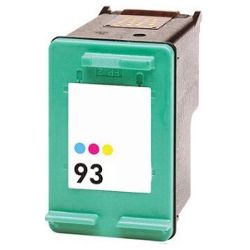
When printing borderless photos on the HP Photosmart 7830, always replace the 93 (C9361WA) or 95 (C8766WA) tri-colour cartridge as soon as any single colour channel runs low to prevent colour cast imbalance in your photo prints.
Frequently Asked Questions
Can I use HP 94 and HP 95 cartridges in a Photosmart 7830 that came with HP 92 and HP 93 cartridges?
Yes, the HP 94 (C8765WA) black and HP 95 (C8766WA) tri-colour cartridges are higher-yield versions designed for the exact same cartridge slots as the standard HP 92 (C9362WA) and HP 93 (C9361WA) cartridges.
Why does the 93 or 95 tri-colour cartridge run out of ink when only one colour is exhausted?
The HP 93 (C9361WA) and 95 (C8766WA) cartridges combine cyan, magenta, and yellow ink into a single physical unit with an integrated printhead. Once one colour chamber depletes, the cartridge cannot output accurate hues for photo printing and must be replaced.
How does installing a new HP 92 or 95 cartridge refresh photo output quality?
Unlike individual ink tank printers, HP 92 (C9362WA), 93 (C9361WA), 94 (C8765WA), and 95 (C8766WA) cartridges incorporate the printhead nozzles directly into the cartridge body. Every new cartridge installs a fresh set of print nozzles, eliminating long-term nozzle wear on photo prints.


