
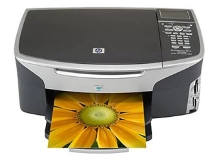
HP Photosmart 2710 Ink Cartridges
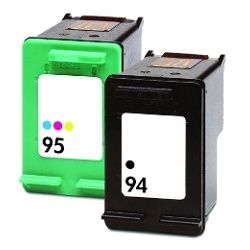
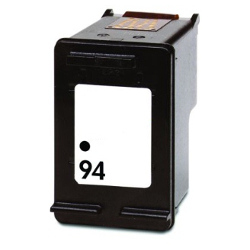
Your HP Photosmart 2710 uses the 94, 95 cartridge series. We have been supplying consumables for this printer since Jan 2004, supporting its dual-cartridge system that accommodates optional high-yield variants. Printing photos or graphics causes uneven exhaustion across the internal chambers of the tri-colour cartridge, often requiring a fresh unit while some ink remains. As demonstrated by our 4.8 Google rating, we are committed to providing premium consumable cartridges.
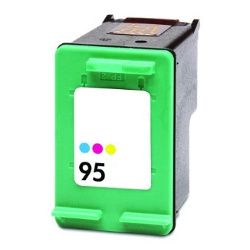
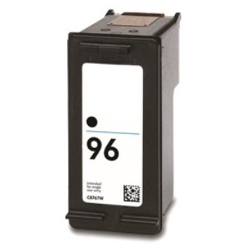

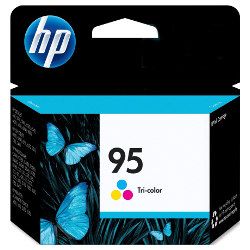
Expected page output and replacement cycles
Real-world page outputs fluctuate depending on print density and document types. Inkjet page yields are determined using the official ISO/IEC 24711 standard, which tests continuous printing under specific document templates to establish a reliable baseline.
What to know about compatible cartridges
Under Australian Consumer Law, using compatible cartridges does not void your printer warranty. Third-party options offer an affordable path to clear document production without sacrificing print longevity. You can read detailed usage benchmarks by checking our guide on genuine and compatible cartridges.
Choosing the right cartridge setup
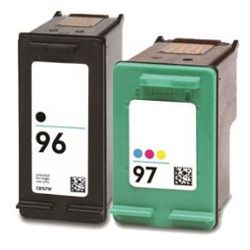
If you print mainly text documents, opting for the higher capacity 96 black cartridge lowers frequent intervention. For multi-colour image prints, bundle packs combine both required tanks at a reduced upfront investment. All compatible selections carry a full money-back guarantee should they fail to operate correctly. Free delivery applies on all orders over $99, dispatched from our regional stock locations in Perth, Brisbane, Sydney, Melbourne and Adelaide. Discover our broader catalogue of HP ink cartridges to complete your setup. For return procedures, refer directly to our Returns policy.
Pro Tip
This printer features a versatile dual-slot configuration that can accept different cartridge sizes; you can combine a standard 94 black with a high-capacity 97 colour cartridge, or a 96 black with a 95 colour cartridge seamlessly, allowing you to scale cartridge capacities based entirely on your personal text or photo balance.
Frequently Asked Questions
Can I use the 96 and 97 cartridges in my printer if it originally came with 94 and 95?
Yes. The 96 black and 97 tri-colour cartridges are physically identical in exterior dimensions to the 94 and 95 versions but contain more ink. They install into the exact same slots without requiring adjustments.
Why does my tri-colour cartridge run out of ink when I rarely print full-page photos?
The 95 and 97 tri-colour cartridges house three separate ink wells (cyan, magenta, and yellow) inside a single shell. Even during basic tasks like web page printing or document headings, the printer mixes these colours; once one individual colour well empties completely, the entire cartridge must be replaced to restore full colour accuracy.
What happens to the ink levels if the printer sits idle for several months?
Because these cartridges feature integrated printheads, leaving them idle can cause microscopic ink residue to dry inside the firing nozzles. Storing your printer in a stable environment and running a basic nozzle print check once every few weeks prevents blockages and saves ink overall.


