
HP OfficeJet 250 Mobile All-in-One Ink Cartridges
Shop ink cartridges for your HP OfficeJet 250 Mobile All-in-One, which uses the HP 62 and 62XL ink cartridge series. Ink Depot has been supplying reliable consumables for this portable mobile printer since Jul 2019. Upgrading from standard C2P04AA black ink to high-yield C2P05AA cartridges significantly extends mobile print output between replacements. Our 4.8 Google rating reflects a long-standing track record of premium cartridge performance.

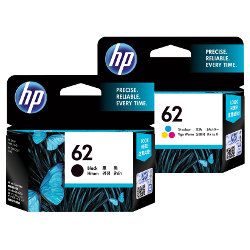
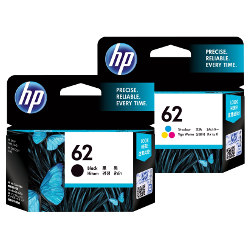

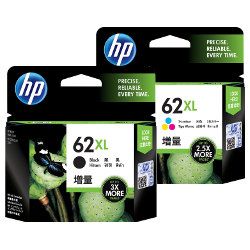


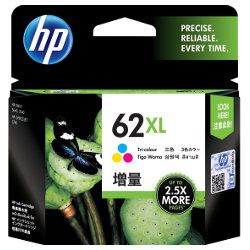
Expected page yield for HP 62 cartridges
Standard HP 62 black (C2P04AA) and tri-colour (C2P06AA) cartridges suit lighter printing tasks, while HP 62XL options (C2P05AA and C2P07AA) substantially lower ongoing cost per page. HP tests cartridge page yields according to ISO/IEC 24711 standards under continuous document printing conditions.
| Cartridge Number | Type | Colour | Page Yield | Cost Per Page |
|---|---|---|---|---|
| 62 | Standard | Black | 200 | $0.20 |
| 62 | Standard | Colour | 165 | $0.29 |
| 62XL | High Yield | Black | 600 | $0.17 |
| 62XL | High Yield | Colour | 415 | $0.25 |
Cost Per Page = Total Cartridge Price ÷ Page Yield (at 5% coverage). Prices based on Genuine cartridges.
Selecting the right HP 62 cartridge setup
For general mobile document printing, high-yield C2P05AA black and C2P07AA tri-colour cartridges provide superior long-term value by reducing cartridge changes while travelling. Multi-packs and bundle options allow you to maintain spare stock for important off-site projects. Returns are covered under our returns policy. Free delivery applies on all orders over $99. All orders ship directly from warehouses in Perth, Brisbane, Sydney, Melbourne and Adelaide. Explore our full range of HP ink cartridges.
Cartridge advice for portable printers
Because HP 62 tri-colour cartridges combine cyan, magenta, and yellow into a single unit with built-in printheads, replacing depleted colour cartridges automatically provides fresh firing nozzles, preserving crisp photo and document quality during travel.
Frequently Asked Questions
Can I mix standard HP 62 and high-yield HP 62XL cartridges in the OfficeJet 250?
Yes, standard C2P04AA/C2P06AA and high-yield C2P05AA/C2P07AA cartridges share identical physical dimensions and click into the same slots. You can run an XL black alongside a standard tri-colour cartridge without issue.
Why do HP 62 cartridges feature built-in printheads?
HP 62 cartridges integrate the printhead directly into each cartridge body. Replacing the cartridge installs a brand-new printhead mechanism every time, preventing clogged nozzles during extended periods between mobile print jobs.
How does tri-colour ink depletion affect cartridge lifespan?
When any single colour (cyan, magenta, or yellow) empties in the HP 62 tri-colour cartridge, the entire unit requires replacement to maintain accurate colours. If you print heavy volumes of a specific tint, stocking spare C2P07AA XL cartridges avoids sudden downtime.


