
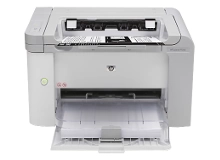
HP LaserJet Pro P1566 Toner Cartridges
Your HP LaserJet Pro P1566 uses the 78A toner cartridge series, featuring an all-in-one single black toner system. We have been supplying reliable printer consumables for this system since Jul 2010. Our 4.8 Google rating reflects a long-standing track record of premium cartridge performance. For small business setups running monochrome print runs, the primary replacement driver centres on handling predictable black text demand without frequent workflow interruptions.


How long these cartridges last in real use
The standard black toner offers a declared yield of 2100 pages. This measurement follows the official ISO/IEC 19752 testing standards for monochrome laser systems, though actual output depends on the density of elements on your printed documents.
| Cartridge Number | Type | Colour | Page Yield | Cost Per Page |
|---|---|---|---|---|
| 78A | Standard | Black | 2,100 | $0.087 |
Cost Per Page = Total Cartridge Price ÷ Page Yield (at 5% coverage). Prices based on Genuine cartridges.
Choosing between genuine and compatible options
Utilising premium compatible toner options delivers a significant reduction in office printing costs without risking any damage to your printer. Under Australian Consumer Law, using compatible cartridges does not void your printer warranty.
Best way to stock these cartridges
If you print mainly text documents, selecting an individual high-yield compatible toner lowers your cost per page dramatically. If you run consistent daily invoicing operations, securing a bundle pack guarantees you have a replacement on hand immediately. Our compatible products are protected by a complete money-back guarantee. Free delivery applies on all orders over $99. Orders are fulfilled rapidly from our distributed supply facilities in Sydney, Melbourne, Brisbane, Adelaide and Perth. Browse the full range inside our HP toner cartridges catalogue, and refer to our returns policy for processing terms.
Pro Tip
This toner system combines the internal developer, drum unit, and toner supply into a single physical cartridge. Because the imaging drum is replaced with every new toner installation, you automatically refresh the entire optical engine, which eliminates ghosting or faint streaks instantly.
Frequently Asked Questions
Can I use the CE278AD twin pack if I previously purchased individual CE278A toner?
Yes, the CE278AD part number simply denotes a genuine factory twin pack containing two standard CE278A toner cartridges inside the box. Each cartridge fits into the identical single slot inside your printer.
Why does my print output look faint even though the toner status utility indicates ink remains?
Laser toner can settle or compact within the internal hopper over extended printing sessions. You can redistribute the remaining powder by removing the cartridge and gently rocking it side to side five times before reinserting it.
How does the shelf life of a laser toner cartridge compare to standard inkjet options?
Unlike inkjet variants that dry out over time, laser toner consists of dry plastic powder sealed inside a hopper. This means a spare toner cartridge can sit in dry storage for several years without degrading or clogging.


