
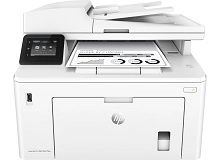
HP LaserJet Pro MFP M227fdn M227fdw M227sdn Toner Cartridges
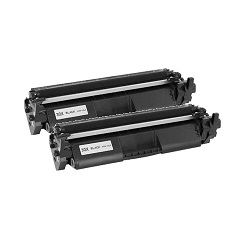
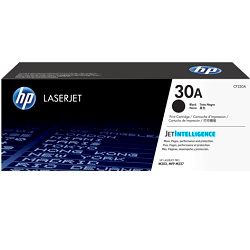
Your HP LaserJet Pro MFP M227fdn, M227fdw and M227sdn printers use the HP 30A and 30X toner cartridge series along with 32A (CF232A) drum units. Ink Depot has been supplying reliable consumables for these mono laser multi-function printers since Mar 2017. Switching from standard 30A (CF230A) cartridges to high-yield 30X (CF230X) options significantly lowers cost per page for high-volume office document printing. Our 4.8 Google rating reflects a long-standing track record of premium cartridge performance.





Expected page output and replacement cycles
The standard 30A (CF230A) toner delivers up to 1,600 pages, while the high-yield 30X (CF230X) prints up to 3,500 pages. Page yields are measured in accordance with ISO/IEC 19752 testing standards for monochrome laser printing.
| Cartridge Number | Type | Colour | Page Yield | Cost Per Page |
|---|---|---|---|---|
| 30X | Standard | Black | 3,500 | $0.062 |
| 30A | Standard | Black | 1,600 | $0.091 |
Cost Per Page = Total Cartridge Price ÷ Page Yield (at 5% coverage). Prices based on Genuine cartridges.
Choosing between genuine and compatible options
Compatible toner cartridges provide a cost-effective alternative for daily business printing without compromising quality. Under Australian Consumer Law, using compatible cartridges does not void your printer warranty. Learn more in our detailed genuine vs compatible cartridge comparison guide.
Managing the 32A drum unit
Your printer utilises a two-part consumable system comprising the toner cartridge and a separate 32A (CF232A) drum unit. Experience Tip: The 32A (CF232A) drum unit has a rated life of 23,000 pages and typically lasts through six to seven 30X (CF230X) high-yield toner replacements before requiring renewal.
Stocking toner efficiently for your workplace
For low-volume document output, standard 30A (CF230A) cartridges meet basic daily needs. High-volume business environments will benefit from 30X (CF230X) high-yield option packs to reduce downtime and cost per page. If you choose compatible options, all purchases are backed by our money-back guarantee under our returns policy. Free delivery applies on all orders over $99. Orders are dispatched quickly from distribution centres in Perth, Brisbane, Sydney, Melbourne, and Adelaide. Browse our full range of HP toner cartridges to order today.
Pro Tip
Always replace the toner cartridge when prompted, but keep the 32A (CF232A) drum unit installed until the printer specifically alerts you that the drum unit has reached its 23,000-page limit.
Frequently Asked Questions
Do the HP LaserJet Pro MFP M227fdn, M227fdw, and M227sdn share the same toner cartridges?
Yes. All three models in the M227 series use the same HP 30A (CF230A) standard and HP 30X (CF230X) high-yield toner cartridges, as well as the 32A (CF232A) drum unit.
Do I need to replace the 32A (CF232A) drum unit every time I change the toner cartridge?
No. The drum unit and toner cartridge operate independently in this laser system. The 30X (CF230X) toner cartridge holds up to 3,500 pages of supply, whereas the 32A (CF232A) drum unit lasts approximately 23,000 pages, meaning you will only replace the drum every 6 to 7 toner changes.
Can I install a high-yield 30X (CF230X) cartridge if my printer originally came with a standard 30A (CF230A)?
Yes. The 30X (CF230X) high-yield cartridge shares the exact same physical housing dimensions as the standard 30A (CF230A) and installs directly into the same slot inside your printer.
How do I know whether my print quality issue is caused by the toner cartridge or the drum unit?
If printed text displays consistent faded streaks or repeating spots at fixed vertical intervals down the page, the drum surface may be worn or scratched, indicating it is time to replace the 32A (CF232A) drum unit rather than the toner cartridge.


