
HP LaserJet Pro M102a M102w Toner Cartridges
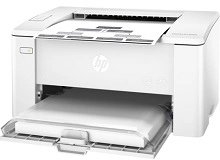
Your HP LaserJet Pro M102a and M102w printers use the HP 17A toner cartridge series along with CF219A imaging units. Ink Depot has supplied reliable consumables for these compact monochrome office printers since Mar 2017. Pairing standard 17A (CF217A) toner with a long-life drum keeps per-page costs minimal for routine business text. Our 4.8 Google rating reflects a long-standing track record of premium cartridge performance.



Expected Page Output and Replacement Cycles
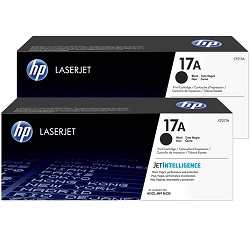
Standard HP 17A (CF217A) black cartridges deliver up to 1,600 pages based on ISO/IEC 19752 testing standards for monochrome laser printing. Yields depend on text coverage, document type, and print batch sizes.
| Cartridge Number | Type | Colour | Page Yield | Cost Per Page |
|---|---|---|---|---|
| 17A | Standard | Black | 1,600 | $0.090 |
Cost Per Page = Total Cartridge Price ÷ Page Yield (at 5% coverage). Prices based on Genuine cartridges.
Choosing Between Genuine and Compatible Options
Compatible 17A (CF217A) black cartridges offer significant savings for high-volume text printing without sacrificing text sharpness or page volume. Every compatible cartridge comes backed by a money-back guarantee. Under Australian Consumer Law, using compatible cartridges does not void your printer warranty. Learn more in our guide on genuine vs compatible cartridges.
Imaging Units and Separate Components
The HP LaserJet Pro M102 series uses a two-part print system separating the toner cartridge from the imaging drum. The 19A (CF219A) imaging unit has an estimated lifespan of 12,000 pages, outlasting roughly seven standard 17A (CF217A) toner cartridge replacements.
Experience Tip: The 19A (CF219A) imaging unit lasts through multiple toner cycles and only needs replacing when print density fades across the full page.
Best Options for Stocking Cartridges
If you print primarily routine business documents, bundle packs of 17A (CF217A) toner cartridges provide the lowest running costs per page. Compatible options deliver identical yield capacity for budget-focused work environments. Free delivery applies on all orders over $99. We ship directly from warehouses in Perth, Brisbane, Sydney, Melbourne, and Adelaide for fast arrival. Review our returns policy or explore full range options for HP toner cartridges.
Pro Tip
Monochrome laser printers like the M102 series print efficiently when you keep a spare 17A (CF217A) toner cartridge on hand, as toner level warnings appear close to full depletion.
Frequently Asked Questions
Do the HP LaserJet Pro M102a and M102w use the same toner cartridges?
Yes, both the M102a and M102w printer models use the exact same HP 17A (CF217A) toner cartridges and HP 19A (CF219A) imaging units.
Do I need to replace the 19A (CF219A) imaging unit every time I change the 17A (CF217A) toner?
No, the imaging drum is a separate component rated for 12,000 pages, meaning it typically lasts through approximately seven 17A toner cartridge replacements.
How do I know whether I need a new 17A toner or a 19A imaging drum?
Low toner messages or light print across entire pages indicate toner depletion, whereas repeating marks, smudges, or vertical lines down every page indicate the 19A imaging drum has reached the end of its lifespan.
Can I install high-yield cartridges in the HP LaserJet Pro M102 series?
The M102 series printer design only accepts standard yield 17A (CF217A) toner cartridges containing 1,600 pages of yield, but buying multi-packs provides lower per-cartridge costs.


