
HP Laserjet 4000 4050 Toner Cartridges
Your HP LaserJet 4000 4050 uses the 27X toner cartridge series, operating on a high-yield monochrome laser setup engineered to deliver crisp professional text documents, high-volume archival business paperwork, and sharp office spreadsheets. Backed by our 4.8 Google rating, we are dedicated to supplying premium replacements that guarantee precise black text alignment and clean greyscale background gradients. We have been providing replacement alternatives for this specific setup since Jan 1997, helping busy corporate environments, industrial workspaces, and school offices maintain a steady, high-efficiency workflow. Because single-colour monochrome printing systems process heavy text workloads rapidly, operations teams frequently select high-capacity multi-pack bundle options to simplify supply management and optimise long-term print value.

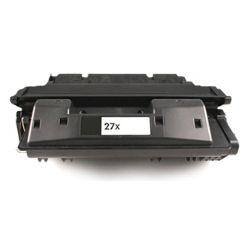
Page yield expectations and corporate printing lifecycles
Maintaining high office productivity requires transparent oversight over inventory stock levels and individual cartridge lifespans. HP establishes expected page yield capacities for the 27X high-capacity black toner configuration using standardised manufacturer coverage metrics, which track continuous dry powder consumption using uniform text pages. Review the detailed product options below to assess print capacities before completing your purchase.
| Cartridge Number | Type | Colour | Page Yield | Cost Per Page |
|---|---|---|---|---|
| 27X | Standard | Black | 10,000 | $0.006 |
Cost Per Page = Total Cartridge Price ÷ Page Yield (at 5% coverage). Prices based on Compatible cartridges.
Premium compatible toner cartridges
Lowering ongoing workplace printing expenses is straightforward when transitioning to premium generic replacement options. Under Australian Consumer Law, utilising high-quality compatible consumables does not void your original printer warranty. These cost-effective alternatives match original factory components in their physical housing structure, fine polymer powder melting properties, and deep black density, ensuring your official corporate reports, legal documentation, and administrative manifests retain an entirely professional presentation. Discover more about managing your office consumable choices by reading our genuine vs compatible cartridges guide.
Best ways to manage your print supply
When your daily schedule involves heavy administrative document production, medical transcription logs, or high-volume report sets, ordering 27X multi-pack bundle configurations provides the most secure protection against unexpected downtime during a major print run. Every premium generic toner supply unit is backed by a full money-back guarantee, giving total financial peace of mind to procurement teams. Free shipping applies to all transactions exceeding $99. To facilitate rapid logistics nationwide, we dispatch packages directly from regional distribution centres across Sydney, Melbourne, Brisbane, Adelaide, and Perth. Browse our complete range of HP ink cartridges and toners to restock your team.
Pro Tip
The HP LaserJet 4000 series utilises a heavy-duty fuser unit that binds the dry toner powder onto the paper fibers using intense heat and pressure. To ensure maximum text clarity and prevent ghosting or repeating image defects over time, make sure your operating system paper settings match the specific media type loaded in the tray (such as plain, heavy, or recycled paper). This allows the printer to automatically adjust the fuser temperature for an optimal seal.
Frequently Asked Questions
Will using a compatible 27X toner cartridge cause issues with my printer?
No, this legacy monochrome workhorse accepts high-quality compatible 27X toner cartridges seamlessly. The exterior alignment tracks, physical gears, and physical shutter mechanisms are engineered to mirror original factory physical structures exactly, allowing the mechanical drive assembly to engage smoothly without straining internal motors or throwing system errors.
Why does my printed page show a vertical white gap or look unusually faint across one side?
Faint vertical lines or uneven print density usually indicate that the dry toner powder is running low and has settled unevenly within the main hopper. You can easily extend the temporary life of the cartridge by removing it from the tray, holding it horizontally, and gently rocking it side-to-side a few times to redistribute the remaining powder evenly before reinstalling it.
How do I resolve recurring black spots or background tracking marks on my documents?
Repeated black marks at uniform intervals are typically caused by a small speck of dust, paper fiber, or stray toner residue sticking to the internal imaging drum surface. Printing a series of five to ten blank pages can often clear minor loose residue, but if the marks persist, check the cartridge assembly for physical debris or run a cleaning cycle to restore clean, unblemished pages.


