
HP Envy 6530e Ink Cartridges
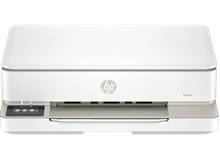
Your HP Envy 6530e uses the HP 68 ink cartridge series. The HP Envy 6530e is a compact wireless printer designed for home documents and family photos. Ink Depot has been supplying reliable printer cartridges for this model since Jan 2025. Upgrading from standard 7FP21TA black cartridges to 7FP22TA (68e) high-yield options significantly reduces replacement cycles. Our 4.8 Google rating reflects a long-standing track record of premium cartridge performance.
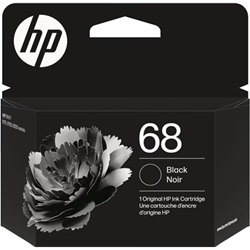
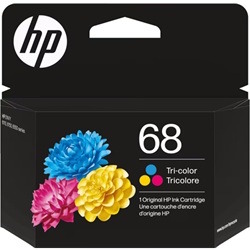
Expected Page Yields and Everyday Output
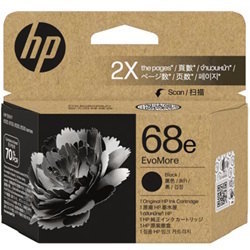
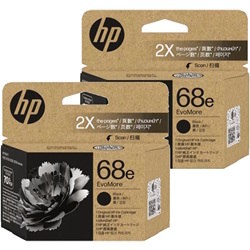
ISO/IEC 24711 standards determine page yields for HP inkjet cartridges under standard 5% coverage conditions. Actual yield varies depending on document coverage, print settings, and frequency of printhead cleaning cycles. High-yield 68e black cartridges offer double the pages compared to standard 68 units.
| Cartridge Number | Type | Colour | Page Yield | Cost Per Page |
|---|---|---|---|---|
| 68 | Standard | Black | 160 | $0.25 |
| 68 | Standard | Colour | 120 | $0.33 |
| 68e | High Yield | Black | 320 | $0.25 |
Cost Per Page = Total Cartridge Price ÷ Page Yield (at 5% coverage). Prices based on Genuine cartridges.
Smart Stocking and Fast Australian Delivery
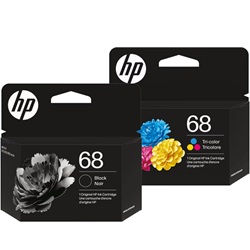
For basic text printing, choosing 7FP22TA high-yield black cartridges reduces cost per page. If printing mixed photo and colour documents, twin packs combining 7FP21TA black and 7FP20TA colour cartridges ensure balanced replenishment. We stock genuine HP ink cartridges dispatched fast from Australian warehouses in Perth, Brisbane, Sydney, Melbourne, and Adelaide. Free delivery applies on all orders over $99. If you need to review a purchase, our standard returns policy ensures peace of mind.
Expert Tip for HP 68 Cartridge Selection
Replace tri-colour 7FP20TA cartridges as soon as any single colour channel drops to low levels, because running an empty nozzle block can cause uneven tinting across subsequent prints.
Frequently Asked Questions
Can I mix a standard 7FP20TA tri-colour cartridge with a high-yield 7FP22TA black cartridge?
Yes, standard and high-yield HP 68 cartridges are fully interchangeable. The printer handles different yield sizes simultaneously without configuration changes.
How does the HP 68 tri-colour cartridge handle low ink levels in individual colours?
The 7FP20TA tri-colour cartridge combines cyan, magenta, and yellow into one unit. When one colour runs out, the entire cartridge must be replaced even if other colours remain.
Why should I choose 68e high-yield cartridges over standard HP 68 options?
The HP 68e (7FP22TA) black cartridge delivers 320 pages compared to 160 pages from the standard 7FP21TA, doubling page capacity while maintaining lower cost per printed page.


