
HP Deskjet F4480 Ink Cartridges
Your HP DeskJet F4480 uses the 60 & 60XL ink cartridge series, operating on a reliable thermal inkjet setup engineered to deliver crisp professional text documents, high-volume archival business paperwork, and sharp office spreadsheets. Backed by our 4.8 Google rating, we are dedicated to supplying premium replacements that guarantee precise black text alignment and clean greyscale background gradients. We have been providing replacement alternatives for this specific setup since Dec 2009, helping busy corporate environments, industrial workspaces, and school offices maintain a steady, high-efficiency workflow. Because multi-colour inkjet printing systems process heavy text workloads rapidly, operations teams frequently select high-capacity multi-pack bundle options to simplify supply management and optimise long-term print value.


Page yield expectations and corporate printing lifecycles
Maintaining high office productivity requires transparent oversight over inventory stock levels and individual cartridge lifespans. HP establishes expected page yield capacities for the 60 standard yield and 60XL high-capacity black and colour ink configurations using standardised manufacturer coverage metrics, which track continuous liquid ink consumption using uniform text pages. Review the detailed product options below to assess print capacities before completing your purchase.
| Cartridge Number | Type | Colour | Page Yield | Cost Per Page |
|---|---|---|---|---|
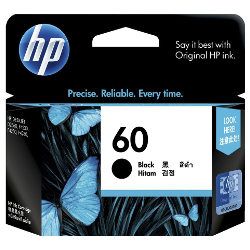
| 60 | Standard | Black | 200 | $0.24 |
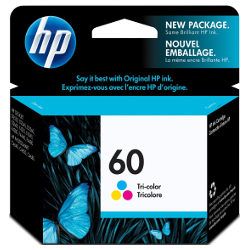
| 60 | Standard | Colour | 165 | $0.35 |
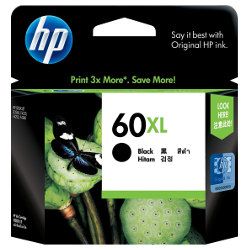
| 60XL | High Yield | Black | 600 | $0.18 |
Cost Per Page = Total Cartridge Price ÷ Page Yield (at 5% coverage). Prices based on Genuine cartridges.
Genuine vs compatible ink cartridges
Lowering ongoing workplace printing expenses is straightforward when transitioning to premium generic replacement options. Under Australian Consumer Law, utilising high-quality compatible consumables does not void your original printer warranty. These cost-effective alternatives match original factory components in their physical housing structure, fine liquid formulation properties, and deep black density, ensuring your official corporate reports, legal documentation, and administrative manifests retain an entirely professional presentation. Discover more about managing your office consumable choices by reading our genuine vs compatible cartridges guide.
Best ways to manage your print supply
When your daily schedule involves heavy administrative document production, medical transcription logs, or high-volume report sets, ordering 60 or 60XL multi-pack bundle configurations provides the most secure protection against unexpected downtime during a major print run. Every premium generic ink supply unit is backed by a full money-back guarantee, giving total financial peace of mind to procurement teams. Free shipping applies to all transactions exceeding $99. To facilitate rapid logistics nationwide, we dispatch packages directly from regional distribution centres across Sydney, Melbourne, Brisbane, Adelaide, and Perth. Browse our complete range of HP ink cartridges and toners to restock your team.
Pro Tip
The HP DeskJet F4480 series utilises integrated printhead cartridges where the microscopic firing nozzles are built directly into the base of the cartridge itself. To ensure maximum text clarity and prevent faint lines or missing colours caused by ink drying out over time, make sure to execute your printer's manual alignment and nozzle cleaning utility from the print driver settings if the printer has sat idle between active workloads.
Frequently Asked Questions
Can I run a high-capacity 60XL ink cartridge alongside a standard 60 cartridge in the printer?
Yes, this versatile inkjet system lets you mix and match cartridge capacities across the separate slots without causing software errors or physical tracking alignment blocks. You can cleanly run a high-yield 60XL black cartridge alongside a standard-yield 60 tri-colour cartridge to accommodate print workloads that lean heavily toward basic text over graphics.
Why does my operating system indicate an empty warning when there is still fluid moving inside the body?
The integrated microchip calculates your current fluid supply based on active droplet firing counts rather than weighing the physical internal sponge reservoir. If your administrative reports or invoicing documents consume lower ink volumes than the factory's standard coverage benchmarks, the electronic warning prompt may flag a low level slightly before the physical fluid is completely exhausted.
How do I fix light streaks or missing colour bands across my office documents?
Streaks or gaps in a solid colour block typically mean microscopic ink residue has dried or settled across the bottom jet surface. To resolve this, remove the affected cartridge from its carrier carriage, and gently blot the built-in gold contact strip and firing plate using a lint-free wipe lightly moistened with warm distilled water before snapping it securely back into place.


