
HP Deskjet F2480 & F2483 Ink Cartridges
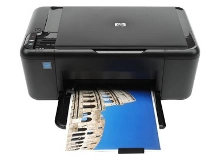
Your HP Deskjet F2480 F2483 uses the 60, 60XL cartridge series, which operates on a dual-cartridge setup consisting of one black tank and one combined tri-colour tank. We have been supplying replacement consumables for this home model since Dec 2009, assisting users with low-volume printing demands. Because this system uses a combined tri-colour cartridge, running out of just a single primary shade requires replacing the entire colour unit, shifting user replacement behaviour toward value-driven alternatives. Our 4.8 Google rating is built on dependable cartridge performance and uncompromising product quality.

Expected page output and replacement cycles
Page yield ratings follow the ISO/IEC 24711 testing standards for desktop inkjet setups, based on continuous print simulations. Real-world results vary considerably depending on graphic layouts. General home users printing occasional letters or homework find standard tanks dry out faster relative to actual output, making high-capacity tanks better for long-term consistency.
| Cartridge Number | Type | Colour | Page Yield | Cost Per Page |
|---|---|---|---|---|
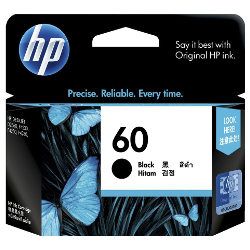
| 60 | Standard | Black | 200 | $0.24 |
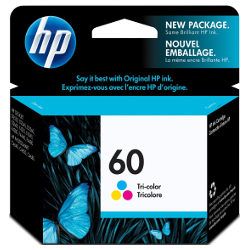
| 60 | Standard | Colour | 165 | $0.35 |
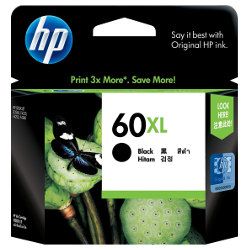
| 60XL | High Yield | Black | 600 | $0.18 |
Cost Per Page = Total Cartridge Price ÷ Page Yield (at 5% coverage). Prices based on Genuine cartridges.
Genuine vs compatible cartridges
Deciding between original or third-party ink depends heavily on your cost sensitivity for home administration tasks. Original cartridges offer traditional manufacturer reliability, whereas compatible replacements provide a lower price tier for regular printing. Under Australian Consumer Law, using compatible cartridges does not void your printer warranty. Every alternative we stock is backed by a full money-back guarantee. Read our direct assessment concerning genuine vs compatible cartridges to weigh up your options.
Choosing the right cartridge setup
If your printing pattern focuses on text forms, opting for high-yield 60XL black cartridges minimises structural replacement expense. For varied colour tasks, multi-packs offer a direct path to reducing the per-page printing costs inherent to tri-colour housings. We dispatch stock daily from dedicated distribution facilities in Brisbane, Sydney, Melbourne, Adelaide, and Perth to ensure quick transits. Free delivery applies on all orders over $99. If you ever mistakenly buy the wrong part number, our flexible Returns policy makes resolving the mistake straightforward. Check our comprehensive catalogue of HP ink cartridges to confirm compatibility.
Pro Tip
The HP 60 cartridge design integrates the actual printhead mechanism into the base of the cartridge itself rather than inside the printer. This means every time you replace an empty ink tank, you are installing a completely fresh firing array, which instantly resolves any lingering horizontal lines or blocked nozzle defects.
Frequently Asked Questions
Can I install a high-capacity 60XL ink cartridge if my printer originally came with a standard 60 cartridge?
Yes, the external dimensions of the 60 and 60XL casings are identical. The high-capacity versions simply contain a larger volume of physical ink inside the internal chamber, fitting securely into the same terminal slots.
Why does my print quality drop even though the tri-colour status indicator shows there is ink remaining?
Because cyan, magenta, and yellow live in three separate internal chambers within a single shell, one shade may deplete entirely before the others. When one colour runs dry, print results skew off-colour despite the overall remaining fluid level.
What is the best way to prevent these cartridges from drying out during long gaps between use?
Run a single-page print or printhead diagnostic routine once every fortnight. Regular fluid movement clears out tiny crusts of dried ink from the integrated nozzles, protecting the internal elements from premature failure.


