
HP DeskJet F2400 Ink Cartridges
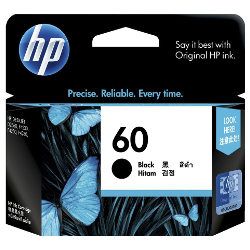
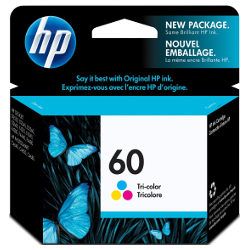
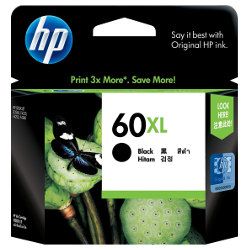
Your HP DeskJet F2400 uses the 60, 60XL ink cartridge system, requiring one black cartridge and one tri-colour cartridge. We have been supplying replacement consumables for this printer since Jun 2013, helping students and families complete daily domestic printing projects efficiently. Our 4.8 Google rating is built on dependable cartridge performance and uncompromising product quality. Because households print text documents more frequently than full-colour graphics, the standalone black block depletes down at a much faster rate, meaning users generally order monochrome cartridges separately to match their distinct domestic printing behavior.

Page output and household replacement cycles
Estimated limits for the 60 and 60XL series are measured against the ISO/IEC 24711 standard designated for home inkjet models. Standard configurations fit infrequent document processing, whereas high-yield cartridges prevent frequent maintenance stops for families handling school assignments.
| Cartridge Number | Type | Colour | Page Yield | Cost Per Page |
|---|---|---|---|---|
| 60 | Standard | Black | 200 | $0.24 |
| 60 | Standard | Colour | 165 | $0.36 |
| 60XL | High Yield | Black | 600 | $0.18 |
Cost Per Page = Total Cartridge Price ÷ Page Yield (at 5% coverage). Prices based on Genuine cartridges.
Choosing your cartridge setup
If your family prints mainly text documents or school homework assignments, sourcing high-yield black lines reduces regular replacement downtime. Conversely, tri-colour units are ideal for occasional family photos or colour charts. All our genuine stock item purchases remain fully protected under original manufacturing parameters. You can review all terms and coverage periods easily by visiting our dedicated Returns policy page. Free delivery applies on all orders over $99. Orders are packaged and dispatched quickly from regional logistics hubs across Sydney, Melbourne, Brisbane, Adelaide, and Perth. Discover our full selection of HP ink cartridges online.
Pro Tip
Because the 60 cartridge series features a built-in printhead mechanism right on the base of the structure, swapping an empty cartridge removes the older ink-firing plate completely. If you run into stubborn faint lines or print gaps that software head cleans cannot shake, installing a completely fresh cartridge will entirely renew the micro-nozzle technology.
Frequently Asked Questions
Can I install a 60XL high-yield cartridge into my printer if it originally used a standard 60?
Yes, the 60XL cartridge has identical external physical dimensions to the standard 60 cartridge and locks directly into the exact same cartridge slot. The difference lies inside the cartridge shell, where a larger internal sponge holds more ink fluid to provide a significantly higher page output.
Why does my printer state that colour ink is empty when I have only been printing black text?
Even when you print black text exclusively, your printer pulls tiny drops of colour ink during its automatic startup and periodic background cleaning cycles to stop the nozzles from clogging. Over time, these maintenance activities slowly consume the tri-colour ink reserve until a replacement is prompted.
What happens if one colour chamber runs completely dry inside the tri-colour cartridge?
The 60 and 60XL tri-colour configurations house cyan, magenta, and yellow ink together inside three individual compartments. If one single colour chamber is completely empty, the cartridge cannot accurately mix shades, and you will need to replace the entire colour block to restore proper print output.


